Tags
Creators
Details
2.0.0
Compatibility
Required content
Changes
v2.0.0 — The Liftoff Update
The biggest update Absolute Order has ever had. Your items now literally take off and fly into place — powered by self-sorting priority filters, two-way item flow, presets, a complete visual rebuild, and support for more Minecraft versions and loaders than ever before. 🚀
🆕 New
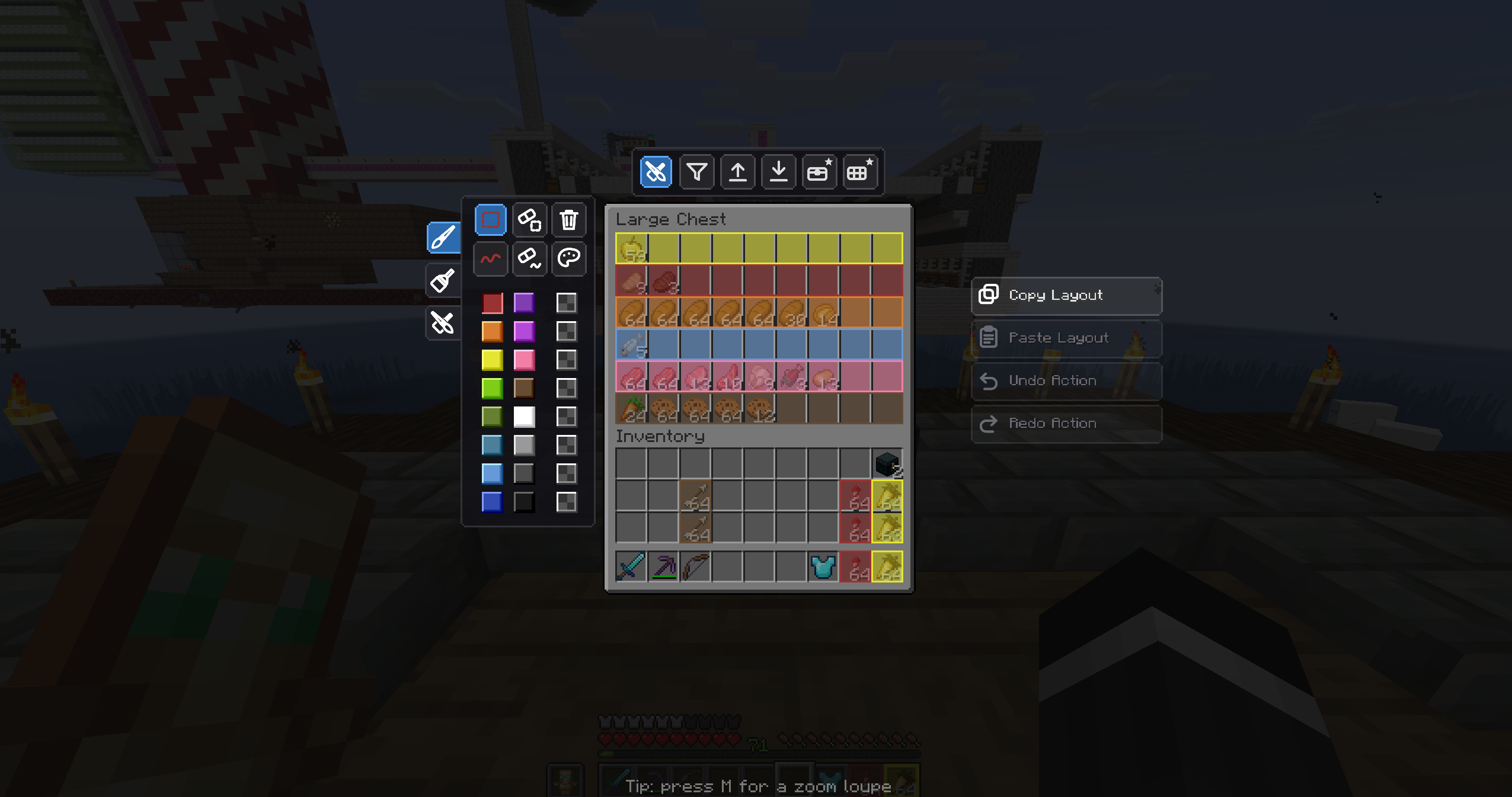
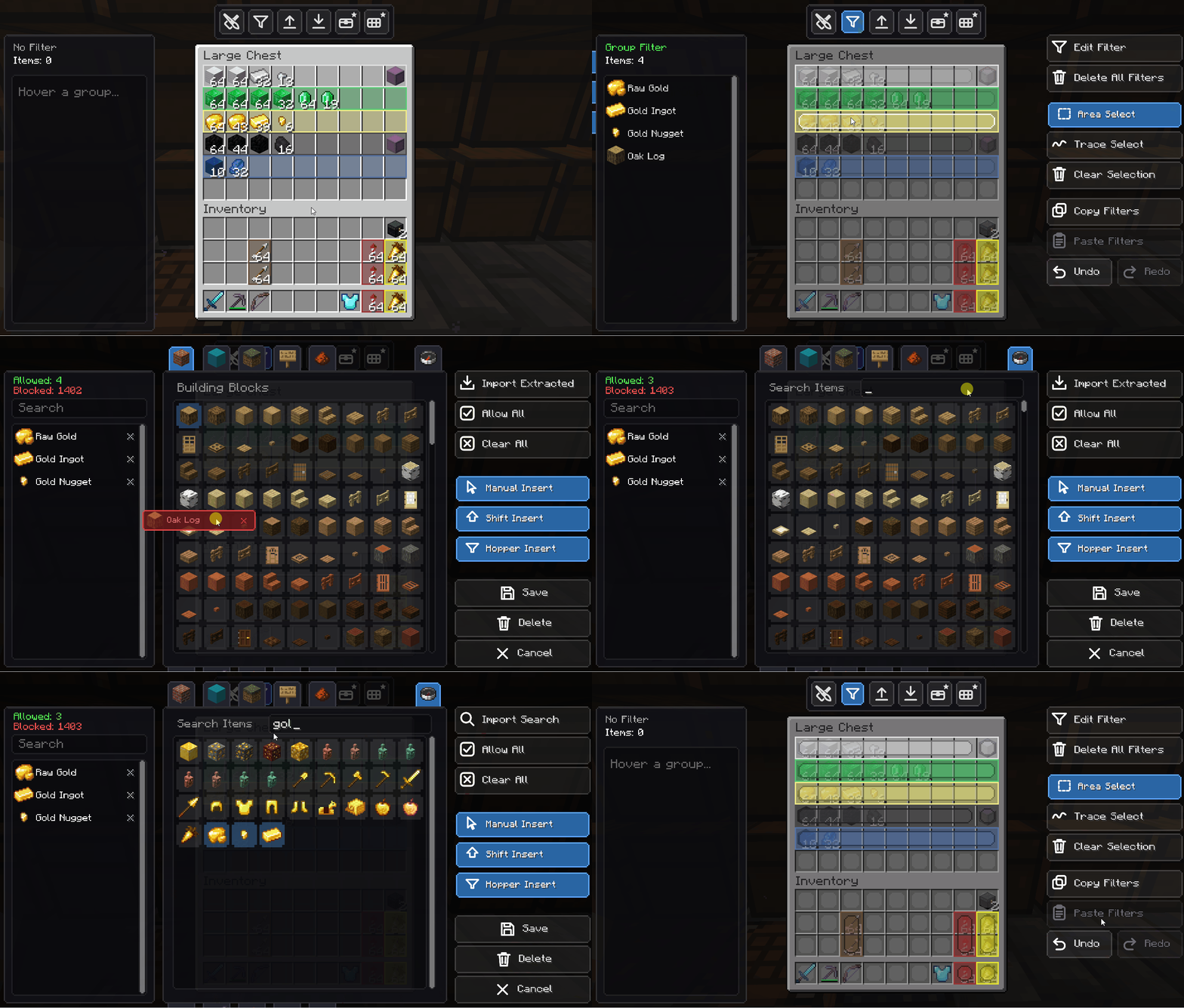
✨ Crystal interface — every screen in the mod has been rebuilt with a brand-new translucent glass design (shown above).
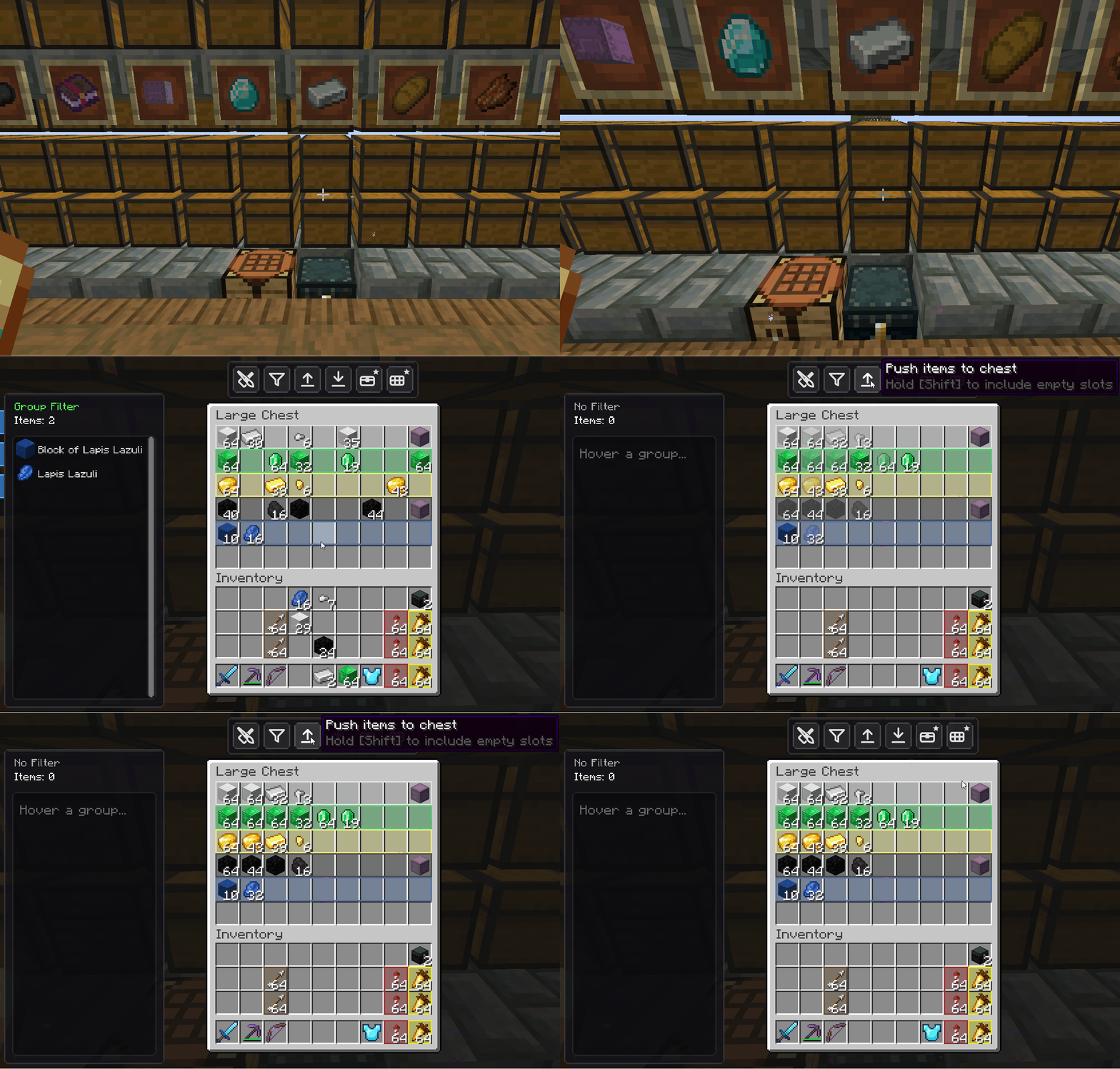
🎯 Priority filtering by order — the order of items in a chest's filter is now its priority, and the mod auto-sorts matching items into the right slots inside the same chest, all on its own.
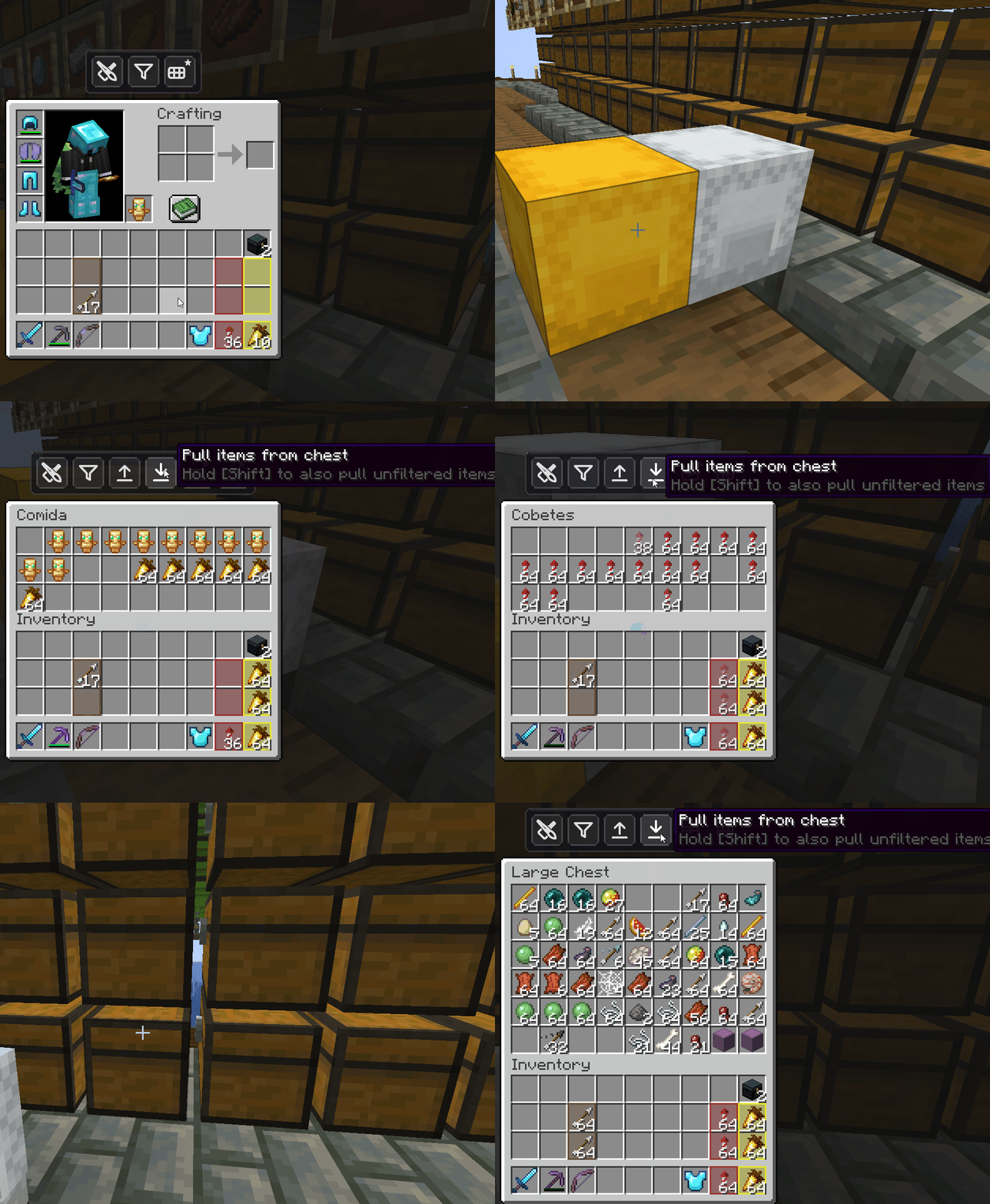
🔄 Pull from container — open any chest and pull every matching item into your inventory with one click. Deposit now works both ways.
🖐️ Drag to build filters — add, remove, and reorder filter items by dragging them directly, with a live preview of the result.
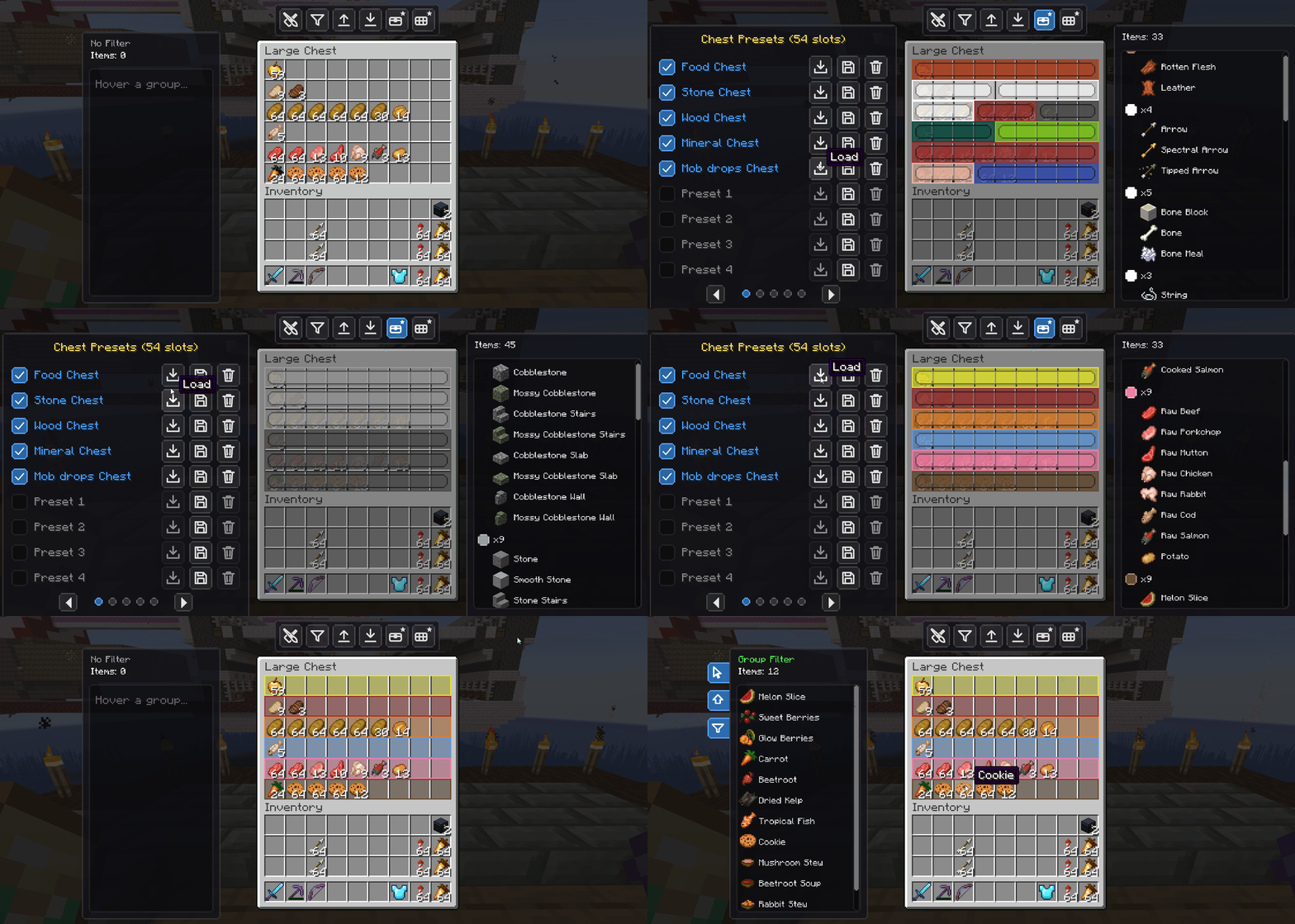
⚡ Presets — apply ready-made layouts to a chest or your inventory in one click, with inline renaming and saved names that travel with you.
✨ Improved
- Live action preview now always shows exactly where your items will land — for both Deposit and Pull, with or without Shift.
- Accurate counters — the "deposited / grabbed N items" message now always reports the true amount, even for very large hauls.
- Smoother, more consistent editor interactions across every supported version.
🐛 Fixed
- Fixed Pull (without Shift) overflowing items into non-filtered slots.
- Fixed a "Grabbed 0 items" / incorrect total appearing on large transfers.
- Fixed filters going inactive after leaving and re-entering a world.
- Fixed the Shift-pull preview not showing items landing in the hotbar.
🌍 Compatibility
- Absolute Order now runs on Fabric, NeoForge and Forge.
- Support expanded across a wide range of Minecraft versions, from classic releases to the very latest.
Thank you for using Absolute Order — if it saves you time or makes you smile, a coffee keeps the updates coming ☕