


Tags
Creators
Details
Licensed MIT
Published 7 months ago
Updated 5 months ago
All versions
0.4.0
Ad Astra: GalileoX 0.4.05 months ago 38
Compatibility
Minecraft: Java Edition
Platform
Supported environments
Required content
Unavailable version
Unavailable version
Changes
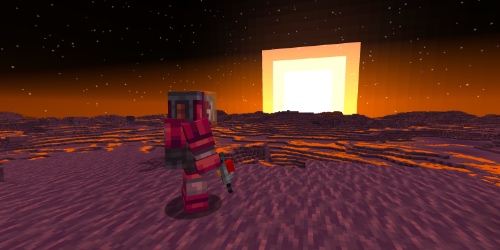
Update 0.4 "Aggressive Environment"
Radiation and Contamination
- Added a complete radiation mechanic that spreads from the sky similarly to light, while also being able to pass through a specified number of full blocks.
- Implemented radiation propagation levels from 0 to 40.
- Added the
radiation_spreadoption toconfig/galileox.tomlto enable or disable radiation propagation. - Radiation is measured in Rem and mRem.
- Added a player radiation accumulation scale from 0 to 600 Rem.
- Implemented 5 stages of radiation contamination, with negative effects becoming stronger as exposure increases.
- At high contamination levels, the player receives Weakness, Mining Fatigue, Nausea, Blindness, and periodic damage.
- At 400 Rem, the player dies.
- After death, the accumulated medication level is not reset, and radiation above 300 Rem is capped at 300 Rem upon respawn.
Planets, Orbits, and Radiation Propagation
- Added radiation background levels for planets:
- Earth and Glacio — 0
- Titan — 1
- Venus — 2
- Mars — 4
- Moon — 5
- Mercury — 6
- Added separate radiation levels for planetary orbits.
- Added parameters to
GalileoXPlanetApifor configuring radiation background and radiation propagation level. - If the radiation parameter is not specified, the default value is 0, meaning radiation does not spread on the planet.
- Added a block tag for blocks that do not conduct radiation, including airlocks, reinforced doors, and doors made from space materials.
Radiation Effects
- Added a new Radiation effect.
- The effect has 5 contamination levels.
- Radiation effects do not have particles and combine several vanilla negative effects.
Radiation Protection
- Added an anti-radiation medication system.
- Each medication reduces accumulated radiation by a specific amount of Rem.
- Added a separate scale for tracking applied medication accumulation.
- The total medication effect limit is 300 Rem.
- Implemented 3 medication tiers:
- Tier 1 — up to 100 Rem
- Tier 2 — up to 200 Rem
- Tier 3 — up to 300 Rem
- Once the medication limit is reached, further use no longer reduces radiation.
- Added food items with a small anti-radiation effect: honey, kelp, fish, and cooked fish.
- Added new medications:
- Activated Carbon
- Carbogel
- Wakari
- Tier 1 Antirad
- Tier 2 Antirad
- Tier 3 Antirad
Chemistry and Production Chains
- Added a new production chain for creating chemical reagents.
- Added solutions, concentrates, and crystals used in anti-radiation medication recipes.
- The brewing stand can now be used to create chemical solutions from Mineral Solution and various ingredients.
- Added new chemical components:
- Mineral Solution
- Coal Solution
- Sticky Solution
- Iodized Solution
- Copper Solution
- Niter Solution
- Sulfur Solution
- Coal Concentrate
- Organic Solution
- Iodine Concentrate
- Gold Solution
- Mercury Solution
- Iron Solution
- Gelatin Solution
- Mineral Concentrate
- Organic Concentrate
- Added new fluids:
- Coal Solution
- Iodized Solution
- Fluids can be poured into the Crystallizer and extracted using test tubes.
Chemical Centrifuge
- Added a new machine block: Chemical Centrifuge.
- Block ID:
laboratory_centrifuge. - The centrifuge is used to mix reagents and create chemical components, medicines, and antirads.
- Added a dedicated GUI with multiple slots:
- 3 slots for test tubes
- 1 additional slot for an item ingredient
- 1 output slot
- 1 energy slot
- The centrifuge supports JSON recipes.
- Recipes are stored in
data/.../recipes/laboratory_centrifuge. - After crafting is completed, liquids from the test tubes are consumed and empty test tubes are returned.
- Added hopper interaction support.
- Added a JEI category for the centrifuge.
Brewing Stand and Plutex
- The brewing stand can now use not only vanilla Blaze Powder, but also the new Plutex resource.
- A separate JEI category is added for recipes using Plutex.
Syringe
- Added a new syringe item for using anti-radiation medications.
- The syringe has a capacity of 3 charges.
- One charge equals one antirad.
- The syringe is filled by pressing RMB while holding the syringe and an antirad in different hands.
- The syringe is also used with RMB.
- The syringe can only store one type of antirad at a time.
- To switch to another antirad type, the syringe must be completely emptied.
- The vial is displayed on the syringe model if it contains at least one charge.
- The vial color and durability bar color depend on the loaded antirad type.
Natural Radiation Decay
- Added natural radiation decay for players.
- Radiation is reduced when the player is standing in a block with radiation level 0.
- Base radiation decay rate: 0.02778 Rem/sec.
- Applied medication accumulation is reduced at the same rate.
- Added configuration options:
player_radiation_outputplayer_antirad_output
Solar Flares
- Added a temporary solar flare event.
- Solar flares temporarily increase radiation levels on planets and in orbit.
- Solar flares have 3 intensity levels:
- weak — +1 radiation
- medium — +2 radiation
- strong — +3 radiation
- Solar flares affect the entire star system.
- Solar flares occur independently in different star systems.
- Added the
magnetic_fieldparameter, which reduces the impact of solar flares on planets with a magnetic field. - Earth and Glacio have a magnetic field.
- The Moon, Mercury, Venus, Titan, and Mars do not have a magnetic field.
- Added the
star_activityparameter, which controls how frequently solar flares occur.
Radiometer
- Added a new Radiometer item.
- The Radiometer measures the radiation background of the block the player is currently standing in.
- Measurement range: from 0 to 404 Rem/hour.
- Readings are displayed in mRem/sec.
- The Radiometer has several operating modes.
- Modes are switched by pressing RMB.
- A sound is played when switching modes.
- Added different audio feedback levels for the Radiometer:
- low activity
- medium activity
- high activity
- The Radiometer is visually displayed in the player's hands.
- The Radiometer screen is toggled with Shift + RMB.
- When the screen is enabled, the item texture changes and the current readings are displayed.
- Readings update once per second and include a small random deviation.
- If radiation exceeds the device's maximum range, the maximum value is displayed statically.
- Added Radiometer textures for the screen, indicator lights, and numeric display.
Commands and Debugging
- Added the
/galileox radiation infocommand. - The command is available only to players with operator permissions.
- The command displays:
- current planet
- planet radiation level
- radiation level in the player's block
- solar flare level
- contamination rate
- player's accumulated radiation
- player's accumulated medication level
- Added a command for managing solar flares.
/galileox radiation set <number>- The command displays:
- Set the player's accumulated radiation level
/galileox radiation antirad_set <number>- The command displays:
- Set the player's accumulated medication level
/galileox solar_flare <power> <time>- The command displays:
- Set the duration and power for starting a solar flare
- Disable the solar flare
Deaths and Messages
- Added new death messages:
- death from radiation damage: the player died from radiation sickness
- death from reaching 400 Rem: the player jumped into the sarcophagus
- These messages improve the atmosphere and emphasize the danger of the radiation mechanic.