


Links
Tags
Creators
Details
Licensed MIT
Published 5 months ago
Updated 5 months ago
All versions
1.0.0
AnkiCraft 1.0.05 months ago 91
Compatibility
Minecraft: Java Edition
Platform
Supported environments
Required content
Any compatible version
Changes
AnkiCraft
Client-side mod to integrate Anki reviews while playing Minecraft. AnkiCraft talks to AnkiConnect on your computer and shows cards on a corner hud.
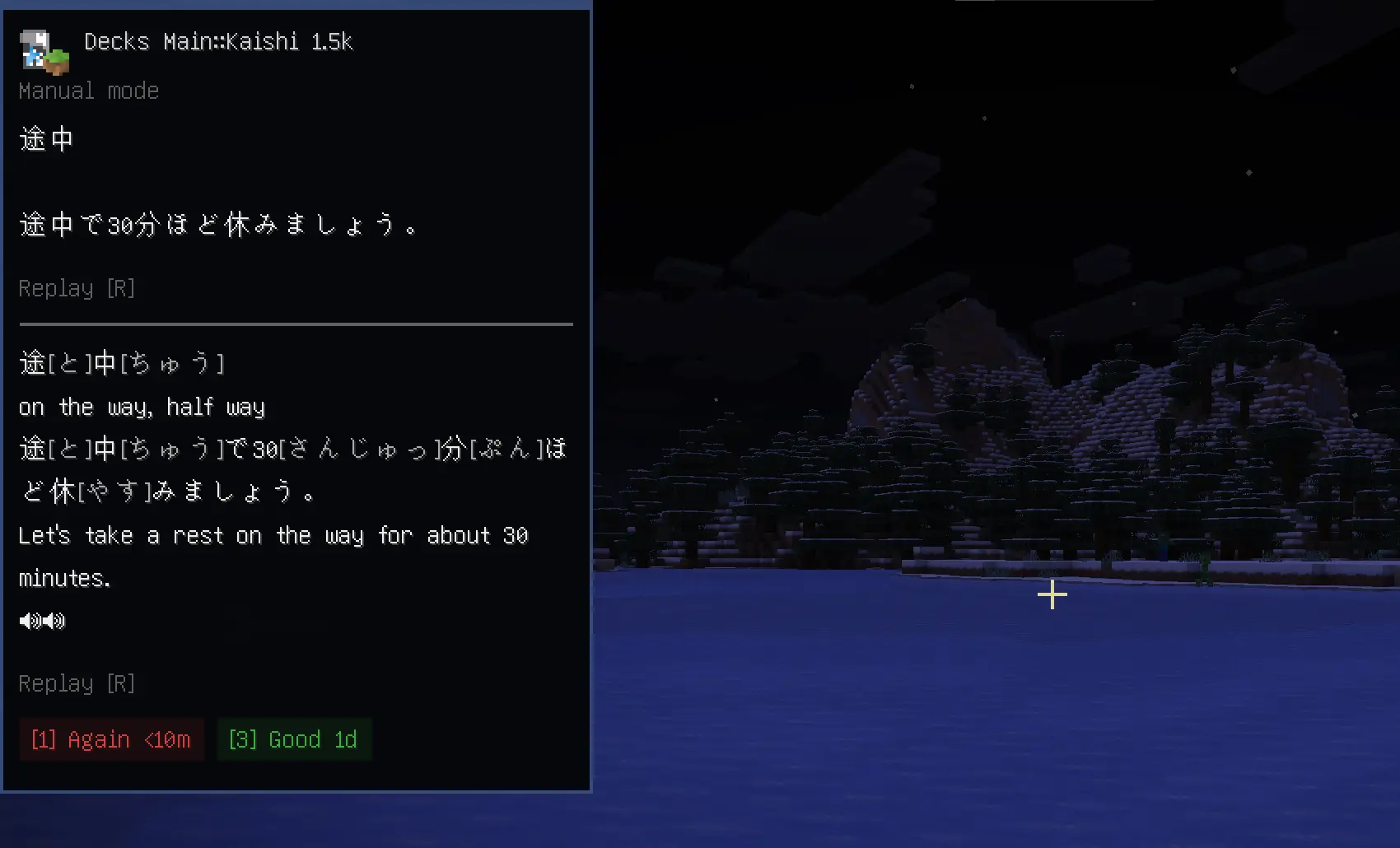
What it can do
- Automatic reviews: Cards pop up on a timer you control (or turn the timer off).
- Manual study mode: Disable the timer and review cards in a chain with a hotkey.
- Card management: Suspend, bury, or flag the current card (bind in controls menu).
- Audio Support: Audio placed in cards will play ingame
- Auto pause: Popups pause when menus are open, when you're dead, and briefly after you take damage.
- Customizable HUD: Corner position, width, line limits, deck name, audio volume, and an appearance editor (colors, opacity, presets).
Requirements
| Requirement | Notes |
|---|---|
| Fabric Loader + Fabric API | Required |
| Mod Menu | Optional but recommended for settings |
| Anki + AnkiConnect on the same PC | With the AnkiConnect add-on installed |
| Anki running | While you play; default URL http://127.0.0.1:8765 |
Setup
- Open Anki and study your chosen deck
- Open Mod Menu > AnkiCraft, refresh your deck list, pick your study deck, and click Done.
Default controls
Rebind everything under Options → Controls → AnkiCraft.
| Key | Action |
|---|---|
| H | Toggle manual nonstop review |
| F | Flip card |
| R | Replay audio |
| V | Full card screen |
| 1–4 | Again / Hard / Good / Easy (after flip) |
| U | Undo last answer |
Suspend / bury / flag are unbound by default. I recommend 0, -, and = for each respectively.
Limitations (v1.0.0)
- Text and audio — Card images in notes are not shown (HTML/image tags are stripped).
- Local Anki only — AnkiConnect must be reachable on your machine (not a remote server's Anki).
- Anki styling — Full Anki color/CSS matching is not yet implemented.
Planned later
- Ingame buffs / penalties tied to review outcomes (as well as a server-side plugin/mod (undecided) for vanilla multiplayer support)
- Localization and ui artwork
Optional dependencies
Any compatible version