Tags
Creators
Details
1.2.0
Compatibility
Changes
Changelog (1.2.0)
-
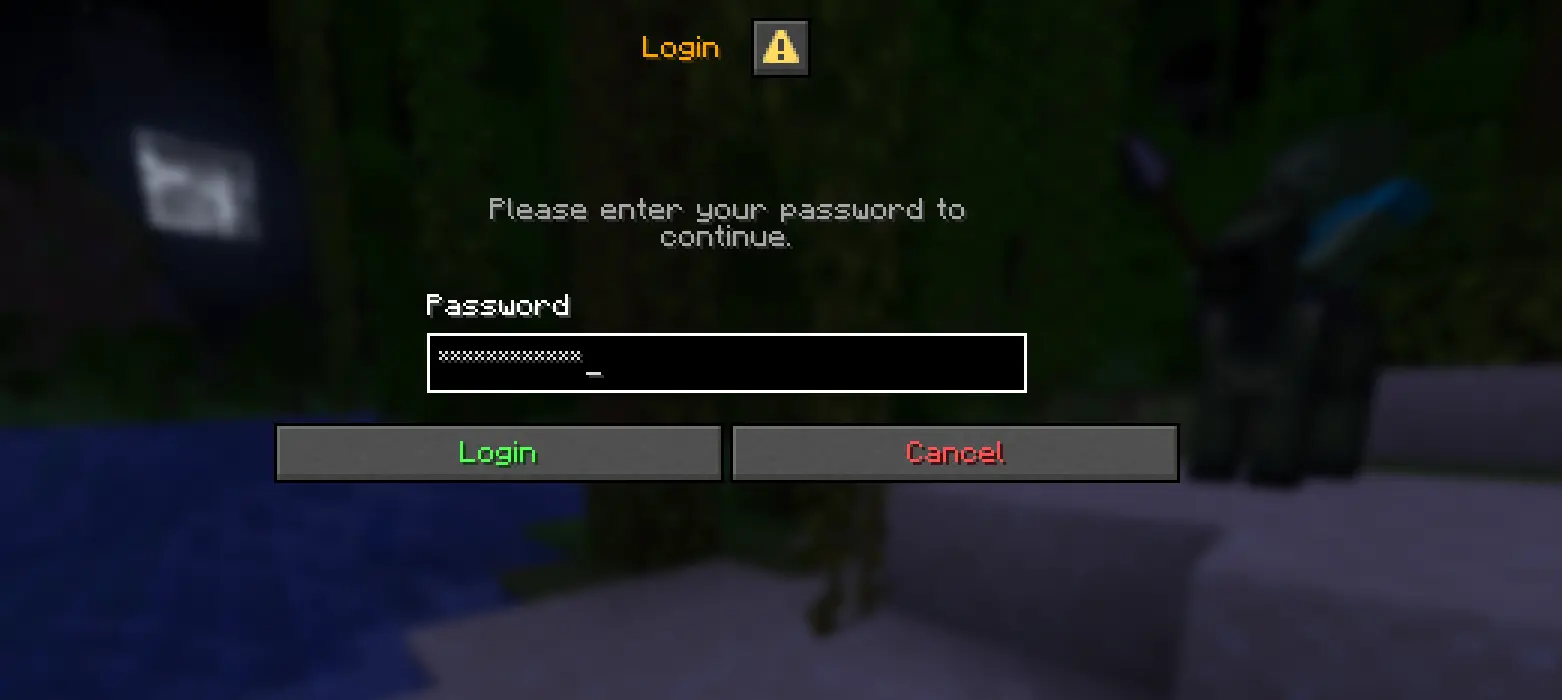
Added GUI password field masking — passwords typed into graphical login/auth screens (e.g. AuthMe's "Login" prompt) are now masked with * in real time, not just chat commands
-
Auth screens are detected automatically via a multilingual keyword list (English, Hungarian, German, French, Spanish, Russian) matched against the screen title and the field's narration label
-
The mod's own config screen and the chat input are explicitly excluded from full-field masking to avoid interfering with normal use
-
Added a new config option maskGuiPasswordFields (default true) so GUI masking can be disabled in config/authhide.json if a false positive ever occurs
-
The real password value is never altered — masking only affects what's drawn on screen, so the correct password is still submitted to the server
Projects on Modrinth are automatically available through a Maven repository for use with JVM build tools such as Gradle. To learn more about the Modrinth Maven API, click here.
Note: When available, you should use the creator's maven repo instead as it will have transitive dependency information that the Modrinth Maven API does not. You may also end up with duplicate dependencies if you use a mix of Modrinth and non-Modrinth Maven repositories for your dependencies, because the group identifier will be different when served through the Modrinth Maven API.
Maven coordinates:
Version ID:
build.gradle:
repositories {
exclusiveContent {
forRepository {
maven {
name = "Modrinth"
url = "https://api.modrinth.com/maven"
}
}
// forRepositories(fg.repository) // Uncomment when using ForgeGradle
filter {
includeGroup "maven.modrinth"
}
}
}
// Standard Gradle dependency
dependencies {
implementation "maven.modrinth:CL3VM9Sj:wjpaqJw8"
}
// Legacy Loom dependency
dependencies {
modImplementation "maven.modrinth:CL3VM9Sj:wjpaqJw8"
}

