


Tags
Creators
Details
0.4s1
Compatibility
Changes
Autowork 0.4 Snapshot 1
First snapshot of 0.4. Anything can and will change in newer versions/release. It may be unstable.
New Content
- Harvester
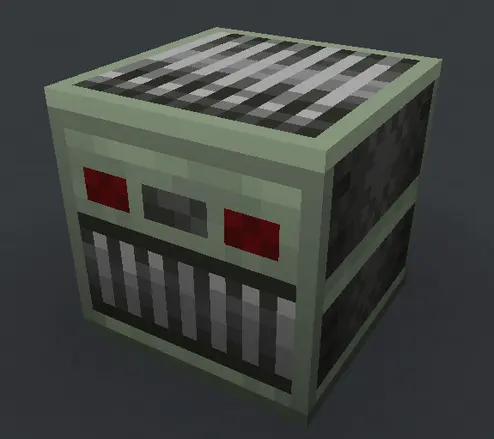
It collects crops in front of itself in range of 3 without breaking them. Also can use hoe. Power it with continuous redstone signal
- Saw
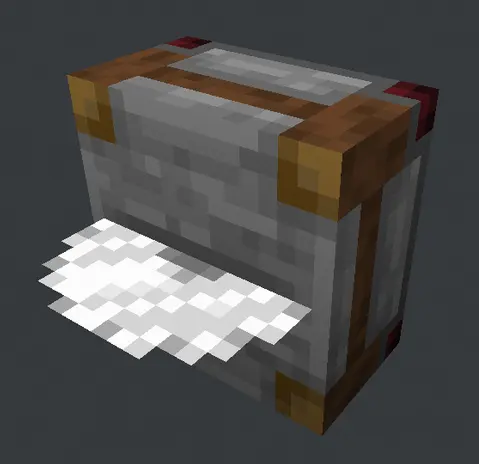
Requires fuel and continous redstone signal to work
- Fisher

Auto-fishing! Place fisher in aquatic biome (river, ocean etc), give it a fishing rod and redstone signal to make it work. It also requires block of water in front of itself.
-
Cans and Canner
-
Can
Contains up to 9 foods. Closed variation can be stacked up to 16.

If all the items in can are the same, the can will have miniature item shown in inventory.

You can open the can by right-clicking on it with wrench. Then you can right-click on open can to eat its contents.

After all the food is gone, it'll become empty can which stacks to 64 like any other normal item.
- Canner

Used to make cans. The process is described in Ponder
Technical stuff
- Harvester uses
autowork:harvestableblock tag to detect whether the crop is harvestable or not.autowork:harvestable/fruitmarks block to be harvested like melons or pumpkins - just to be broken,autowork:harvestable/no_breakforces Harvester to ignore certain block,autowork:harvestable/multiblockmarks block to be harvested like sugar cane/cactus, only blocks above will be broken - Saw uses
autowork:sawableblock tag as filter for blocks that could be broken using it; by default has only#minecraft:logsin it - Added first Ponders for Saw and Canner. More ponders coming in future updates
- We use FancyTabSection v4.0 now to be fancy and compatible