


Tags
Creators
Details
Licensed Apache-2.0
Published 3 years ago
Updated 6 days ago
All versions
1.20.2-1.8.0
BMH 1.8.0 for mc1.20.2last week 4
Compatibility
Minecraft: Java Edition
Platform
Supported environments
Changes
BMH now runs on Minecraft 26.1, it has a config screen, and a star reading always shows the way back to the world spawn.
Added
- A star reading now always draws a line toward the world spawn, the first place of your world. It has no name, and its line is a little lighter than the lines of your points. It works with no point at all, and it does not count toward the limit of points.
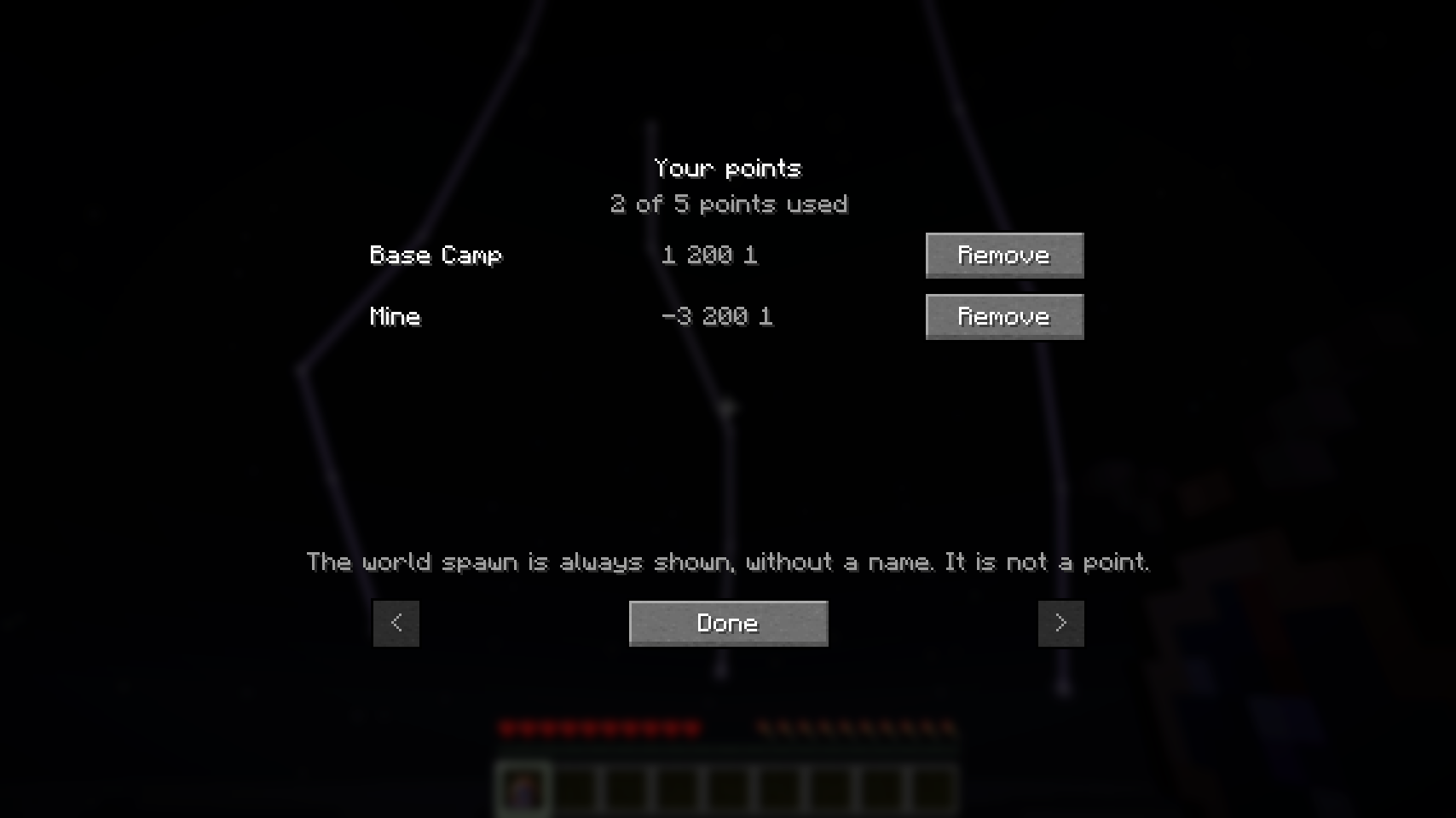
- Sneak and use the Navigator's Amulet anywhere that is not a bed or a lodestone: a list shows your points, with a Remove button on each. You can now remove a point whose bed or lodestone is gone.
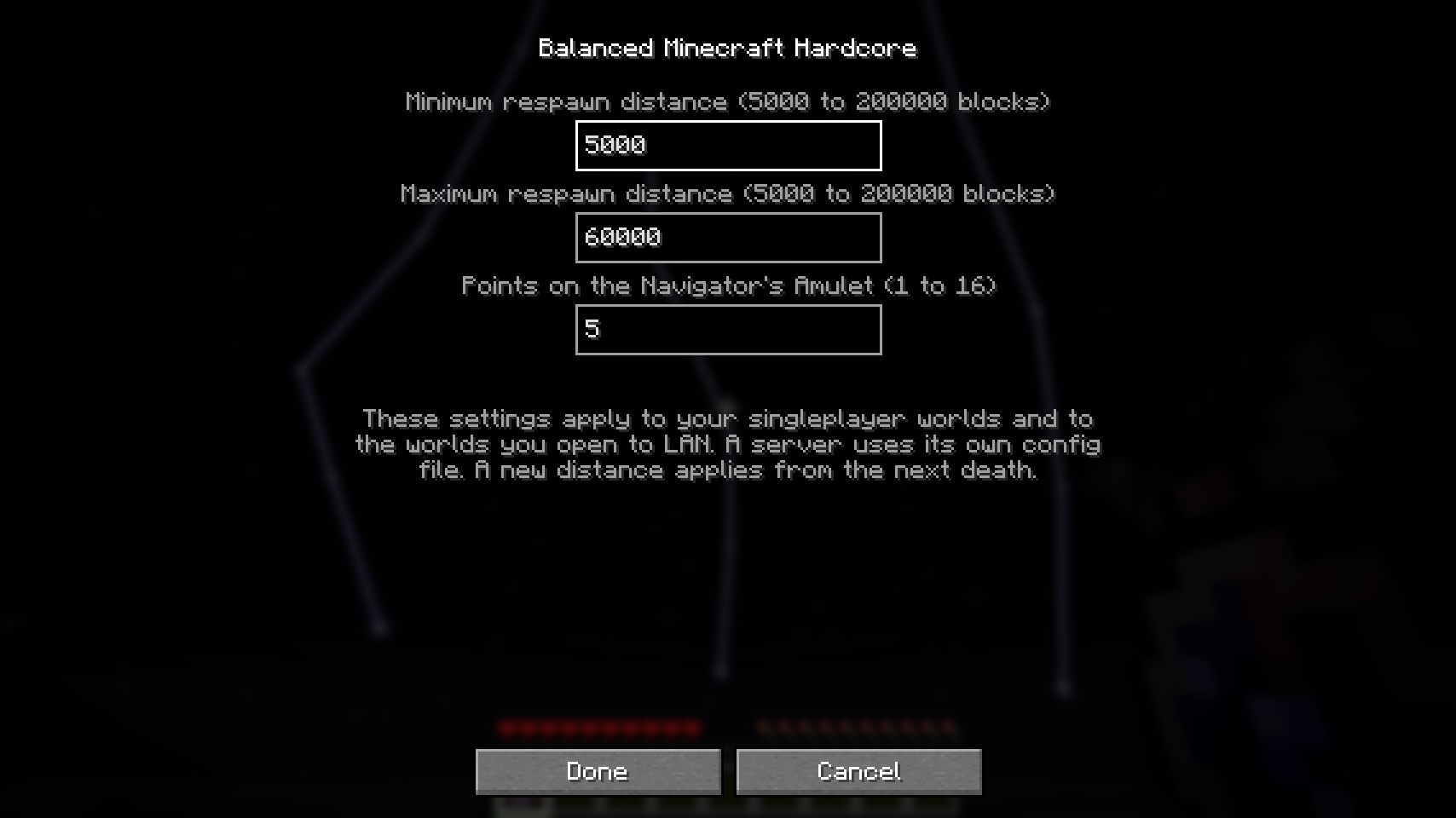
- BMH now has a config screen. Open it from the Config button of BMH in the mods list (Forge, NeoForge) or in Mod Menu (Fabric). It changes the respawn distances and the number of points on the Navigator's Amulet. The screen changes the config file of your game, so it applies to your singleplayer worlds and to the worlds you open to LAN. A server still uses its own config file.
- BMH now runs on Minecraft 26.1 (Forge, Fabric and NeoForge).

Changed
- On Minecraft 26.1, the BMH game rules have new names, in the style of the 26.1 game rules: bmh:random_death_spawn_point, bmh:display_text_on_respawn, bmh:food_and_health_regen_on_wake_up, bmh:only_carry_one_eternal_item_type, bmh:damage_eternal_item_when_dead and bmh:remove_coordinates_in_survival. A world from an older Minecraft version keeps the values of these rules.
- On Minecraft 26.1, the Eternal Bundle shows its contents in the new vanilla bundle tooltip.
- On Minecraft 26.1, the Eternal Axe scrapes copper golems, like every axe.
- With no named point, a star reading no longer points to your respawn bed. It points to the world spawn.
Fixed
- With some mods together (Easy Anvils and Stackables), the anvil kept the Eternal Item in the left slot after you took the result. You got a free copy. Now the item always leaves the left slot.