1.2.0
Compatibility
Changes
Better Banners 1.2.0 NeoForge/Fabric add configuration settings for banners renders, the defualt is higher than 480 resolution is currently will render as flat banners to reduce fps dropes and any resolution below 480 will be render as normal 3d banners, this could be changed by following commands :
- /betterbanners rendermode 3d to make all banner resolutionrender as 3d.
- /betterbanners rendermode surface to make all banner resolution render as flat surface.
- /betterbanners rendermode 3d until <resolution> to make banners render as 3d until selected resolution and rest of it as flat surface.
- /betterbanners rendermode surface until <resolution> to make banners render as flat surface until selected resolution and rest of it as 3d.
- for instance "/betterbanners rendermode 3d until 360" (144, 240, 360) will render as 3d while rest of it (480, 720, 1080) will render as flat surface.
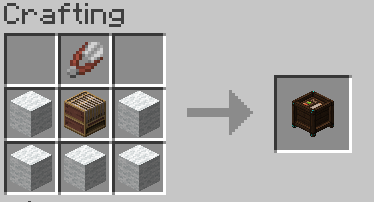
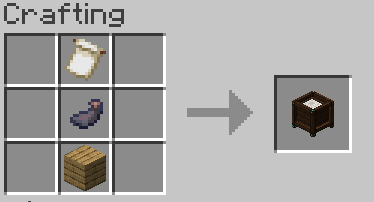
adding Custom Loom used for cutting the banner for any shape, with small custom cuts like shield-shape and V-shape. adding transparent pixels in pattern provider that can handle the empty pattern, so can work for any shape like creating star shape and can be implemeted above any banner without causing any changed in other pixels due to transparent pixels. adding small shot-cuts for lins to draw in horizontral line while holding shift. adding empty pattern resolution tires.
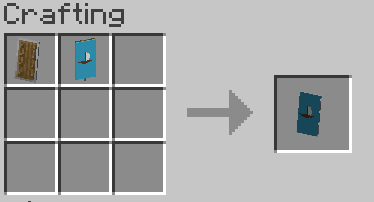
Fixes : Fix performace issues caused by high tire resolution banners and zero-allocation gpu pipeline. Fix Colors Inputs Sizes. Fix previews indecators in Enhanced Loom. Fix custom pattern size in implemeting for banner larger than 144 resolution by adding empty pattern resolution ion like banners resolution . Fix can not click buttons while in high zoom in position. Fix can not implement the framed/animation banner to the Shield.
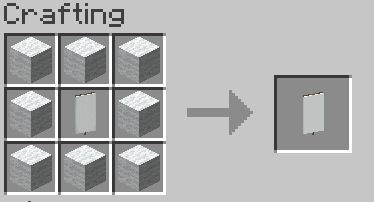
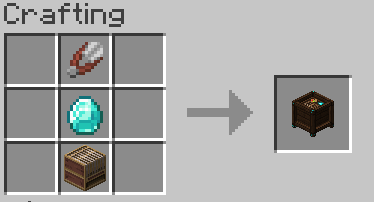
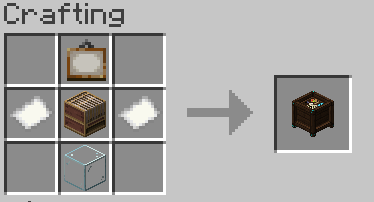
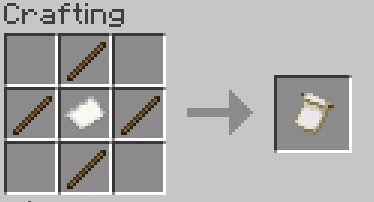
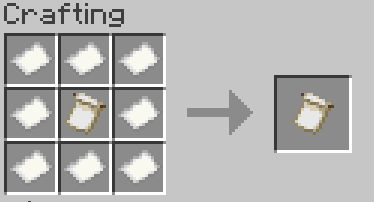
include all recipes :