

Tags
Creators
Details
All versions
2.4.0+fabric
Cobblemon Picnic 2.4.0 (Fabric)last month 570
Compatibility
Minecraft: Java Edition
Platform
Supported environments
Required content
Any compatible version
Changes
The picnic table, rebuilt: its own basket beside it, one click per job, a screen you can read, and an icon that shows the table you actually built. 🧺
Heads up — break and re-place your tables. A picnic table is a 3x3 structure now, one cell wider and one deeper than before, because the basket has a cell of its own at the end of it. Tables already in your world keep working but were built to the old shape, so they have no basket.
The controls moved too. Left-clicking a table used to re-roll; it mines the table now, like any other block. Right-click the table to re-roll — whatever you are holding — and right-click the basket to open the screen. The screen no longer opens from the table itself.
Added
- 🧺 The table carries its own basket, standing beside it on a cell of its own, drawn from the very basket you crafted it with. A table built with a red basket and one built with a blue basket look different, and the basket lands in the same place whichever way you place the table.
- 🎨 Dye the cloth with sneak + right-click. A picnic table is two tables side by side and the dye paints the one you clicked, so a table can be red on one half and blue on the other. The same works on the table's basket and on a loose one, which keeps the bread inside. Wood never takes a dye, and neither does a bench.
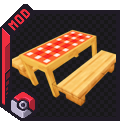
- 🪵 A table's inventory icon is the table you built — its cloth, its wood, a bench per seat and its basket, drawn as the structure it would place. Two tables made of different materials no longer share one flat icon.
- ⛏️ Tables can be mined. Better ones take longer: Basic, Advanced, then Expert — and the Diving, Hot and Strange tables mine like the Expert they are a variant of.
Changed
- Two slots instead of one: bread on the left, Battle Seeker on the right. They shared a slot before, so loading a seeker cost you your fuel. A re-roll spends the table's own bread first and then any loose basket within five blocks.
- 🍞 A better table is a bigger pantry. The bread slot holds one stack on a Basic table, three on an Advanced one and five on an Expert — more than a slot normally takes — so a good table can be loaded once and left alone. The Diving, Hot and Strange tables hold five, like the Expert they are a variant of.
- The screen was redrawn: taller, its controls on a dark panel, every label on it white. The old dark-on-grey text was unreadable, and the controls were crammed against the inventory.
- One click, one job. The table re-rolls, the basket opens the screen, a bench seats you. Nothing is decided by which face you hit or by what you happen to be holding.
- 🧺 All seven picnic baskets redrawn. The wicker body is the same on every one, the way real wicker is; the checked cloth over the lid is what carries the colour — and the lid is the face you see with the basket sitting beside a table.
Fixed
- With LumyMon installed, our Battle Seeker no longer appears in the creative tab or in treasure chests, so you stop finding two identical items. LumyMon's works in the slot exactly as ours did — it always has — and a seeker you already owned keeps working.
- Re-rolling no longer fights with mining: it moved off the left click entirely, which is what had made a table cell impossible to break at all.
- The "not enough space" message quoted the wrong footprint.
Internal
- The table's drawing was pulled out of the block-entity renderer so the inventory icon can reuse it, with the resolved structure cached per distinct table. Dead code and a deprecated render-layer call removed, and stale comments corrected — including a config tooltip and a startup log line that still told players to left-click.