Links
Tags
Creators
Details
0.0.3
Compatibility
Required content
Changes
New Features in Version 0.0.3
When the Build Gun is held in the off-hand, it enters demolition mode, allowing you to remove constructed blueprints by right-clicking.
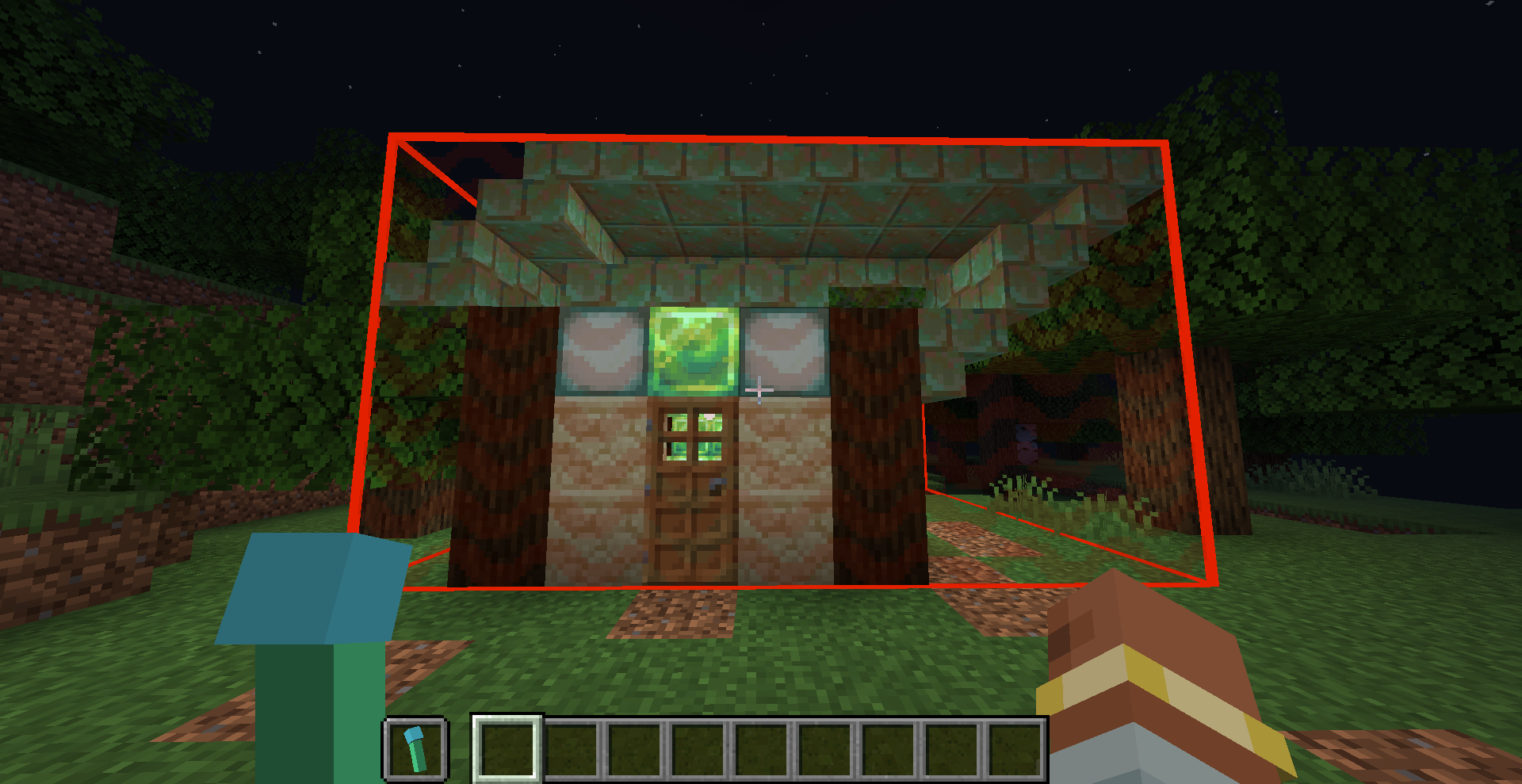
You can specify in the configuration file whether a schematic can be removed.
The demolition logic checks each block within the range against the schematic. If a block matches the schematic, it is removed; otherwise, it remains.
As a result, any manually added blocks or blocks that have changed state after construction will be preserved.
The necessary information for demolition is generated at the time of construction. Therefore, if "removable": true was not set in the configuration during construction, modifying the configuration later will not allow the structure to be removed.
In this version removing buildings will not return materials. It may be added in future versions.
Projects on Modrinth are automatically available through a Maven repository for use with JVM build tools such as Gradle. To learn more about the Modrinth Maven API, click here.
Note: When available, you should use the creator's maven repo instead as it will have transitive dependency information that the Modrinth Maven API does not. You may also end up with duplicate dependencies if you use a mix of Modrinth and non-Modrinth Maven repositories for your dependencies, because the group identifier will be different when served through the Modrinth Maven API.
Maven coordinates:
Version ID:
build.gradle:
repositories {
exclusiveContent {
forRepository {
maven {
name = "Modrinth"
url = "https://api.modrinth.com/maven"
}
}
// forRepositories(fg.repository) // Uncomment when using ForgeGradle
filter {
includeGroup "maven.modrinth"
}
}
}
// Standard Gradle dependency
dependencies {
implementation "maven.modrinth:1WIss6l7:aQIpXHf8"
}
// Legacy Loom dependency
dependencies {
modImplementation "maven.modrinth:1WIss6l7:aQIpXHf8"
}

