


Tags
Creators
Details
1.0.0
Compatibility
Required content
Changes
💎 Dziobakowsky Pack - Ores
Welcome to Dziobakowsky Pack - Ores! This mod introduces two unique, fully-fleshed-out end-game materials to enhance your survival experience, complete with full armor sets, tools, and custom world generation.
✨ Features
🔴 Ruby: A high-speed, tier-based material. It sits right between Iron and Diamond in terms of durability but features incredible mining speed and tool efficiency. Perfect for fast-paced players!
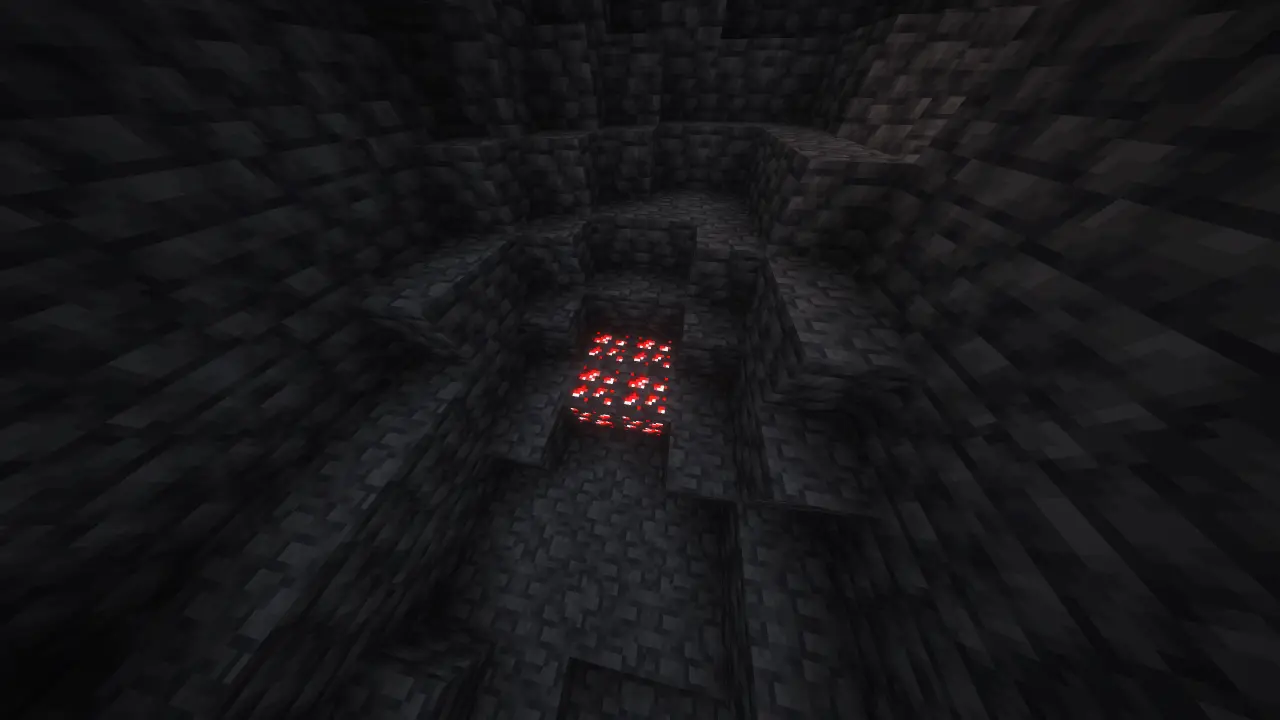
Ruby Ore generates between levels y: 0 -> -64 and drops Ruby
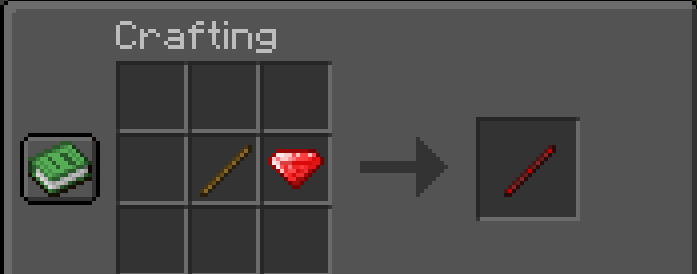
Here's how to craft new Ruby Stick
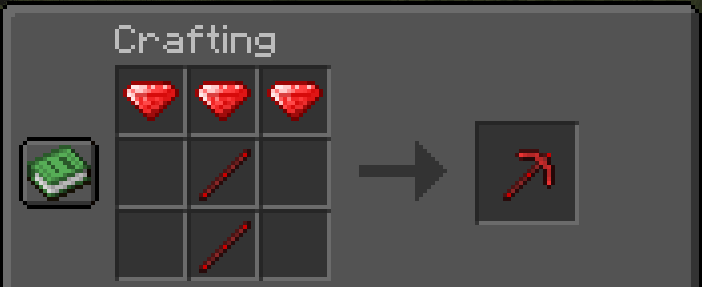
Here's how to craft new Ruby Pickaxe and other tools etc.
🔵 Opal: A magnificent, neon-glowing end-game material that surpasses Netherite. It features extreme durability, powerful stats, and deepslate ore generation to bring fresh depth and excitement back to your mining trips.
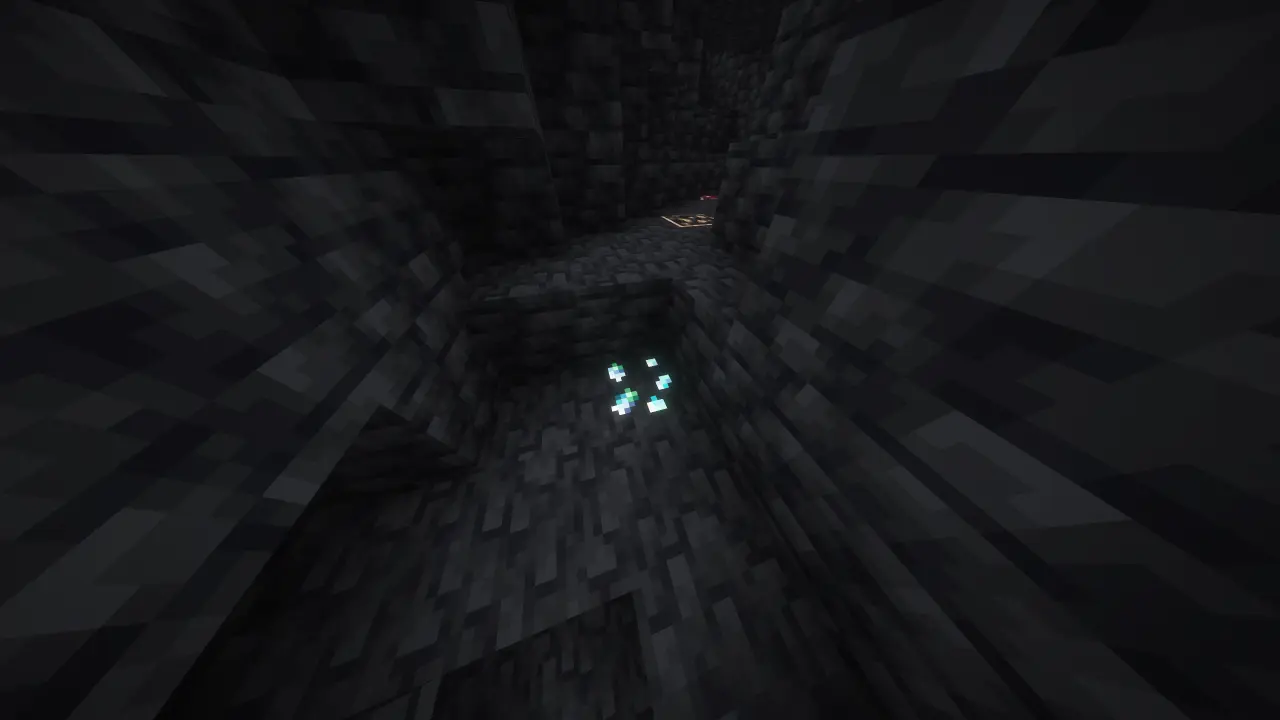
Overworld: Opal Ore generates between levels y: -32 -> -64 and drops Opal Shard
End: Opal Ore generates between levels y: 100 -> 0 and drops Opal
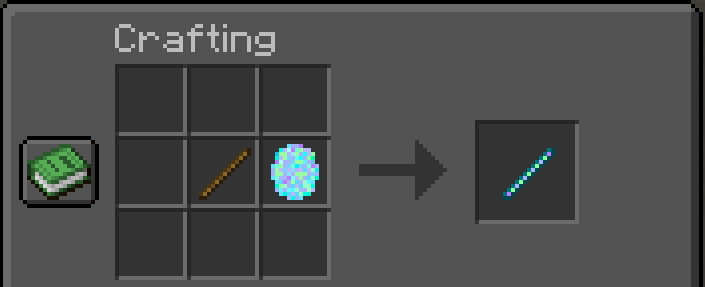
Here's how to craft new Opal Stick
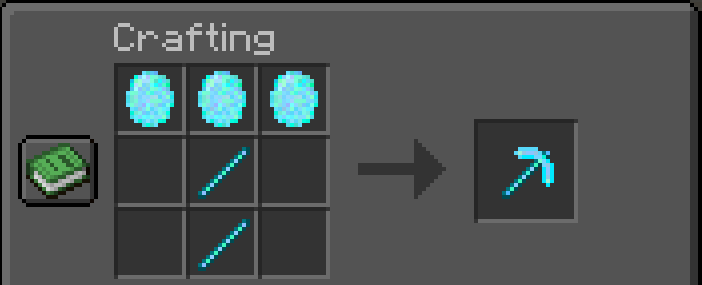
Here's how to craft new Opal Pickaxe and other tools etc.
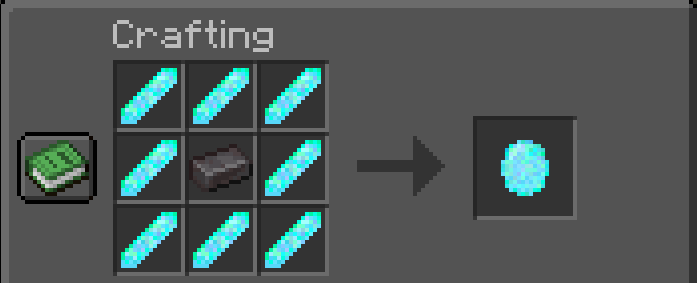
Here's how to craft new Opal from Opal Shards and 1 Netherite Ingot
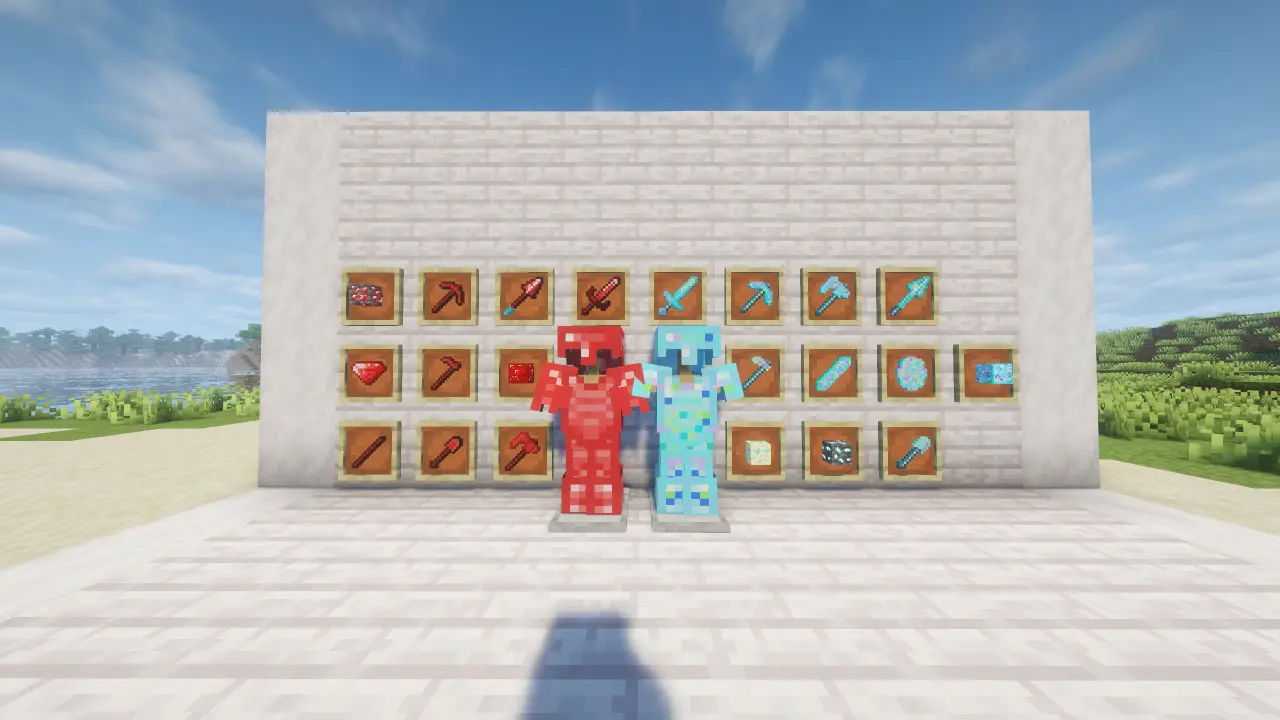
🛡️ What's Included?
For both Ruby and Opal, you will find:
Full Sets of Armor (Helmet, Chestplate, Leggings, Boots)
Complete Toolsets (Sword, Pickaxe, Axe, Shovel, Hoe)
Custom Blocks,new sticks for both ores.
 !
!
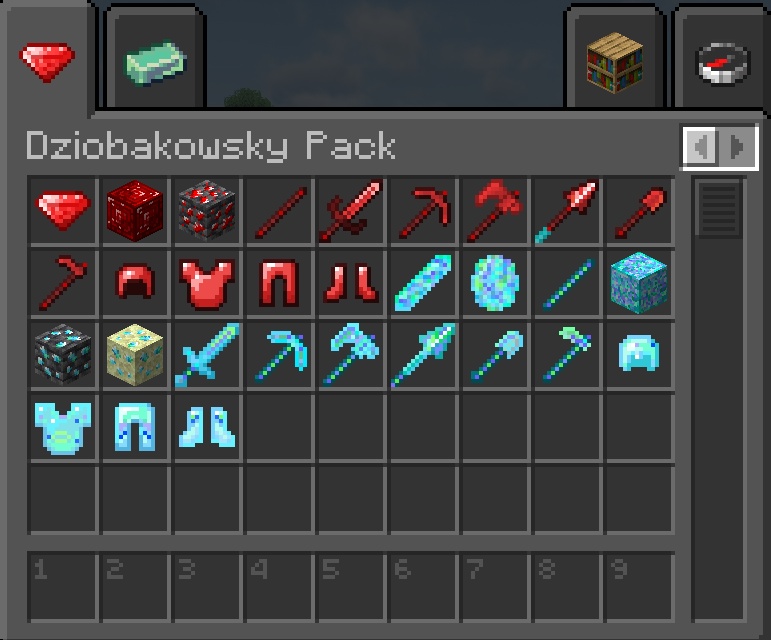
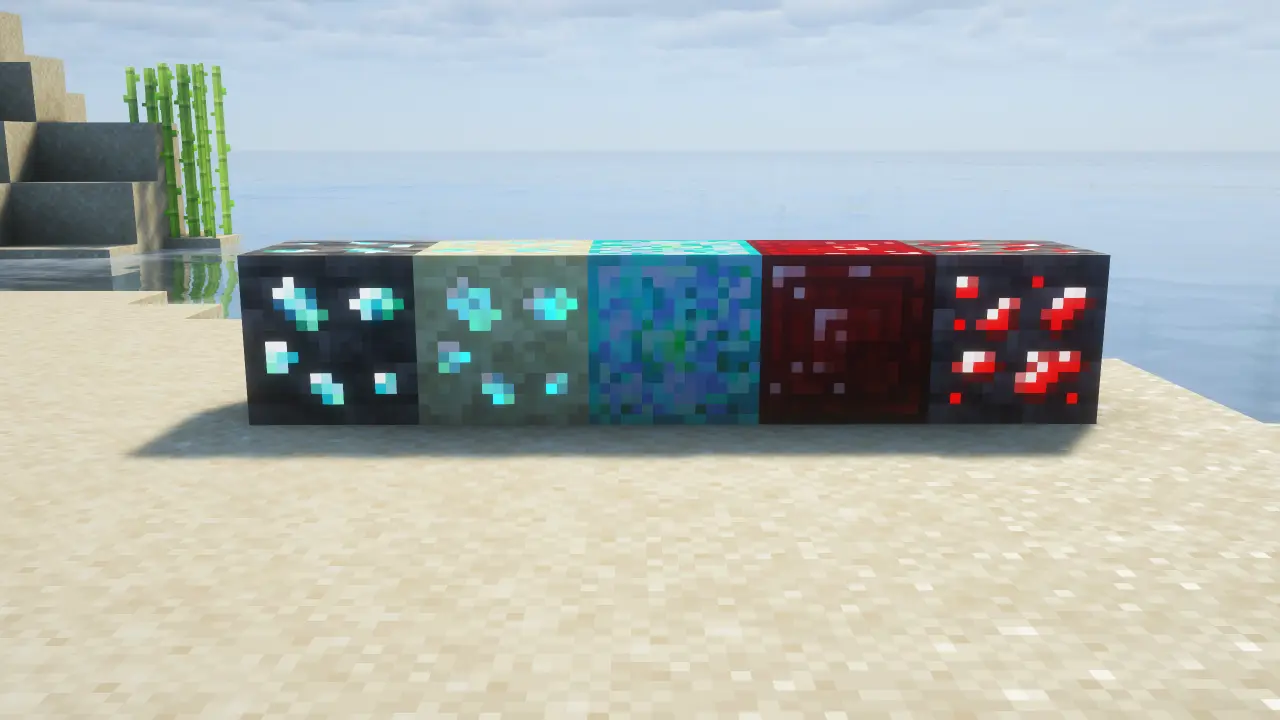
⚙️ Requirements
Mod Loader: Fabric
Glowing ores support
This mod supports glowing ores on Complementary Shaders.
- Go to Complementary Shaders .zip file
- Open "shaders" folder
- Open "block.properties" file
- Search for: "block.10024="
- Put this: block.10024=dziobakowsky_pack:deepslate_ruby_ore dziobakowsky_pack:deepslate_opal_ore dziobakowsky_pack:endstone_opal_ore
- Save and turn on glowing ores in shaders settings. Only checked Complementary
Dependency: Fabric API (Required)