
Compatibility
Minecraft: Java Edition
Platforms
Supported environments


Tags
Creators
Details
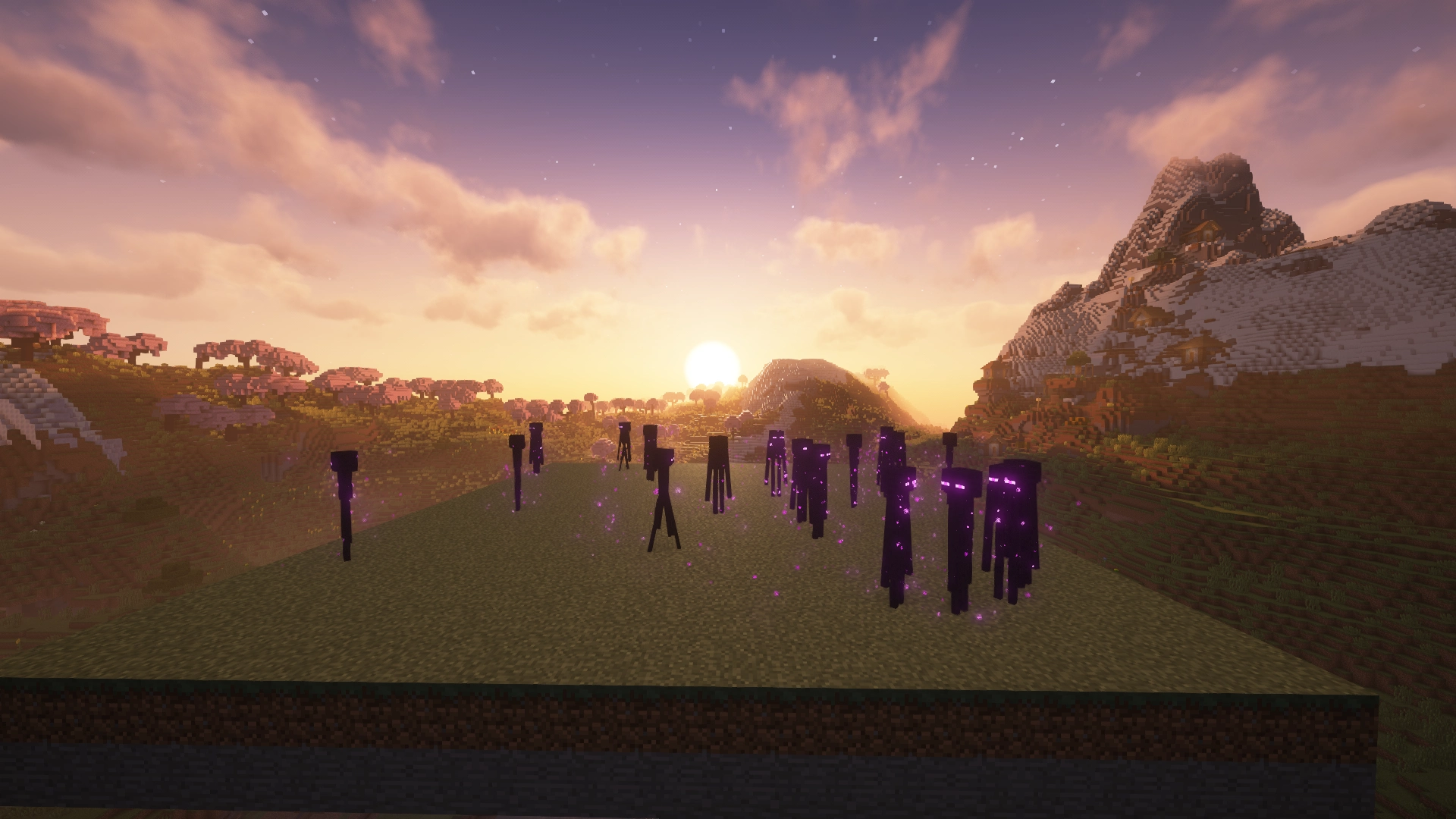
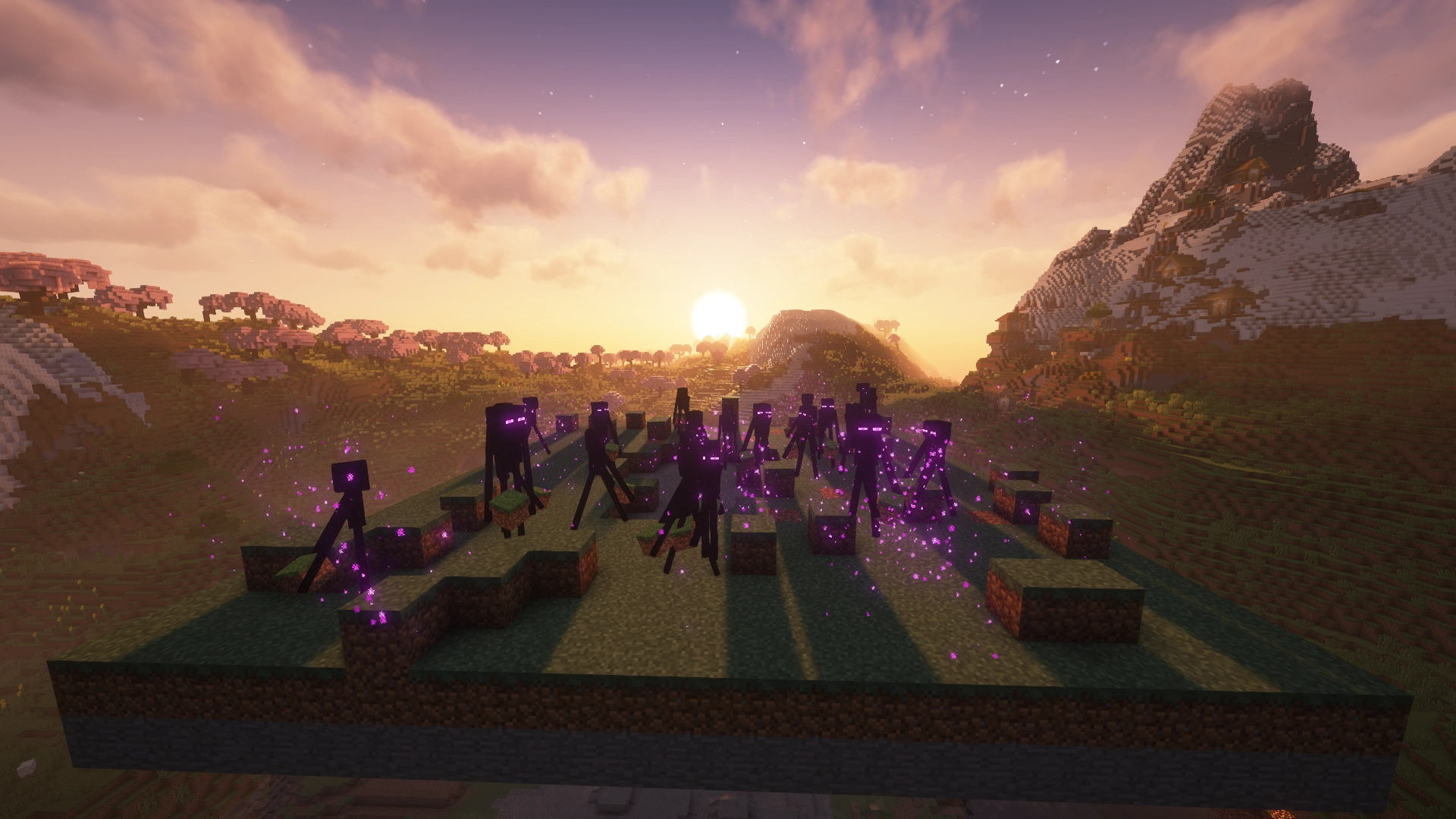
Enderman Grief Control prevents Endermen from picking up or placing blocks while leaving the global mobGriefing gamerule unchanged.
Why use Enderman Grief Control?
- Protect builds and terrain: Keep Endermen from moving blocks around your world.
- Preserve vanilla mechanics: Keep villagers farming, sheep grazing, and other
mobGriefing-dependent behavior working normally. - Optimize mob farms: Prevent Endermen from introducing spawnable blocks into cleared or spawn-proofed areas, while stopping persistent block-carrying Endermen from accumulating nearby.
- Handle existing block-carriers: Choose whether to clear, monitor, or leave Endermen that were already carrying blocks when protection was enabled.
Enderman Grief Control: Enabled
Enderman Grief Control: Disabled
Which download do I need?
Enderman Grief Control has separate builds for Paper and Fabric. Choose the file that matches your setup.
| Your setup | Use |
|---|---|
| Paper server | Paper version |
| Fabric server | Fabric version |
| Fabric singleplayer | Fabric version |
Use the Versions tab to download the build that matches your Minecraft version.
Platform features
- Administrator
/endermancommands to inspect settings, make changes, and reload configuration without restarting - Configurable handling of existing block-carrying Endermen
- Optional logging and in-game announcements for blocked attempts and carried-block cleanup
- Command changes take effect immediately and are saved automatically
Paper
- Per-world protection and carrier-handling settings, with global defaults
- Command tab completion and server console support
Fabric
- Singleplayer and dedicated server support
- Global settings shared across dimensions
- Command argument suggestions
- Optional Mod Menu screen for common settings in local worlds
Installation
Paper
- Download the Paper version from the Versions tab.
- Place the
.jarfile in your server'spluginsfolder. - Restart the server.
Fabric
- Install Fabric Loader for your Minecraft version.
- Download the Fabric version from the Versions tab.
- Place the
.jarfile in yourmodsfolder. - Launch the game or server.
Fabric API is not required.
Configuration
Enderman Grief Control has protection enabled by default. No configuration is needed to start protecting your world.
For existing block-carrying Endermen, auto-clear (default) clears blocks held by Endermen without dropping items, alert preserves them and periodically reports the Endermen's coordinates, and off leaves carriers untouched without alerts. Checks run periodically while protection is enabled and only affect loaded Endermen. Unloaded chunks are never forced to load.
Paper
Configuration is located at:
plugins/EndermanGriefControl/config.yml
Use /enderman to manage per-world protection and carrier handling, global defaults, and logging. Commands require endermangriefcontrol.admin permission (granted to operators by default).
Fabric
Configuration is located at:
config/no-enderman-grief.json
Use /enderman to manage global protection, carrier handling, and logging. Commands require permission level 2 and are available in both singleplayer and dedicated server environments when the appropriate permissions are granted.
The optional Mod Menu screen provides controls for common settings in local/integrated-server worlds. Changes apply through Save & Quit; Cancel discards them. Remote dedicated servers are managed through commands or configuration files.
After manually editing either platform's configuration file, use /enderman reload or restart the game/server.
Blocked pickup/placement logging is disabled by default; automatic carried-block cleanup logging is enabled. These settings control server logs and chat announcements in the affected world/dimension. Carrier alerts remain active in alert mode independently of the logging toggles.
Message wording, colors, and the cooldown used to group denied attempts can be customized in the configuration files. These options are not exposed through commands or Mod Menu.
For a full reference of available configuration options, see the GitHub documentation.
Compatibility
- Paper: Supports
Paperservers only.Bukkit,Spigot, andPurpurare not officially supported. - Fabric: Requires
Fabric Loaderand works in both singleplayer and on dedicated servers.
Source, bugs, and feedback
Enderman Grief Control is open source under the Apache 2.0 License.
Bug reports and feedback are welcome.