


Tags
Creators
Details
1.1.1-9
Compatibility
Required content
Changes
The module you are editing is now drawn live in the settings screen, so colour, size and layout changes are visible while you make them rather than after you close the menu.
Full documentation for everything below: https://eymistaken.github.io/Eymistaken-s-HUD-Website/
See a module while you set it up
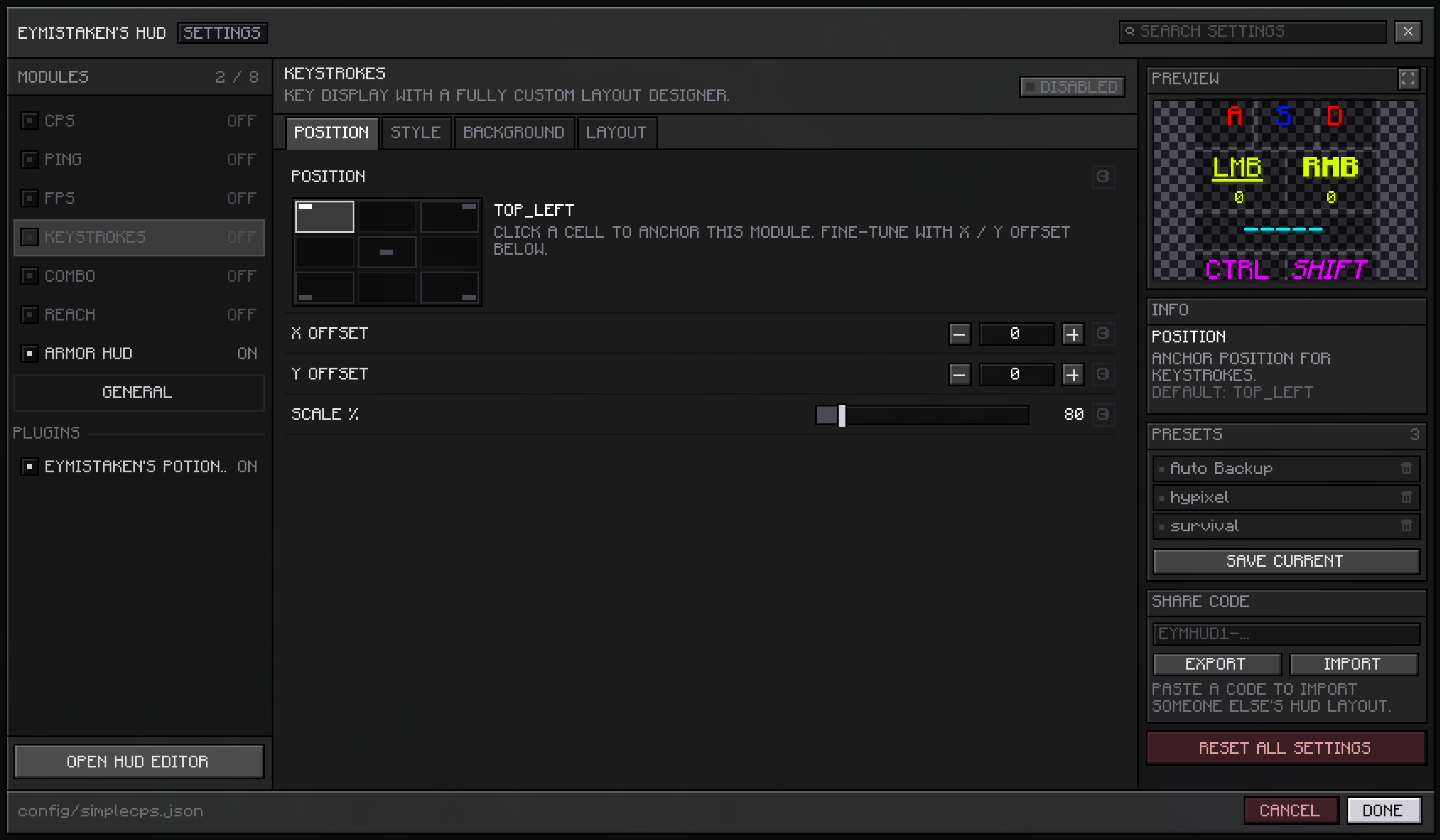
Open any module's page and the right-hand column leads with a PREVIEW card showing that module as it will really appear in game, at its real size. Change a colour, a scale, a background opacity or the text around a counter, and the card updates as you type.
The checkerboard behind it is deliberate. HUD modules are drawn over gameplay, so a flat dark panel would flatter every light colour and hide a low background opacity completely.
Modules that need data the game is not currently producing fall back to stand-in values — click rates, a ping reading, a combo streak, a set of armour and a weapon — so the card still shows something from the main menu with no world loaded.
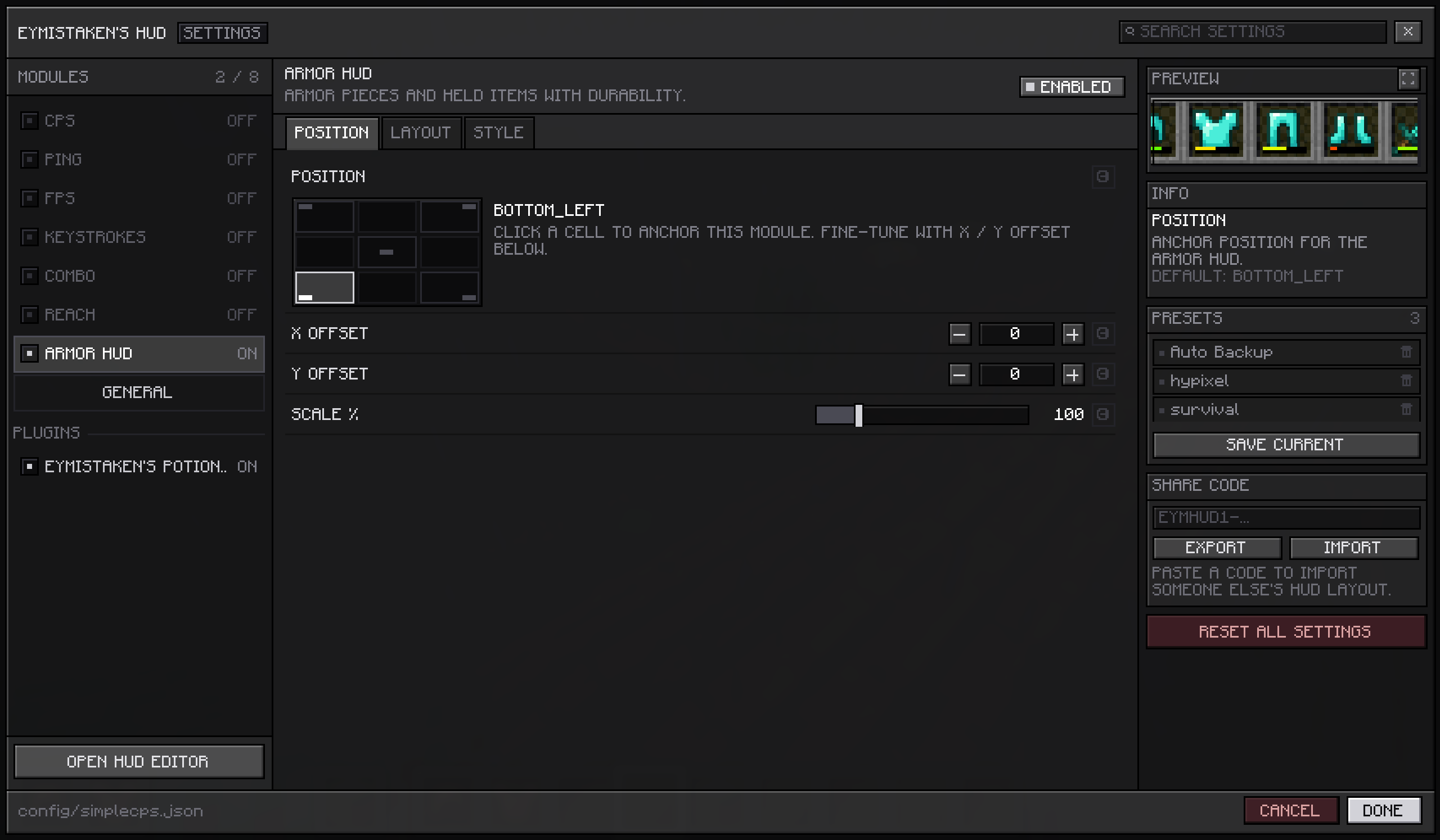
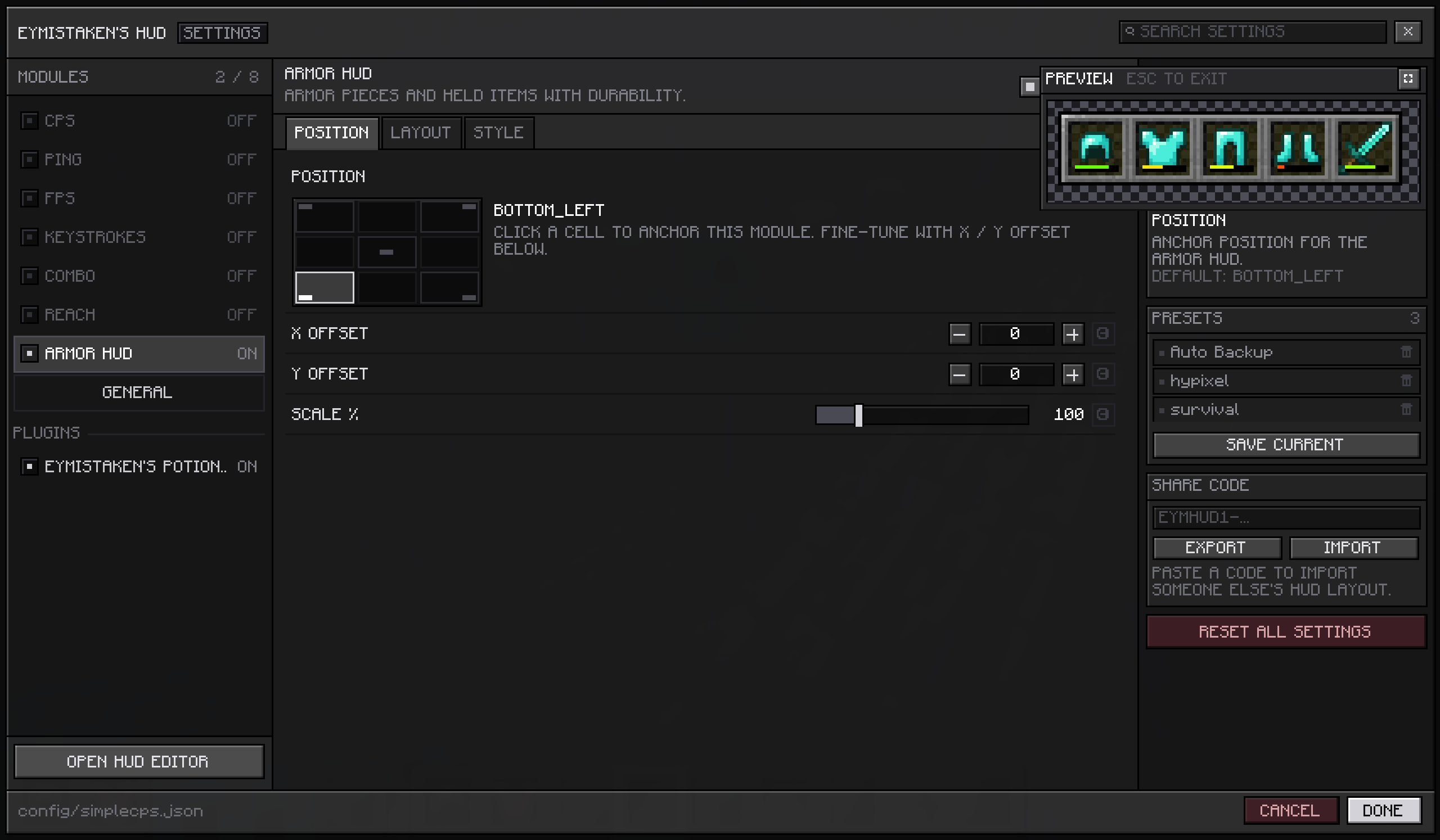
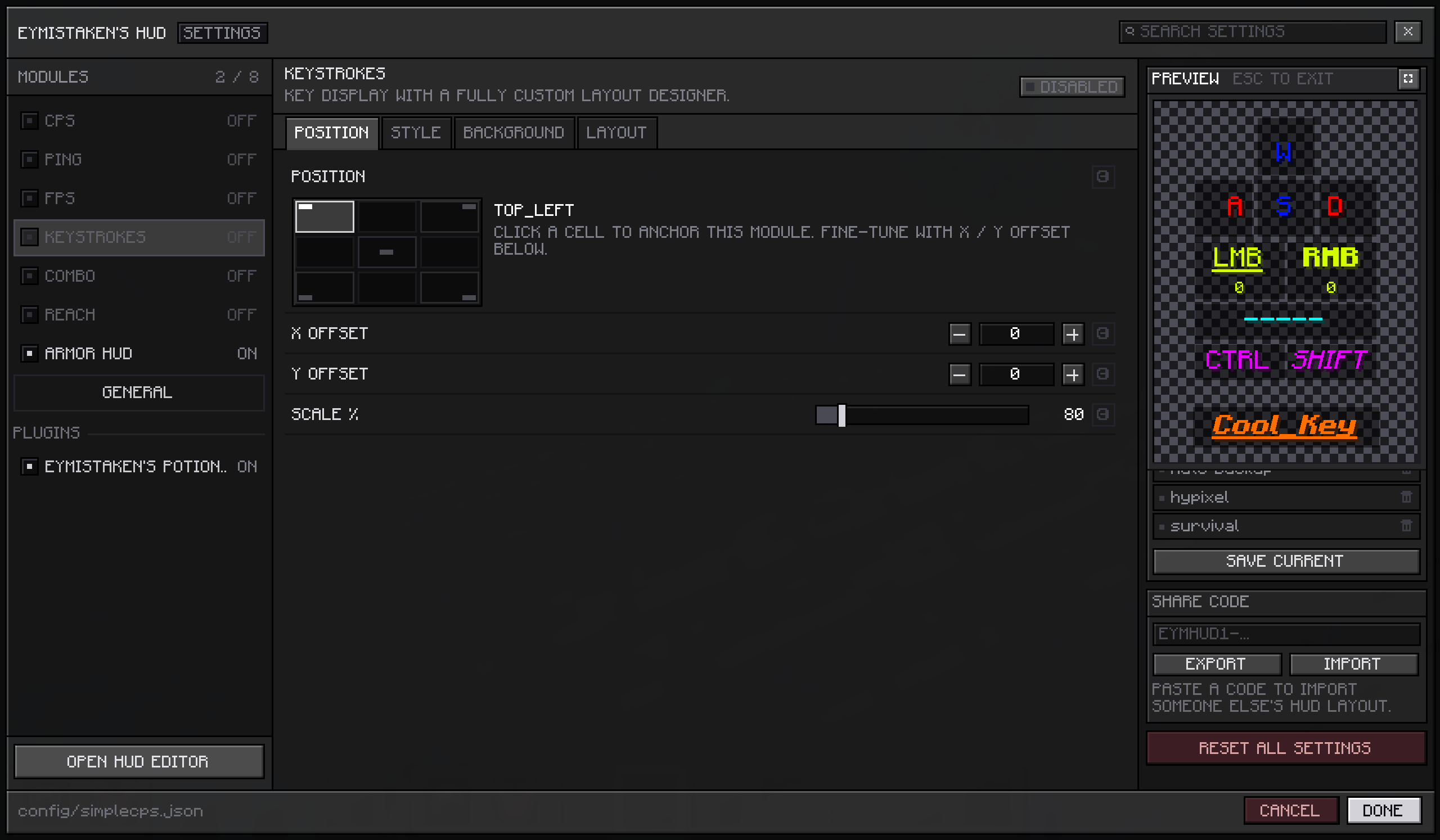
The card grows taller to fit its module but never wider, so a large module is cropped at the edges instead of spilling into the settings beside it. When that gets in the way, the button in the card's header expands the preview over the rest of the screen, far enough to hold the module with a little room around it — which is also how you judge how much space it will actually take. Escape or the same button closes it again, and nothing else on the page moves while it is open.
Fixes
The Configs and Server Configs lists in the HUD Editor no longer close while you are pointing at them. When neither side of the menu had room, the list opened on top of the menu itself, and moving onto it counted as hovering the row underneath.
For developers
Modules can supply their own preview. Return a HudPreview from getPreview() and the card draws whatever you give it; return nothing and no card appears at all. HudPreview.ofModule(this) covers the common case of the module drawing itself, with isPreviewing() as the hook for substituting stand-in data — it is set while your module is measured as well as drawn, so the card is sized for what it shows.
Backwards compatible: existing plugins keep working unchanged and simply show no preview.
Full API documentation, with code examples: https://eymistaken.github.io/Eymistaken-s-HUD-Website/api-guide.html