


Tags
Creators
Details
1.8.0
Compatibility
Required content
Changes
The March update introduces a new way to reclaim previously available Legendary Upgrades through the trophy system. In addition, a new upgrade has been added that allows enemies to be marked.
Looking ahead, a special update is planned to release in the near future.
Upgrade Reclaims
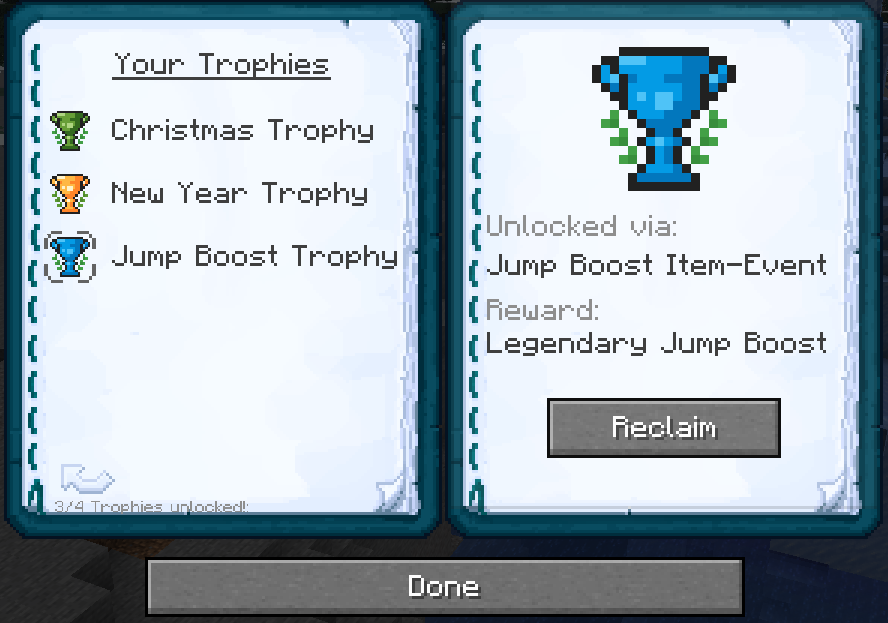
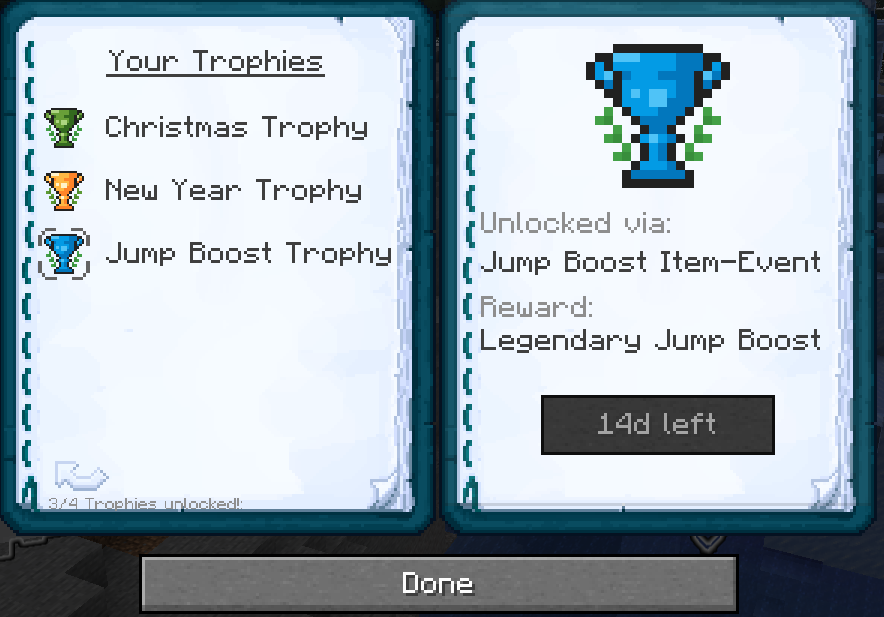
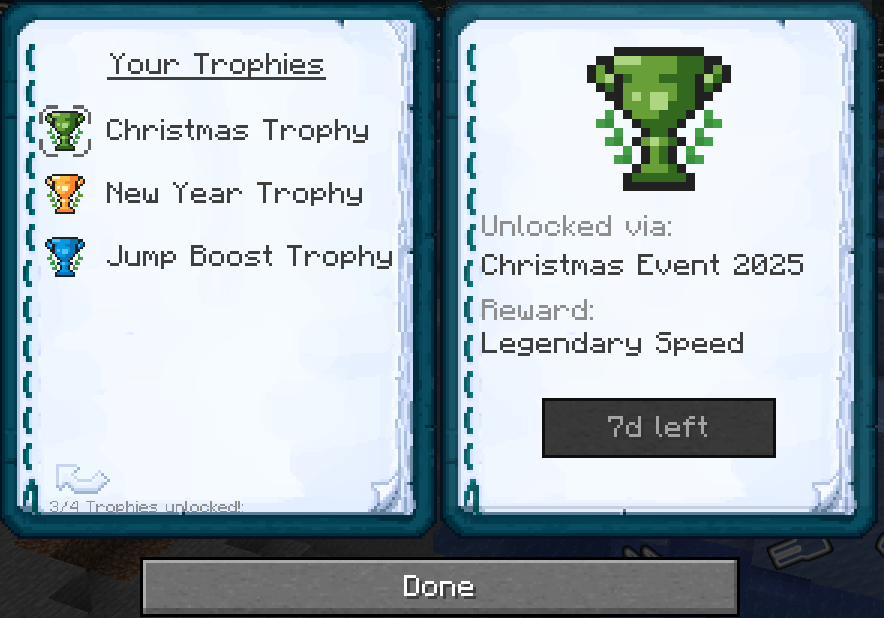
Previously available Legendary Upgrades can now be reclaimed. A new button has been added beneath each trophy in the Trophy menu, allowing the corresponding upgrade from past events to be claimed again. This requires the trophy to be unlocked, meaning the upgrade must have originally been obtained during its event.
Reclaims are globally limited and can be used once every 14 days, independent of individual trophies.
Upgrade Reclaims
🤔🤔🤔

Upgrade Snowballs
This update also introduces a new Upgrade Snowball.
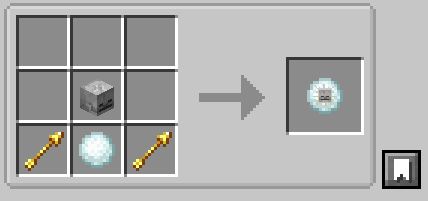
Detection Siege Upgrade
The Detection Siege Upgrade allows the player to mark nearby entities with the Glowing effect. The player and the Happy Ghast are not affected.

Crafting recipes
All updated and newly added crafting recipes are listed below:
Crafting recipes
Future
In the very near future, a special event update tied to an upcoming holiday will be released. It will include unique rewards and cosmetic effects. As promised, these effects will be fully optional and can be disabled, ensuring that gameplay remains unaffected. As a result of this upcoming event, this update is slightly smaller in scope.
A larger update is expected to arrive in April, although this is not yet fully confirmed. Until then, enjoy!