
Compatibility
Minecraft: Java Edition
Platforms
Supported environments


Tags
Creators
Details
headspace.


Add global pocket dimensions and mental health metrics to your world!
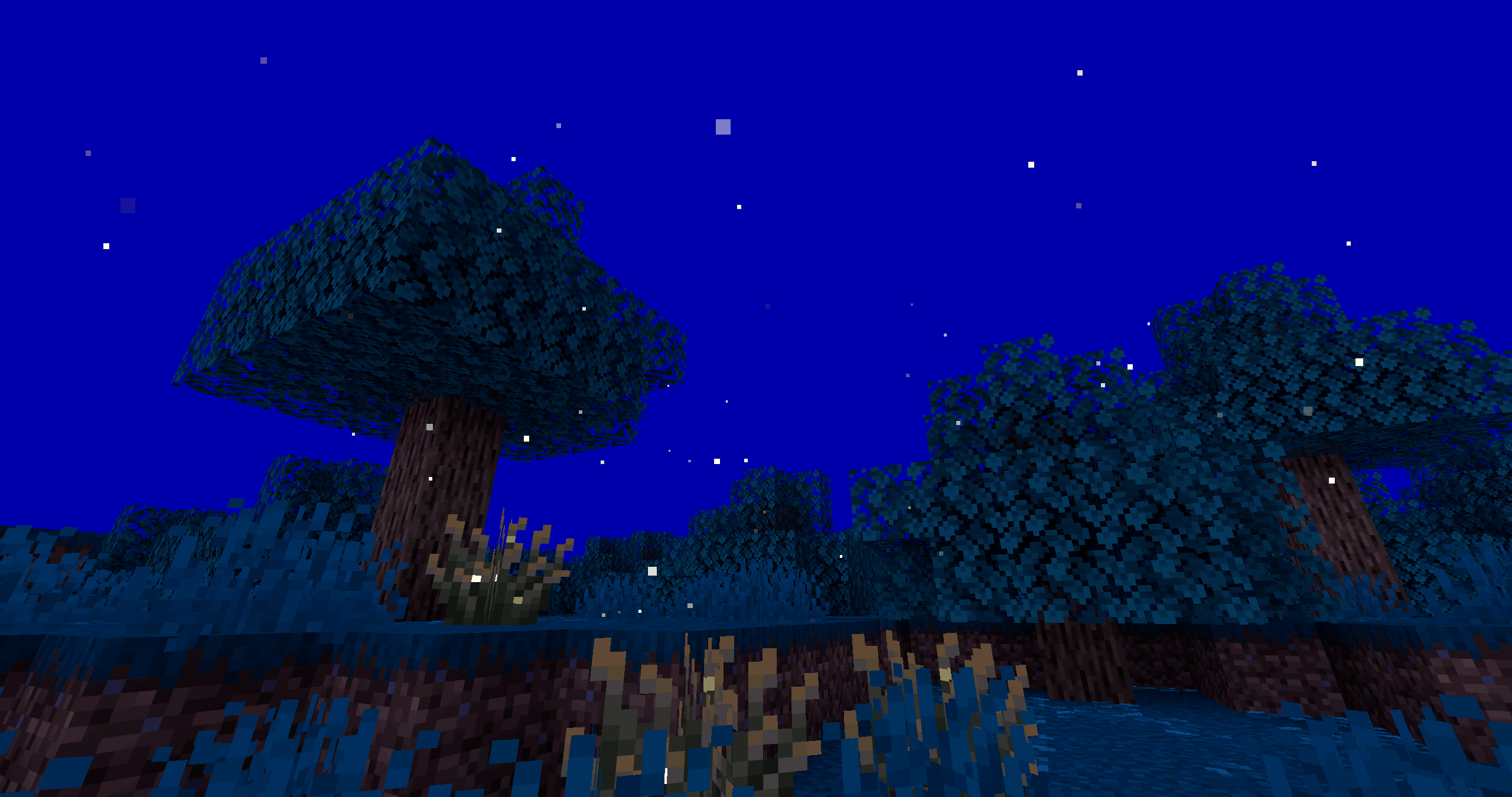
About Headspace
This datapack consists of two major features that are closely intertwined: pocket dimension travel and player mental health. "Headspace" is a defense mechanism against severe distress; a safe space in your mind. Managing your mental health will be important to maintaining access to this space and avoiding dangerous consequences to your physical health.
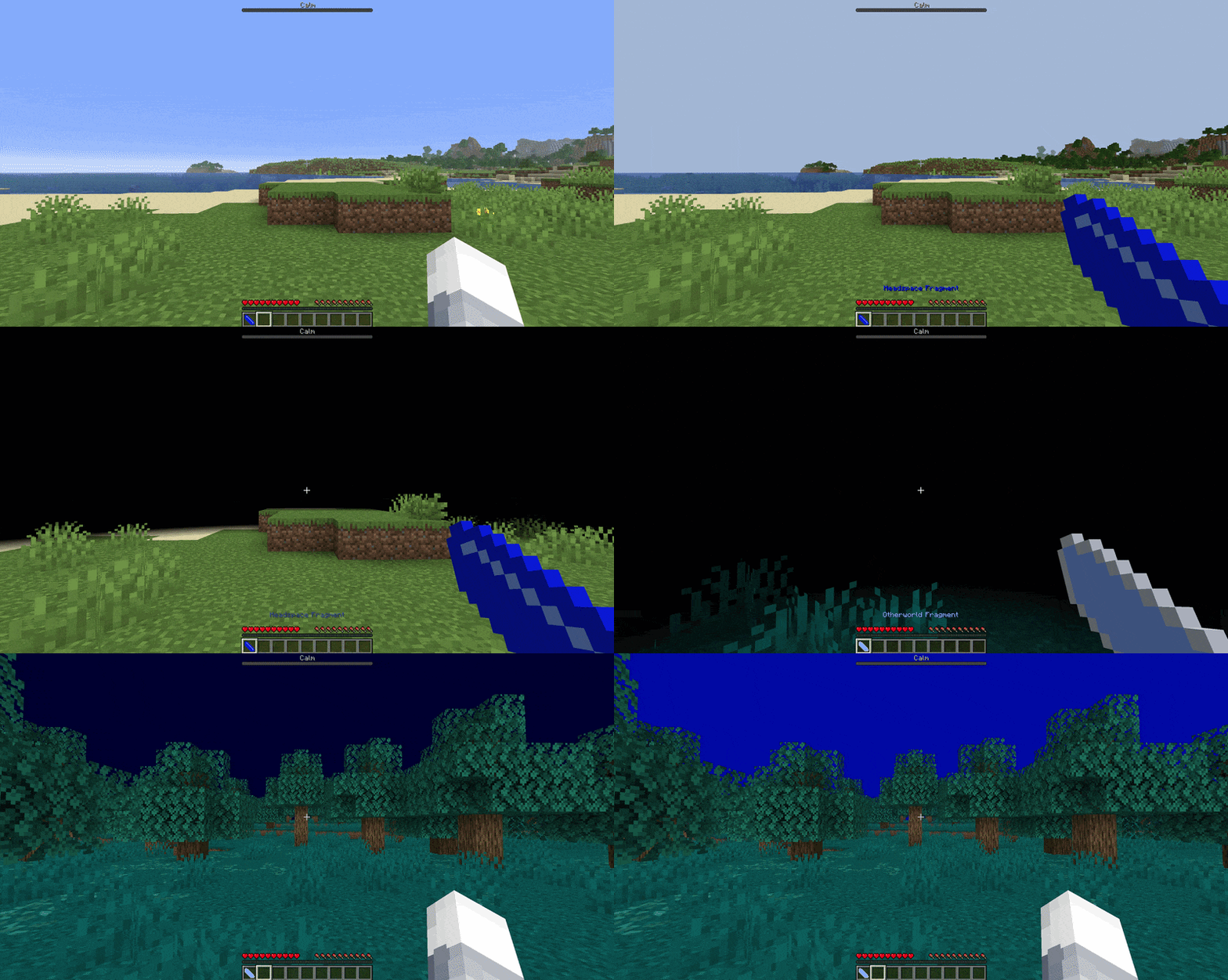
Access to a pocket dimension in your world opens up endless new possibilities for gameplay:
- Build a home base in headspace that you can access from anywhere in the world
- Set up all utility blocks (crafting tables, furnaces, etc.) in headspace so that you don't have to keep placing and picking them up while you travel
- Place extra chests in headspace to swap out your inventory for larger survival builds
- Build farms in headspace that are accessible to everyone from any location
- Meet up with a friend in headspace and teleport them back out with you to your current location, no matter where you both are in the world
- Have a safe space to jump back to if you get stuck in a dangerous situation
- Use bed or void teleports to go back and forth between your world's base/spawn and headspace while using your fragment teleport to continue exploring far away places
- and much more!
Features
Pocket Dimension Teleporting
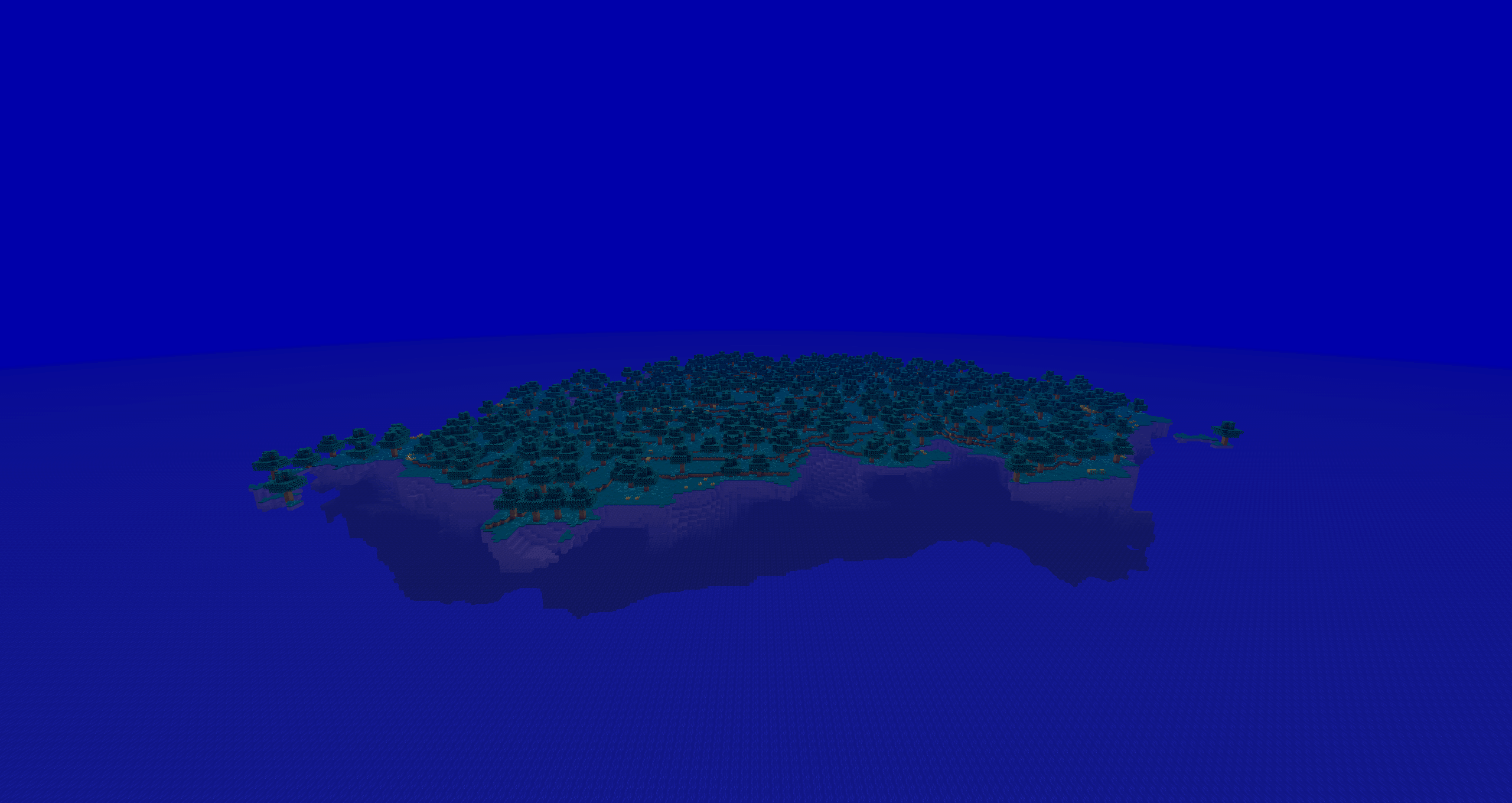
There are three separate dimensions that make up the world of headspace: Bluescreen, Whitescreen, and Blackscreen (a nod to the colors of a computer screen during catastrophic failure). Bluescreen is the main dimension, consisting of a single island surrounded by endless ocean and a sunless sky. This dimension is a blank template for whatever you'd like to build, on or off the island. On a server, there is plenty of space in the surrounding ocean to give each player their own space to build (if you want).
Finding Headspace
By default, headspace is not normally accessible. A player may discover headspace (and subsequently be able to acces it on demand) by losing consciousness during a "brush with death". In game terms, this can be one of two things:
- Falling into the Overworld void
- Sleeping through the night with ≤ 2 hearts of health
If either of these conditions are met, the player's reality "crashes" and they are sent to headspace to avoid death.
Fragments
After visiting, players may teleport to and from headspace at will using a "fragment" of the dimension that is placed into the player's inventory. This shard saves the player's location in the current dimension when used (Right Mouse Button), and has a 5-second cooldown between uses. A player may bring other players with them through a fragment teleport by holding sneak ("Shift" Key), as long as all nearby players are also sneaking with the fragment user. Pets that are not sitting follow the player through the teleport.
Beds
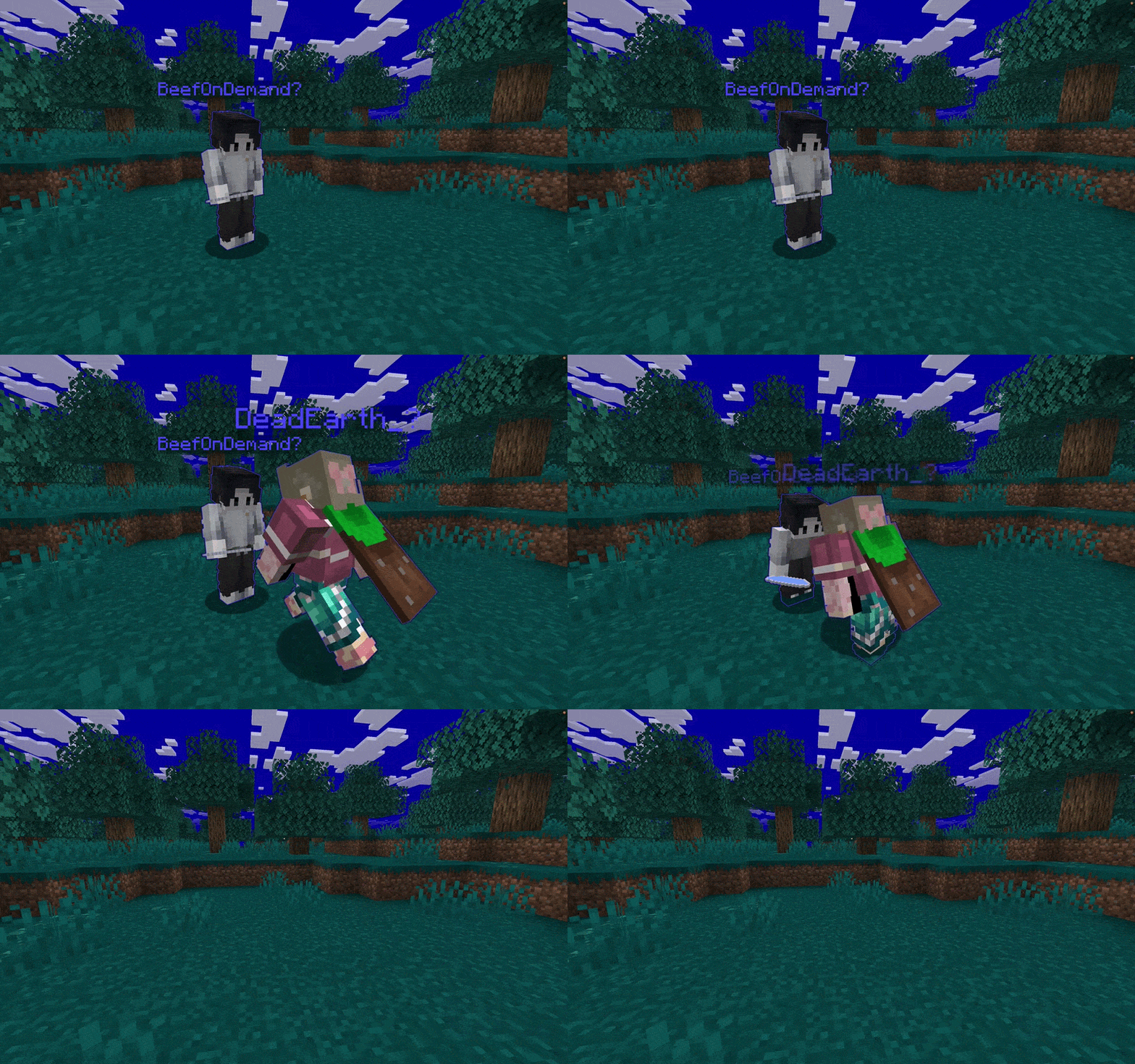
Additionally, a player may hold sneak ("Shift" Key) on any dark blue bed to teleport between headspace and other dimensions. The last used bed in headspace and the last used bed out of headspace (any other dimension!) are saved. If a saved bed is not found in the opposite dimension (e.g. one has never been used or the last one used was destroyed), the default teleport lcoation is used instead. A player may bring other players with them through a bed teleport, as long as the other players are standing (not sneaking) on the bed with the person teleporting. Pets that are not sitting follow the player through the teleport.
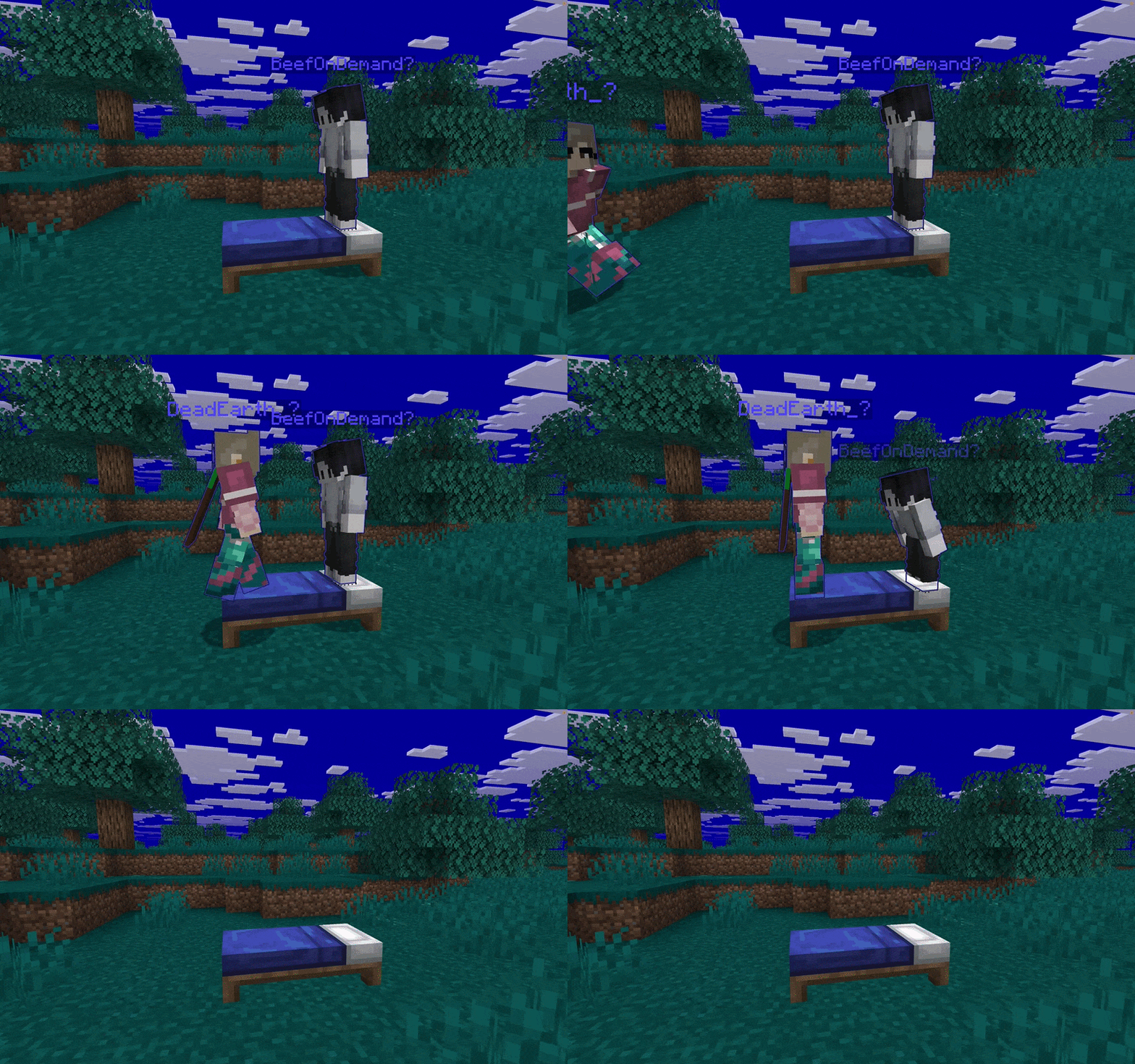
The Void
At any time, a player may fall into the Overworld or Bluescreen dimension voids to be teleported to the other dimension's default location.
Player Stress Management
The ability to access headspace on demand does not come without a cost. The mental exhaustion ("stress") of all players is tracked and displayed globally. Players can see their own stress level in a bar at the top of the screen, which includes a text label for their curent state. At higher levels of stress, a warning will be displayed to the user above the hotbar indicating the severity of their state.
Stressors

NOTE: in v1.0.2, only sleep deprivation is considered (for now)
The environmental and physical conditions of players are monitored, and various stressors accumulate over time to increase the player's stress level:
- Bluescreen teleports
- Days without sleep
- Time with low hunger
- Time with low health
- Time spent in the rain
- Time spent in the darkness
- Blackscreen?
Relaxers

NOTE: in v1.0.2, only sleeping is effective (for now)
Several methods of slowing, reducing, or clearing the player's stress level are also provided:
- Sleeping in Bluescreen
- Sleeping through the night (in the Overworld)
- Consuming food
- Whitescreen?
Getting Started
Installation
Headspace can be added to virtually any Minecraft: Java Edition world or server. If you are using a modded version of minecraft, the mod release of headspace can be downloaded and used like any other mod (I reccomend using the modrinth app to install it!). Otherwise, see below for traditional install methods.
To install the datapack:
- Compress "data", "pack.mcmeta", and "pack.png" files from inside the "datapack" source code directory to a single .zip file (or download the .zip file here)
- Select your world in the Minecraft menus, then navigate to "Edit"->"Open World Folder" to access your world files
- place the .zip file into the "datapacks" directory
- Restart / re-enter the world
To install the resourcepack:
- Compress the "assets", "pack.mcmeta", and "pack.png" files from inside the "resourcepack" source code directory to a single .zip file (or download the .zip file here)
- In the Minecraft menus, navigate to "Options..."->"Resource Packs..."->"Open Pack Folder"
- Place the .zip file into the opened "resourcepacks" directory and then enable it from the list of "Available" resource packs in the menu
- Restart / re-enter the world
To add Headspace to a server:
- In your server files, place the datapack into the world's "datapacks" folder as described above
- Upload the resourcepack to a minecraft pack host site
- Edit your server.properties file with the download link and SHA-1 hash provided by the host site
- Restart the server
Configuration
There are several configuration options made available to admins / world owners to customize the headspace experience for your world. These can be invoked in game chat or through a server console using functions. To re-enable/re-disable a feature, replace "disable" with "enable" or vice versa.
Disable Headspace
/function headspace:admin/disable_headspace
Disables all features of headspace and teleports all players back to the overworld. Useful if you want to temporarily disable the datapack (without actually unloading it) while players are using it.
Disable Mental Health Tracking
/function headspace:admin/disable_player_stress
Disables any mental health tracking, display, or effects. Useful if you just want to use the pocket dimension features. Defaults to enabled.
Enable All Players
/function headspace:admin/enable_players_by_default
Allows all player to use headspace fragments and beds right away. Useful if you intend for headspace dimensions to be a core feature, and not a secret to be discovered. Defaults to disabled.
Restore Default Settings
/function headspace:admin/reinitialize_datapack
Forces the datapack initialization code to run again. This will reset some things back to default, such as default teleport locations.
Set Default Headspace Teleport Location
/function headspace:admin/set_default_headspace_location_here
Sets the invoker's current position to be the default headspace teleport location for players without saved fragments / beds (this should be invoked in the bluescreen headspace dimension)
Set Default Otherworld Teleport Location
/function headspace:admin/set_default_otherworld_location_here
Sets the invoker's current position to be the default Otherworld teleport location for players without saved fragments / beds (this can be invoked in any non-headspace dimension)
Administration
Access to headspace can be administered on a player-by-player basis using tools provided to admins / server owners. These can be applied or removed by granting / revoking an advancement to the target player(s).
Ban Player
/advancement grant <playername> only headspace:admin/ban
Prevents a player from accessing or using the bluescreen pocket dimension.
Restrict Player Access
/advancement grant <playername> only headspace:admin/probation
Allows a player to access headspace in adventure mode only, preventing them from placing or destroying blocks.
Reset Player Locations
/advancement grant <playername> only headspace:admin/storage_reset
Reset a player's saved bed or fragment locations back to defaults.
Reset Player Tracking
/advancement grant <playername> only headspace:admin/score_fix
Reset internal scoreboard trackers for a player (potentially useful if something with teleporting is not working quite right).
Fully Reset Player
/advancement grant <playername> only headspace:admin/full_reset
Resets tracking and location as described above, as well as access to headspace if not enabled by default.
Log Player Events
/advancement grant <playername> only headspace:admin/event_logger
Player's headspace interactions will be announced via in-game chat to anyone marked as an event viewer.
Set Player To View Logged Events
/advancement grant <playername> only headspace:admin/event_viewer
Player will see all headspace interactions from marked players via in-game chat.
Other
View Datapack Info
/function headspace:admin/get_info_of_datapack
Lists datapack version, whether it is enabled, whether it is initialized, and the version changelog.
View Headspace Usage Statistics
/function headspace:admin/get_stats_of_headspace
Display global count of headspace teleports, as well as specific fragment, bed, and void counts. Both entries and exits are counted!
View Player's Headspace Usage Statistics
/function headspace:admin/get_stats_of_player {player:"<player_name>"}
Display a player's total count of headspace teleports, as well as their specific fragment, bed, and void counts. Both entries and exits are counted! Replace <player_name> with the player's username.
View Player's Saved Locations
/function headspace:admin/get_storage_of_player {player:"<player_name>"}
A player's saved fragment and bed locations are tracked using Minecraft's data storage commands and the player's UUID. This function gives an easier way to lookup all of a player's saved location information by username. Replace <player_name> with the player's username.
Additional Info
Q&A
Why does this datapack give me a warning about my world not being "supported" when loading in?
Technically, custom world generation tools (dimensions, dimension types, biomes, etc.) are still "experimental" features in Minecraft. Essentially this means that if newer versions of Minecraft stop supporting these features, those newer versions will not be able to open worlds with this datapack enabled and/or with headpace dimensions in the files. The good news is that this is unlikely to happen, and even if it does, the datapack does not modify the vanilla dimensions or otherwise mess with the core game mechanics. You can always delete the datapack and custom dimension files, or move the vanilla game data to a new world if you'd like. And as always, it's good practice to backup your world before you install something new... just in case!
Speaking of support, what is the long-term plan for this datapack?
Headspace started as a small experiment with command blocks on a private server I run for friends. After hitting about ~100 command blocks or so, I reached the point where I needed to start learning how to make it into a datapack to be able to continue developing and expanding the core idea. At this point, headspace gameplay is essential to our experience on the server and we'd be hard-pressed to remove it. With datapacks having become a whole hobby for me, and with plans to keep our server running indefinitely, headspace will continue to be updated as newer versions of Minecraft are released. I also have a very long list of features and content that I'd like to add to headspace, though the priority for my time will be keeping the datapack compatible with newer versions.
What kind of future content might be added to headspace?
There's tons of potential with datapacks that I want to explore, but for headspace I am specifically interested in adding more lore and refining the overall experience. I have some great ideas in the works for the (currently inaccessible) blackscreen / whitescreen dimensions, as well as for custom loot, structures, and mobs to add to them. I also want to try to write and record some background music for the different dimensions, as music is another major hobby of mine. The stress game mechanic will also be expanded quite a bit, as I want it to be a bit more complex than Minecraft's hunger and health meters currently are.
Troubleshooting
Fragments are showing up as black and purple checkered cubes. What gives?
If you see this, the included resourcepack has not loaded. In singleplayer, check to see that the pack is enabled in your client's settings. If you're on a server, make sure your client is accepting and downloading the resourcepack provided by the server!
Teleporting is not working for some players. Sneaking on a bed and/or using a fragment does nothing!
First, if all players are unable to teleport, check to make sure that the datapack or headspace dimensions have not been disbled (either via minecraft's datapack loader or via headspace's disable function). The datapack should be enabled by default in both cases. If only some players are having trouble with beds, make sure that the sneak key is being held down until the teleport is completed. Also make sure the 5-second fragment cooldown is finished before trying to teleport. If teleports are still not working, use the provided "score_fix" function on the affected players, followed by the "full_reset" function (which will erase saved locations) if the first fix does not work.
The datapack is not working right! I don't like that thing it did! Ahh! etc.
If all else fails, please file a bug report here!
Author's Note
Thank you for taking the time to check out my project! I've poured a lot of my time and passion into this thing and have really enjoyed making it. If you enjoy using it, please tell all your friends and enemies about it! If you have any questions, comments, concerns, or just want to say hi, you can find me places.