
Compatibility
Minecraft: Java Edition
Platforms
Supported environments


Links
Tags
Creators
Details
Item Immunity - Enchantment
A lightweight and essential datapack or mod that introduces the Immutable enchantment. Never lose your hard-earned endgame gear, shulker boxes, or rare items to accidental environmental hazards ever again!
✨ Features
The Immutable enchantment fully safeguards dropped items on the ground from being destroyed by the following vanilla hazards:
Lava & Fire Immunity
Items will float safely on lava or sit in fire without burning up.

Explosion Immunity
Blocks and items dropped during creeper or TNT blasts remain completely intact.

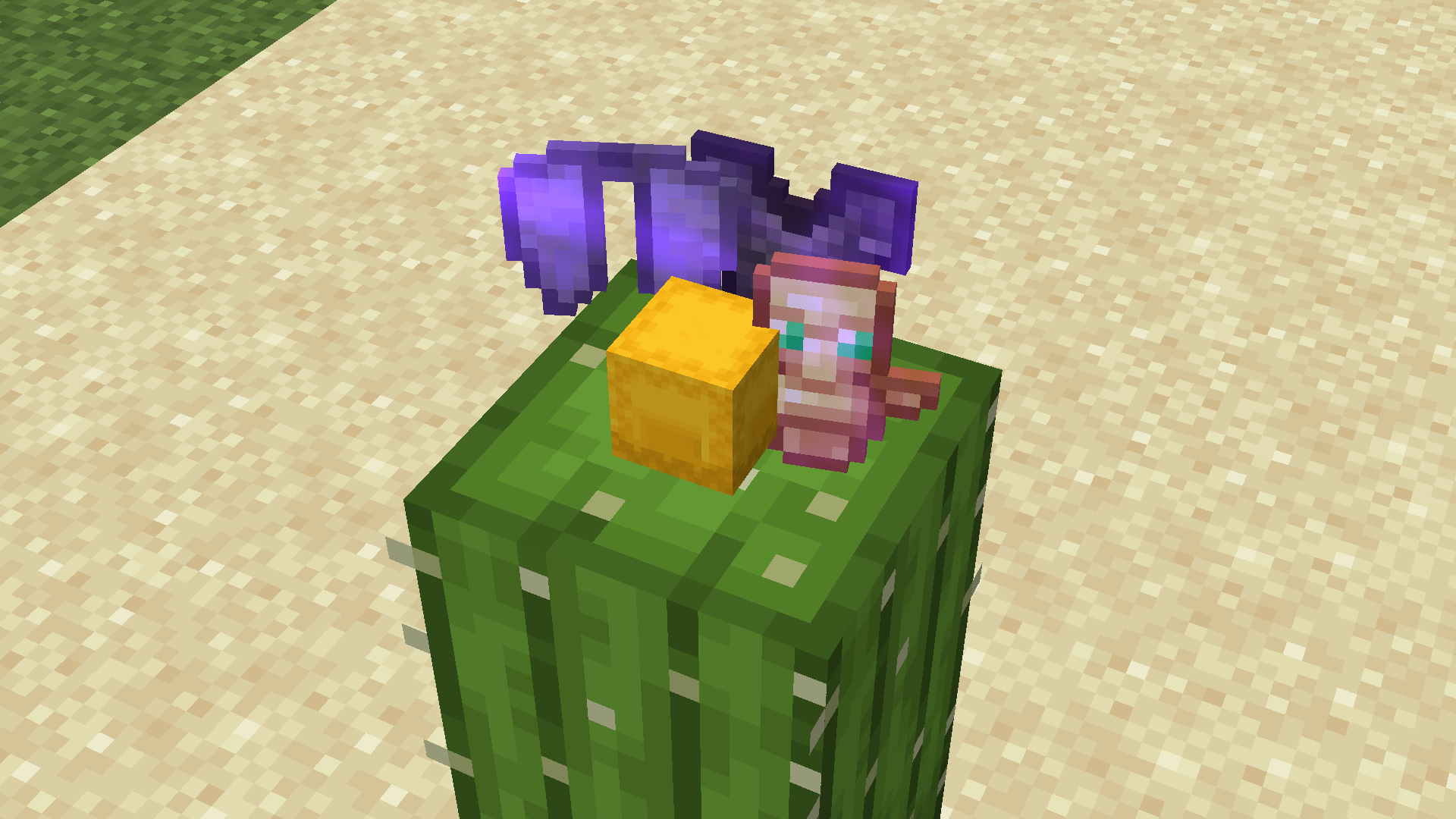
Cactus Immunity
No more accidental item deletion when dropping items next to cacti.
Note on Shulker Boxes & Ender Chests (Visual Glint Limitations)
You may notice that enchanted Shulker Boxes and Ender Chests do not display the typical purple enchantment glint (swirling effect) in your inventory or on the ground.
Why does this happen?
- Vanilla Rendering Engine: Minecraft renders Shulker Boxes and Ender Chests using a dedicated 3D Block Entity renderer (
BlockEntityWithoutLevelRenderer) rather than the standard item renderer. - Bypassed Glint Pass: The vanilla client intentionally bypasses the enchantment glint pass on these custom 3D models to prevent texture glitches, UV-mapping bugs, and visual clutter.
Rest assured, the enchantment is fully active! The Immutable protection works as intended behind the scenes despite the missing visual glint.
Where to Find It?
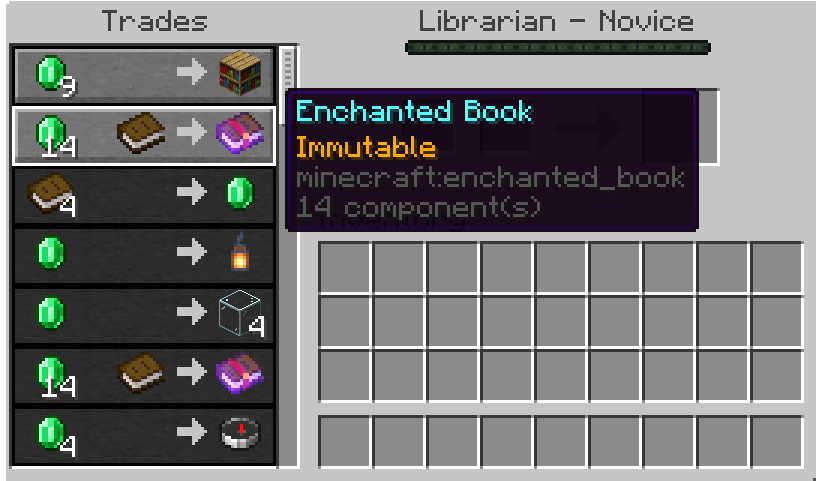
The Immutable book is a rare and valuable treasure. You can obtain it through these methods:
- Villager Trading: Available as a rare trade from Librarian Villagers.
- Mineshaft: Available on a minecart chests
🛠️ Supported Items
You can apply the Immutable enchantment to almost any valuable item via an Anvil, supported for single item, but enchanting for stacked items unsupported (e.g. 2x - 64x Golden Apples). Supported items include:
| Category | Equipment & Tools |
|---|---|
| Gear & Weapons | All Armors, Weapons, Tools, Shield, Trident, Mace, Bow, Crossbow, Fishing Rod, Shears, Carrot/Warped Fungus on a Stick |
| Storage Utilities | Shulker Box (All Colors), Bundle (All Colors), Ender Chest |
| High-Value Items | Totem of Undying, Golden Apple, Enchanted Golden Apple |
⚙️ Default Configuration
- Max Level: I (1)
- Enchantment Weight: 1 (Very Rare)
- Exclusivity: Conflicts with the Vanishing Curse (
minecraft:vanishing_curse) by default.
How to Install
Windows
As a datapack
- Press
Win + R, search%appdata%\.minecraft, then Enter. - Go to the folder
saves>[Your World Name]>datapacks. - Place the
.ziphere.
As a mod
- Press
Win + R, search%appdata%\.minecraft, then Enter. - Go to the folder
mods. - Place the
.jarhere.
MacOS
As a datapack
- Open Finder, press
Cmd + Shift + G. - Put a path:
~/Library/Application Support/minecraft. - Go to the folder
saves>[Your World Name]>datapacksand place the.ziphere.
As a mod
- Open Finder, press
Cmd + Shift + G. - Put a path:
~/Library/Application Support/minecraft. - Go to the folder
modsand place the.jarhere.
Linux
As a datapack
- Open
~/.minecraft/saves/[Your World Name]/datapacks. - Move the
.zipto the folder.
As a mod
- Open
~/.minecraft/mods. - Move the
.jarto the folder.