


All versions
0.5.0
Void Block 0.5.03 months ago 13
Compatibility
Minecraft: Java Edition
Platform
Supported environments
Required content
Unavailable version
Changes
#The Neo Forge version of this update
added polish to the ui for Void Block Customization screen
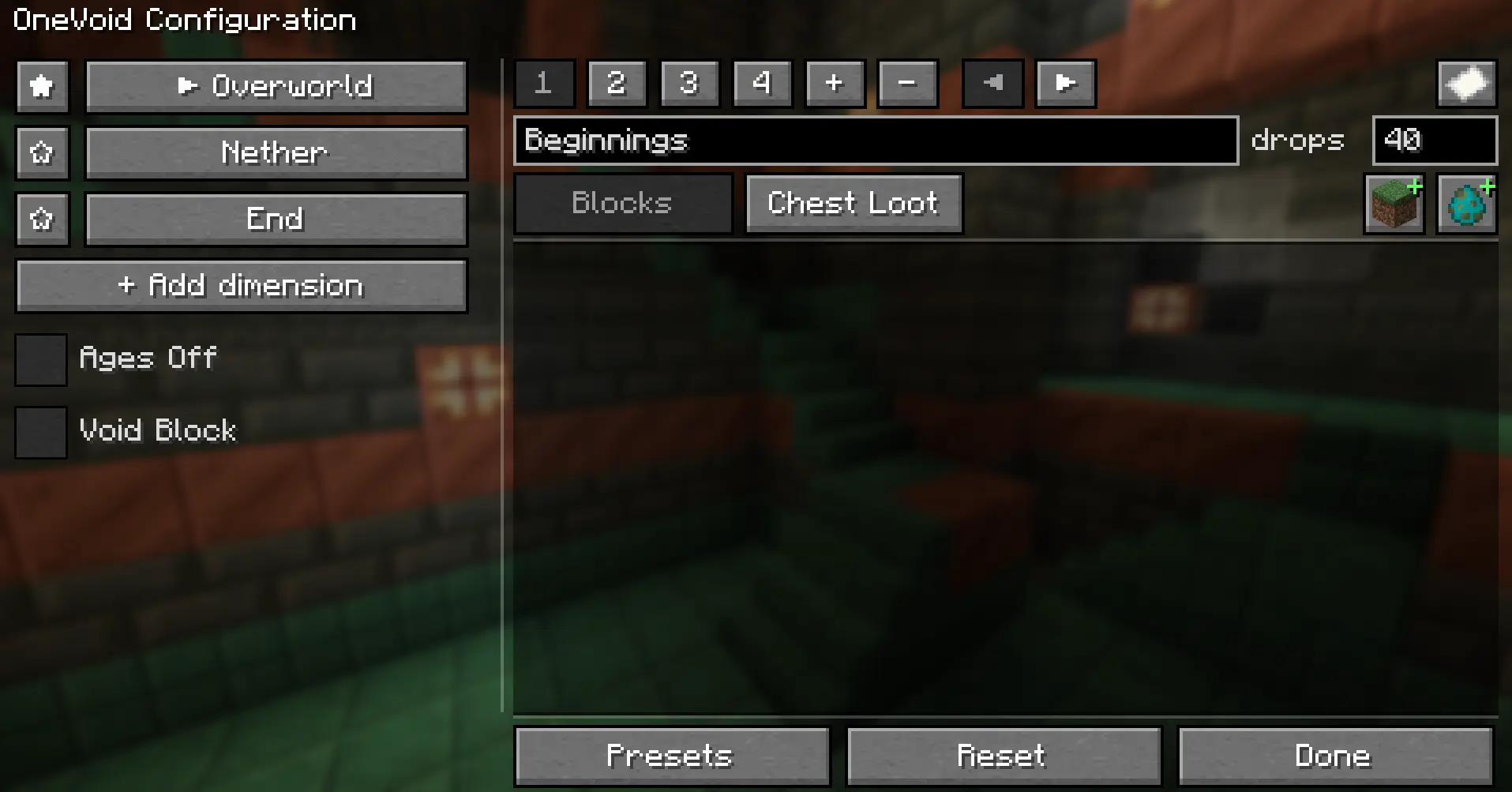
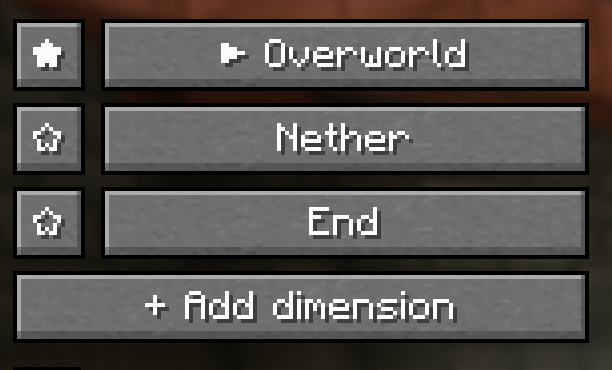
- Unified dimension list — replaced the old 3-tab layout with one clean list: star to set spawn, ✕ to remove, + to add.
- Icon toolbar — add blocks, waves, chest tables, and items via item-icon buttons with tooltips instead of a generic "+ Add."
- Decluttered layout — left column is just Dimensions + world settings; everything that edits content lives next to what it edits.
The ages system was reworked
- Per-dimension nested ages demestions no longer share ages
- Reorder + manage ages — add, delete, and slide ages around to build a custom path. before editing the order was kinda a pain
- Age save/load bench — save a single age to disk and drop it into any dimension later (great for sharing setups) — separate from full presets.

Gameplay & polish to Void Blocks custome block mode
- Gacha HUD — floating reward icons above the hotbar with likelihood glow (red,yellow,green), idle wiggle, and a white-flash on the block you actually get.
- Reworked mob waves — charge-driven waves with a 1-minute green→red prep timer instead of a predictable countdown.
- Per-block self-drop toggle — force a pool block (e.g. luck blocks) to drop itself when it has no normal loot.
- Blast-proof source block + auto-regen — the one-block is creeper/TNT-proof and regenerates if an explosion ever removes it.
Void any dimension
- Custom dimension voiding — turn any installed mod's dimension (Aether, Twilight Forest, etc.) into a OneVoid one-block world. No datapacks, no mod-dev opt-in. Hopfully
- In-game dimension picker — a "+ Add dimension" browser that lists every dimension in your modset and adds it with one click.
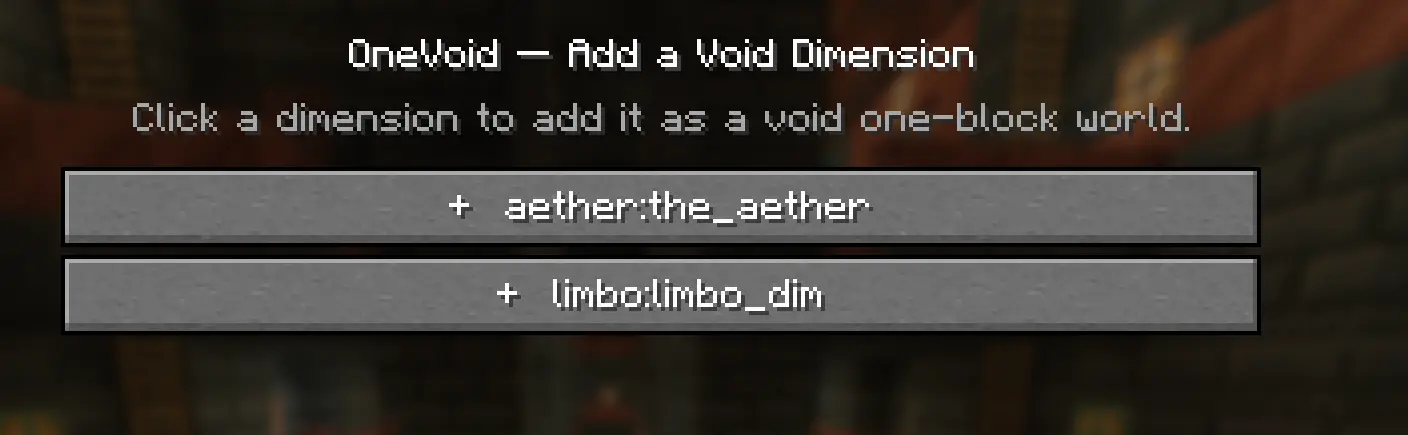
Pick your spawn dimension — start the game in a voided modded dimension Per-dimension everything — each dimension gets its own independent progression and loot.