
Compatibility
Minecraft: Java Edition
Platforms


Tags
Creators
Details
Pepe's Forge
Vanilla-friendly custom weapons and specialized tools for Minecraft servers.
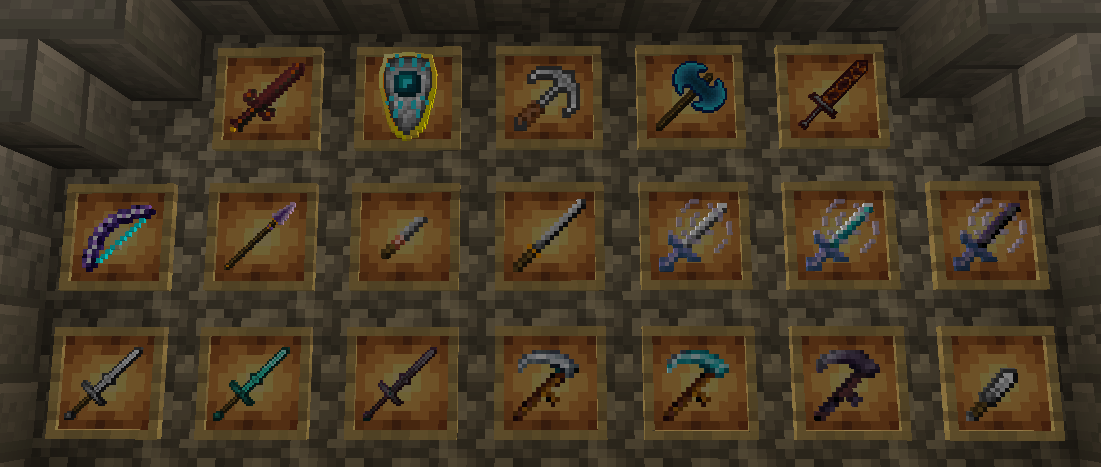
⚔️ Custom Weapons & Tools
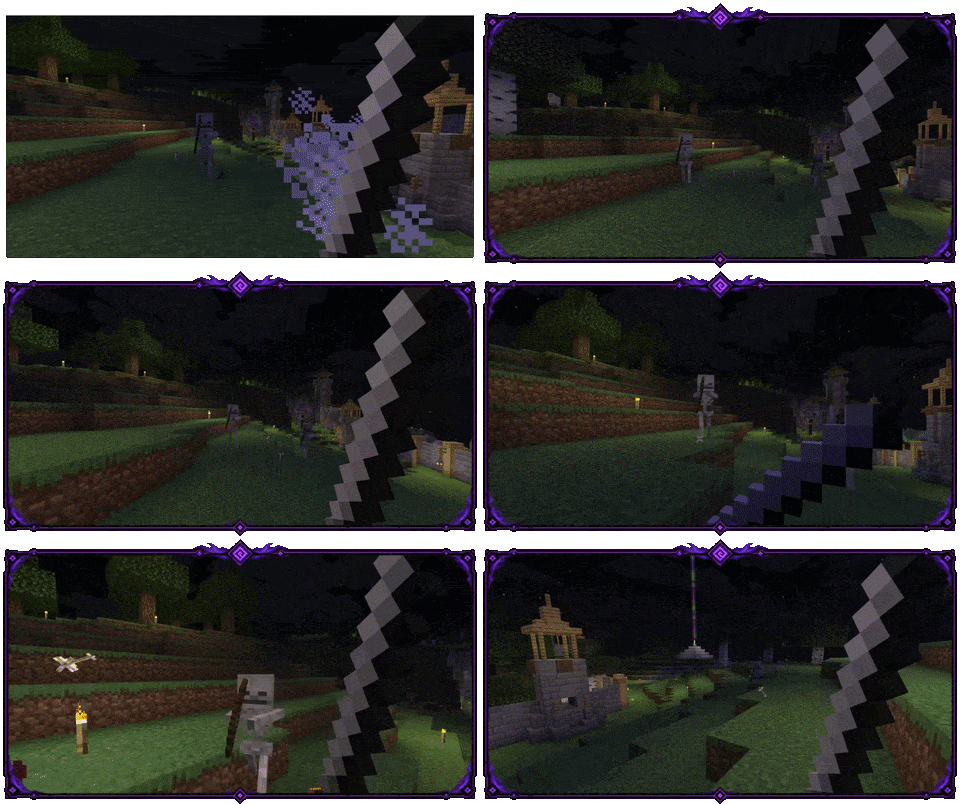
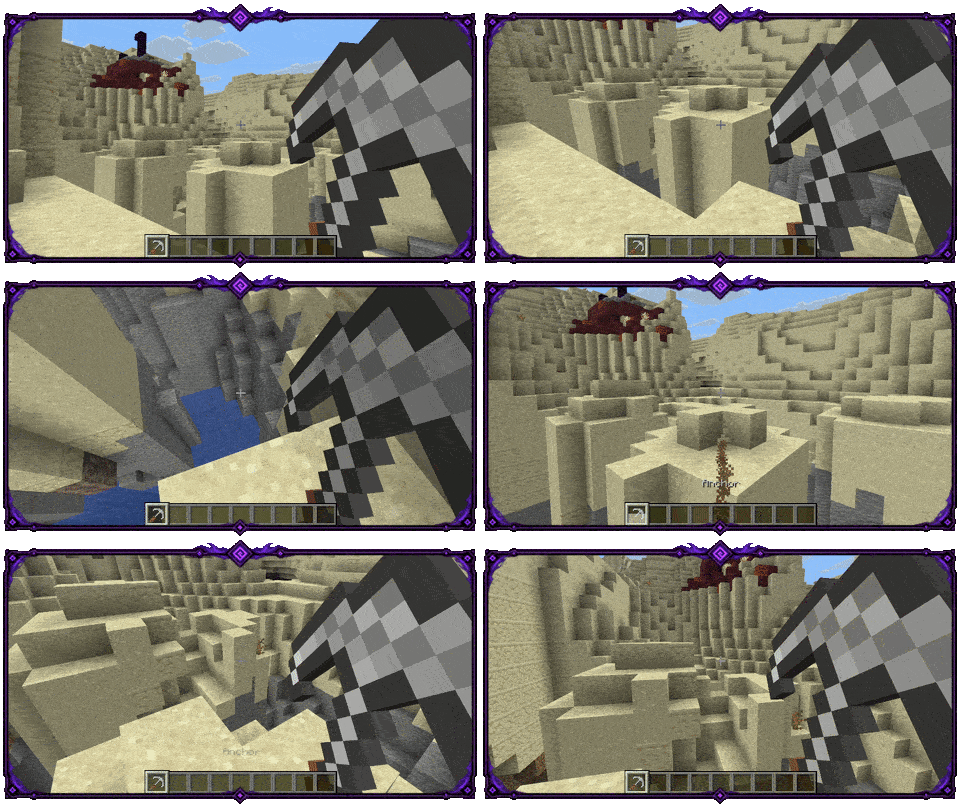
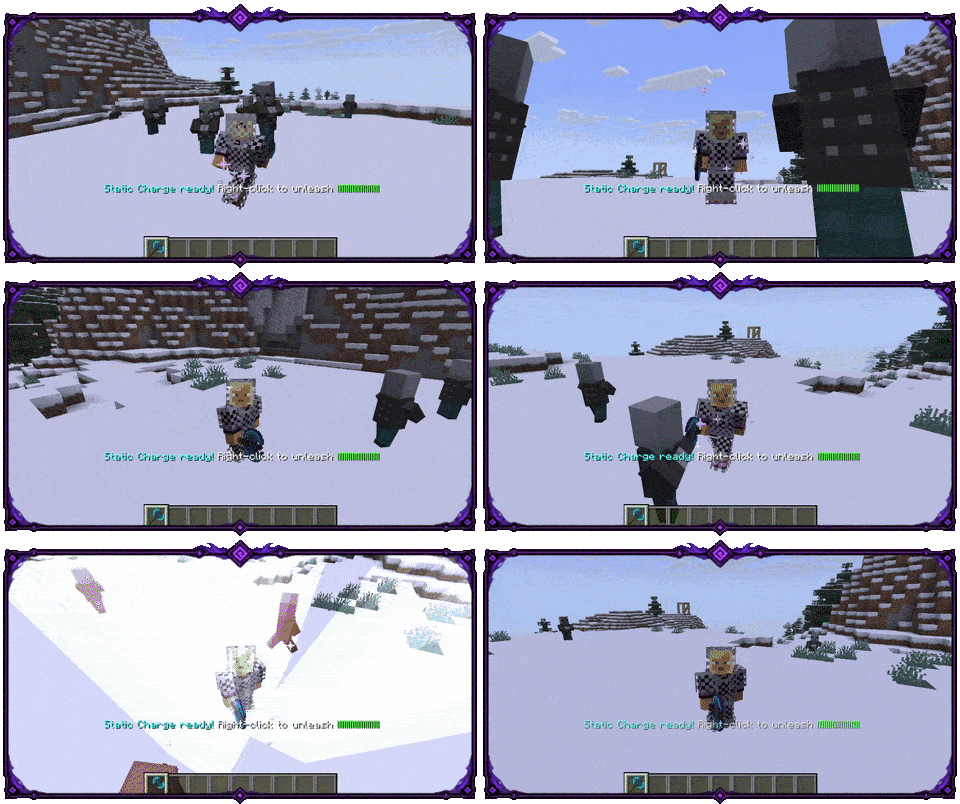
See ITEMS.md for complete mechanics, recipes, stats, and item IDs.
🪚 Chisel – Block Cycler
A building tool for cycling supported decorative block variants. Hold Sneak + right-click to cycle backward.
🌾 Scythes (Iron/Dia/Neth) – Area Harvest
Farming tools that harvest ripe crops across a tier-based area and replant them automatically.
🌬️ Wind Blades (Iron/Dia/Neth) – Speed & Dash
High-mobility weapons that combine speed effects with a right-click dash.
🏰 Greatswords (Iron/Dia/Neth) – Two-Handed Rhythm
A heavy two-handed sword built around timing, momentum, sweeping attacks, and frontal defense. Requires your off-hand to be empty.
🗡️ Katana – Parry & Reflect
A high-skill defensive sword built around timed parries and projectile reflection. Requires your off-hand to be empty.
🏹 Crescent Bow – Spread Volley
A moon-themed bow that fires a spread volley. Deals less damage during the day, but gains bonus damage under the open night sky.
🔱 Crescent Spear – Rapid Combo Strikes
A combo weapon that charges through successful hits and unleashes rapid follow-up strikes. Deals less damage during the day, but gains bonus damage under the open night sky.
☀️ Solar Shield – Sun-Charged Counter
A legendary defensive shield that charges in strong sky light and turns successful blocks into solar retaliation.
🩸 Crimson Sword – Combat Progression & Lifesteal
A legendary sword that grows through combat, unlocking stronger damage, lifesteal, and a blood-draining aura.
⚓ Anchor – Snare & Pull
A heavy marine weapon that combines a movement-restricting snare with a grappling hook for pulling yourself or enemies.
🗡️ Throwing Knife – Consumable Ranged Weapon
A consumable ranged weapon for opening fights or finishing fleeing targets.
⚡ Stormcleaver – Charge and Leap
An epic weapon built around charging attacks, leaping into combat, and creating a lightning shockwave on landing.
🔥 Emberfang – Fire Damage & Risk
A fire-infused weapon that adds heat to every strike, can ignite targets, and carries a risk for unprotected wielders.
📌 Combat damage uses normal server damage events. Protection, PvP, and claim plugins may cancel those events; cancelled hits do not apply related weapon effects. Block grappling does not modify blocks.
💾 Installation
- Download the JAR matching your server's Minecraft release.
- Use Java 21 for Minecraft 1.21.11 or Java 25 for the 26.x builds.
- Drop the JAR into your server's
plugins/folder and start the server once. - Configure Resource Pack delivery as described below.
- Restart the server or run
/pepeforge reloadafter changing the configuration.
🎨 Resource Pack & Language
Since version 1.2.0, Pepe's Forge uses Minecraft's modern item_model system. The plugin supports Paper, Purpur, Spigot, and Folia on Minecraft 1.21.11+.
The matching Resource Pack is required for custom item models and for the complete item presentation. Download it from the latest Modrinth release or GitHub release.
Resource Pack Delivery
Resource Pack delivery supports two modes. MANAGER is the default and leaves delivery to an external Resource Pack manager:
resource_pack:
  mode: MANAGER
In GITHUB mode, PepeForge sends the Resource Pack directly from GitHub Releases:
resource_pack:
  mode: GITHUB
Language Support
On Paper, Purpur, and Folia, item names and descriptions can follow each player's Minecraft client language when client-side translations are enabled. The Resource Pack must be loaded for this feature; otherwise, players may see raw translation keys such as item.pepeforge.katana.name.
Spigot and CraftBukkit use the server-side language fallback configured by the administrator and do not provide client-side translations.
⚙️ Configuration
Edit plugins/PepeForge/config.yml to enable or disable items and recipes, adjust supported mechanics, configure language and translation settings, choose Resource Pack delivery, and control anonymous metrics. Missing default settings are added automatically while existing values are preserved.
Use /pepeforge config for the supported in-game configuration options. Run /pepeforge reload after manual changes.
💻 Commands
| Command | Description | Permission | Default |
|---|---|---|---|
/pepeforge items |
Opens an in-game GUI menu to preview all items. | pepeforge.items |
OP |
/pepeforge config |
Opens an in-game GUI menu to toggle items and recipes. | pepeforge.config |
OP |
/pepeforge reload |
Reloads the plugin configuration. | pepeforge.reload |
OP |
/pepeforge give <item> <player> |
Gives a specific custom item to a player. | pepeforge.give |
OP |
❓ FAQ
Q: Does the Resource Pack conflict with other texture packs?
A: The pack keeps custom models in the pepeforge namespace and does not replace vanilla assets. Compatibility still depends on how another pack handles the same client resources.
📊 Statistics (bStats)
Pepe's Forge uses bStats to collect anonymous usage data, including crafting and give counts and which items are disabled in the server configuration.
This helps guide the future development of the plugin. You can opt-out at any time by setting metrics.enabled: false in config.yml.
🛠️ Documentation, Support & Community
For detailed installation, configuration, commands, permissions, compatibility, and migration notes, see the full documentation on GitHub.
- 🐞 Found a bug? Please report it on our GitHub Issue Tracker.
- 💡 Suggestions & Feedback: Share your ideas in Pepe's Forge on Discord.
- 💬 Community & Support: Join us on Discord: https://discord.gg/uPbSacDx4k
Every suggestion and bug report helps improve Pepe's Forge.