


Links
Tags
Creators
Details
Licensed MIT
Published 3 months ago
Updated 3 months ago
All versions
26.1.2-v1.3.0
Minecraft 26.1.2, Version 1.3.03 months ago 18
Compatibility
Minecraft: Java Edition
Platform
Supported environments
Required content
Unavailable version
Unavailable version
Changes
Reforges are directly ported from Terraria:
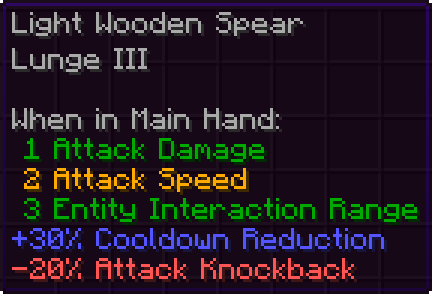
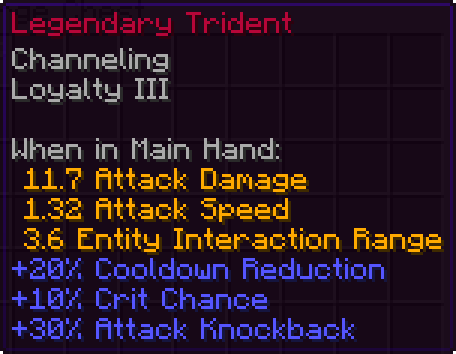
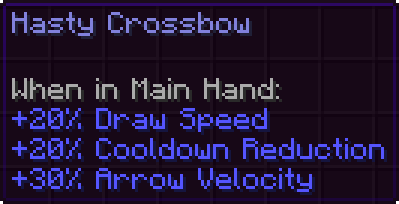
Modifiers
- Every reforge has a set of modifiers that increase or decrease the effectiveness of your item.
- By default, every modifier is 3 times stronger than the Terraria default.
- This is because Terraria's weapons are a lot stronger than vanilla Minecraft's and every modifier is a multiplication operation on the total.
- The strength of every modifier can be configured by admins globally or individually.
Reforging
- Currently, the only way to obtain reforges is through crafting or looting.
- The chance an item has a random reforge is configurable by admins.
- Server admins can use the
/reforgecommand to manage reforges.
Other Info
- Every rarity was ported from Terraria and is applied to reforged items to change their name colors.
- Apothic Attributes version
3.0.1and above is heavily recommended for more Terraria-accurate attributes, but it is not required despite being marked as such.