


Tags
Creators
Details
Licensed MIT
Published 6 months ago
Updated 6 hours ago
All versions
0.8.5-26.2-Neo
Pets Mod 0.8.5 for Neoforge 26.211 hours ago 2
Uploaded by
Compatibility
Minecraft: Java Edition
Platform
Supported environments
Changes
Bug Fixes
- Fixed an issue where the batato model was off-centered with its hitbox.
- Fixed an issue with Pets Networked where when a player puts a pet on its head, it doesn’t reflect that state with everyone else.
- Fixed a probable bug with the duck pet crashing if someone messed with the skin settings
- Fixed shulker skins not appearing under ‘Switch Skin’ in the config screen
- When a pet’s name is an empty string (so default) it no longer shows.
- Removed the config screen forcing GUI scale 5 on users, instead it now just uses whichever GUI scale is selected.
- Fixed Head pet not wandering
Additions
- Added language translations for the following languages:
-
Chinese (Simplified and Traditional)
-
German
-
Spanish (Spain and Mexico)
-
French
-
Japanese
-
Korean
-
Polish
-
Brazilian Portuguese
-
Russian
-
Ukrainian
- All of these were generated by Google Gemini as I only know English. If there are any issues or mistranslations, please let me know immediately!
-
Added sitting
-
Pets will now sit if you jump and right click them. Not all pets have a sitting animation; as such, they will just be standing there not moving.
-
You can un-toggle the sitting by running /teleportpet, putting the pet on your head, or jumping and right clicking it again
-
Following the addition of sitting, we also have two new tabs in our config screen:
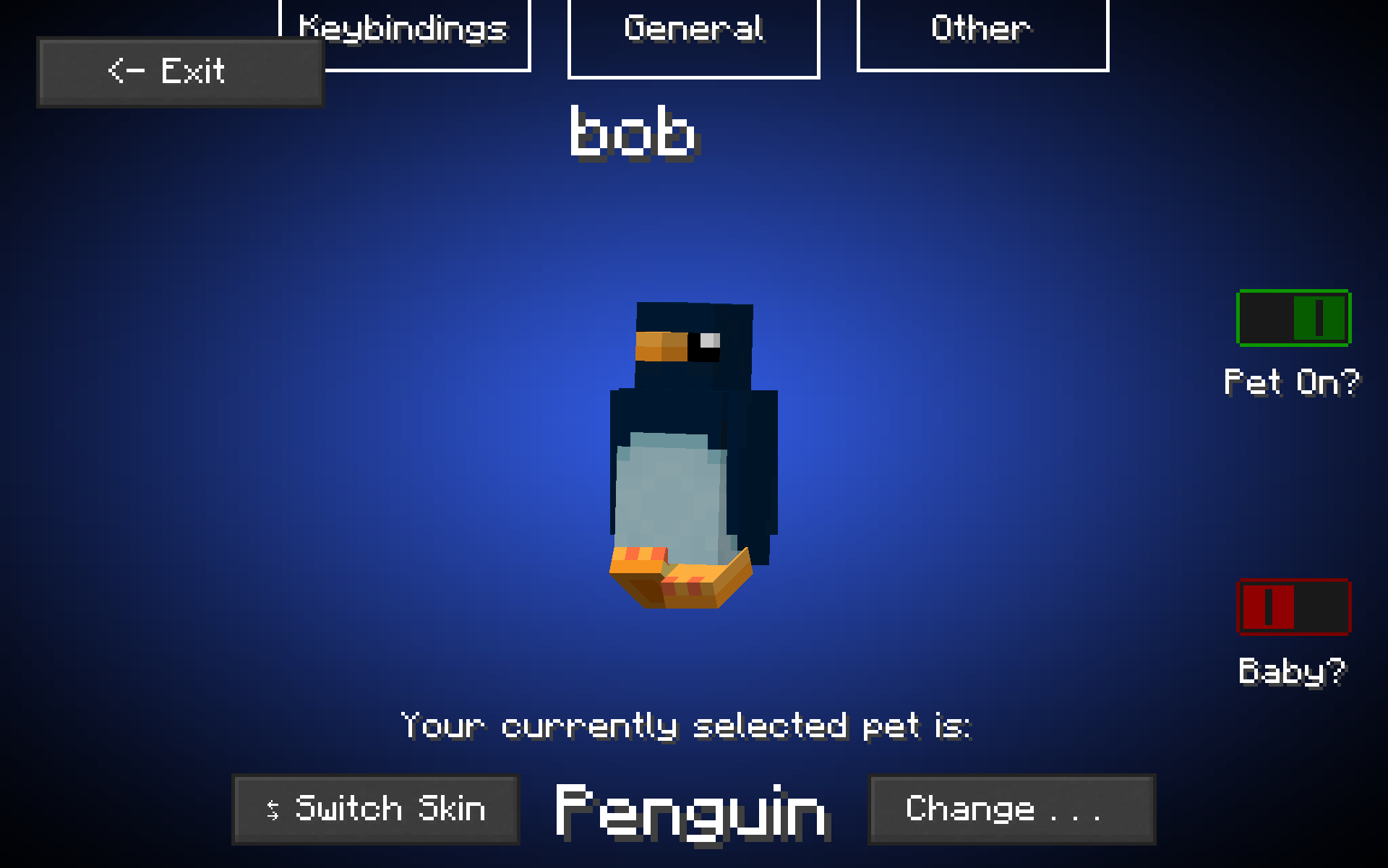
- Under ‘Keybindings’, you will find the ability to switch the keybindings for interacting with your pet (the hearts that appear above its head), picking up your pet, and making your pet sit, or turning them all off.
- You may notice that the options for displaying pet hitboxes and always rendering their nametags are gone. This is because they are now under the ‘other’ tab, as well as two new options:
- Wandering Enabled?
- This controls the wandering feature introduced in 0.7.7, so you can now turn it on and off as you please
- Hit through pets?
- We noticed in modern PvP (which this mod is commonly used for due to it working on servers) the pet can get in the way of placing or breaking blocks. Toggling this will allow your interactions to go straight through pets, with the exception of when your hand is empty.
- The ‘options’ menu also contains links for donating, reporting issues, browsing addons, and a new ‘tips’ menu. Added the silver duck skin, to celebrate 10,000 downloads, even though technically we reached this long ago between both Modrinth and Curseforge.
-
Removal of Cloth Config API as a Dependency
- Following this update, Cloth Config API is no longer required to save data between instances, and thus it has been dropped as a dependency, instead preferring GSON which is built into Minecraft.
Technical & Minor Changes
- Cleaned up the code, removed unneeded classes and methods, and fixed a bug where the source code was included in the production JAR. All of this combined and the jarfile is about 400 kilobytes smaller than before, although the new updates added ~100 more.
- There is now a ‘selected’ texture for the dropdown menu to show which option is currently selected.
- Additionally, massively reduced the amount of warnings in the project, meaning the experience should be cleaner for users.
- Pets now will look at the player when they are following the player.
- Fixed pet sounds not playing (Neoforge)