
Compatibility
Minecraft: Java Edition
Platforms
Supported environments


Links
Tags
Creators
Details
Licensed Apache-2.0
Published 6 months ago
Updated 10 hours ago
Paste long texts into Minecraft books and signs with automatic formatting.
Features
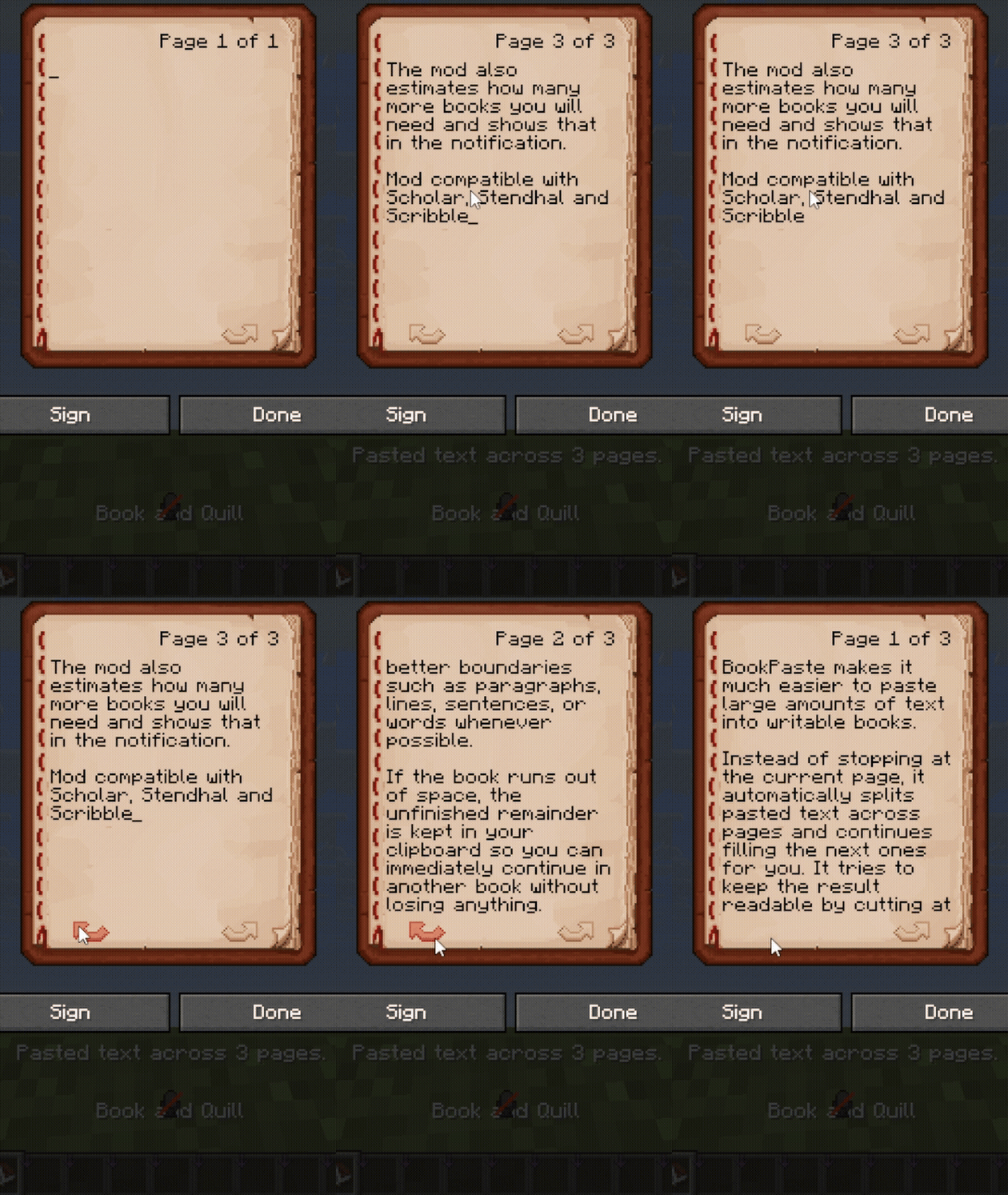
- Splits pasted text across book pages and sign lines.
- Supports smart wrapping and whole-paragraph formatting.
- Keeps unfinished text in your clipboard when there is no more space.
- Shows notifications above the hotbar.
- Supports Scribble and Scholar.
- Includes settings and notifications in English, Русский, Українська, Deutsch, Español, Français, Português (Brasil), 日本語 and 简体中文.
Usage
Open a writable book or sign and press Ctrl+V.
Press F8 to switch formatting modes. Change the hotkey and other settings through Mod Menu.
Custom page limits
Choose your own page limit in singleplayer.
For increased limits on multiplayer servers, install BookPaste on both the client and server. The server sets the limit, which appears in your settings menu.
Set the limit to 0 to remove BookPaste's page cap. Minecraft's data-size limits still apply.