Compatibility
Minecraft: Java Edition
Platforms
Supported environments


Links
Tags
Creators
Details
How to use:
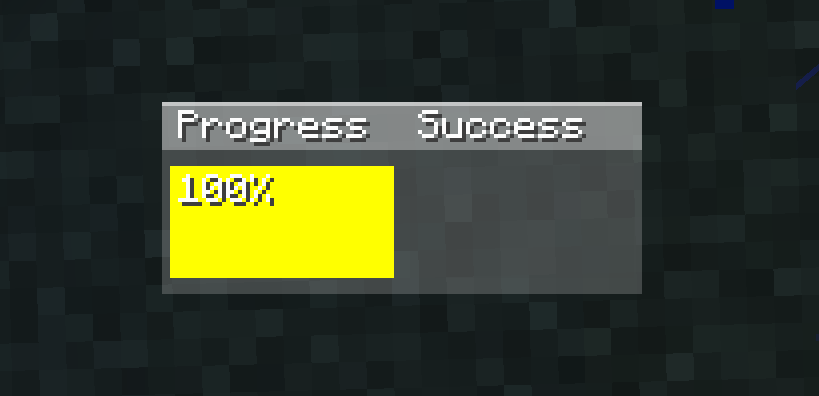
The progress section first checks if the item in your hand has reached critical hit count. If it has, it will show yellow; if not, it will show a gray bar indicating the countdown. If the progress section is yellow and you are about to hit a monster or player, the bar will turn green. The success section shows the last monster you hit: gray if you hit it before critical hit count, yellow if you hit it with critical hit count and without jumping, and green if you hit it with critical hit count and while jumping. Additional features: Pressing the 'k' key (you can change which letter it is in settings-->controls->key assignments) can open and close the GUI. Also, when your mouse cursor is visible (like in chat, esc), you can drag and drop the GUI to change its position. I hope you like it <3 --im doing a new mod i will announce the mod on my discord server after that i will release on modrinth--