Links
Tags
Creators
Details
All versions
1.8.5
PyCraft IDE 1.8.57 months ago 308
Compatibility
Minecraft: Java Edition
Platform
Supported environments
Changes
PyCraft IDE 1.8.5
Major Update — Education & IDE Improvements
New Features
-
Expanded Python API interaction capabilities with Minecraft
-
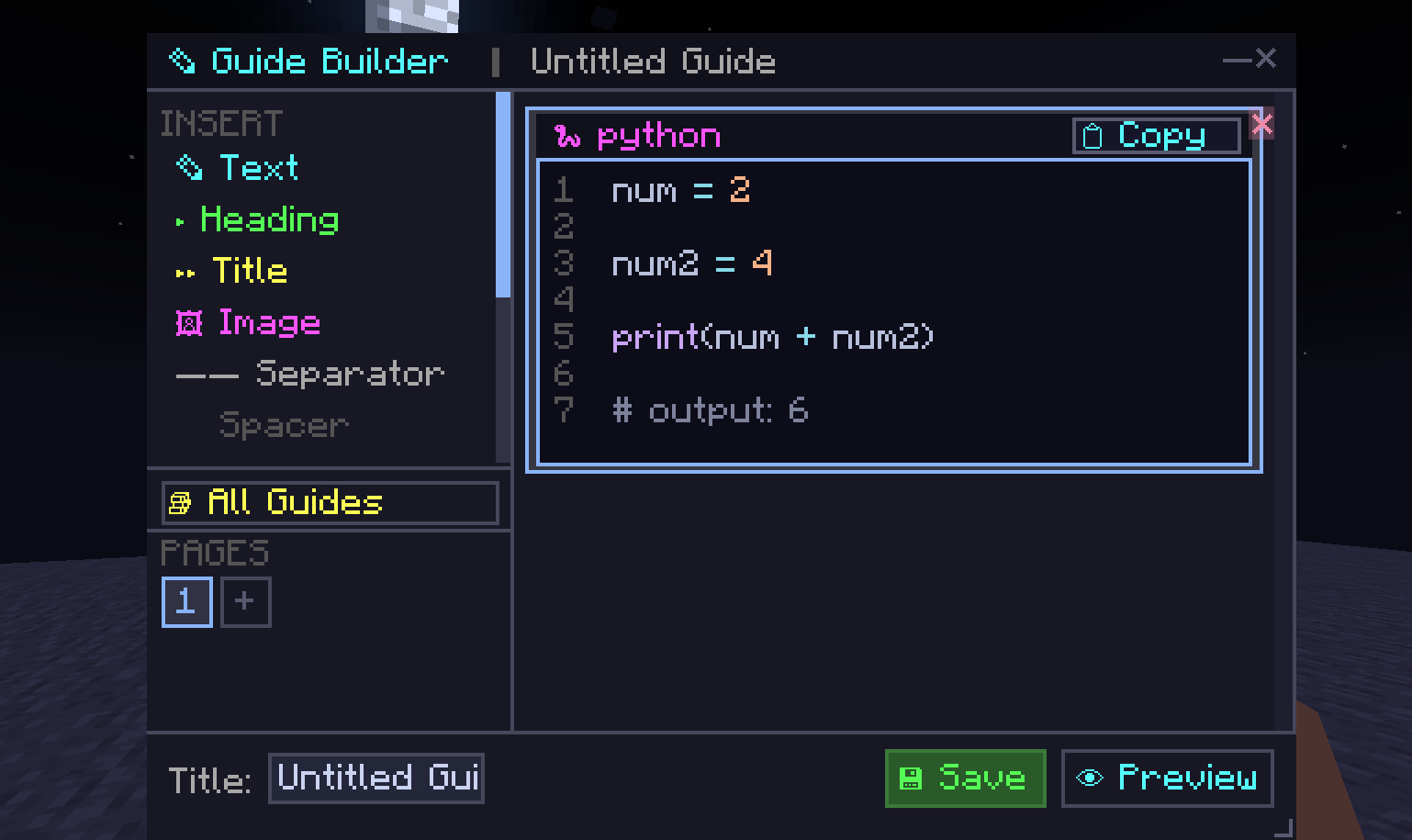
Added Guide Builder — create in-game tutorials and textbooks
-
Support for:
- Demo code blocks
- Images in guides
- Text styling
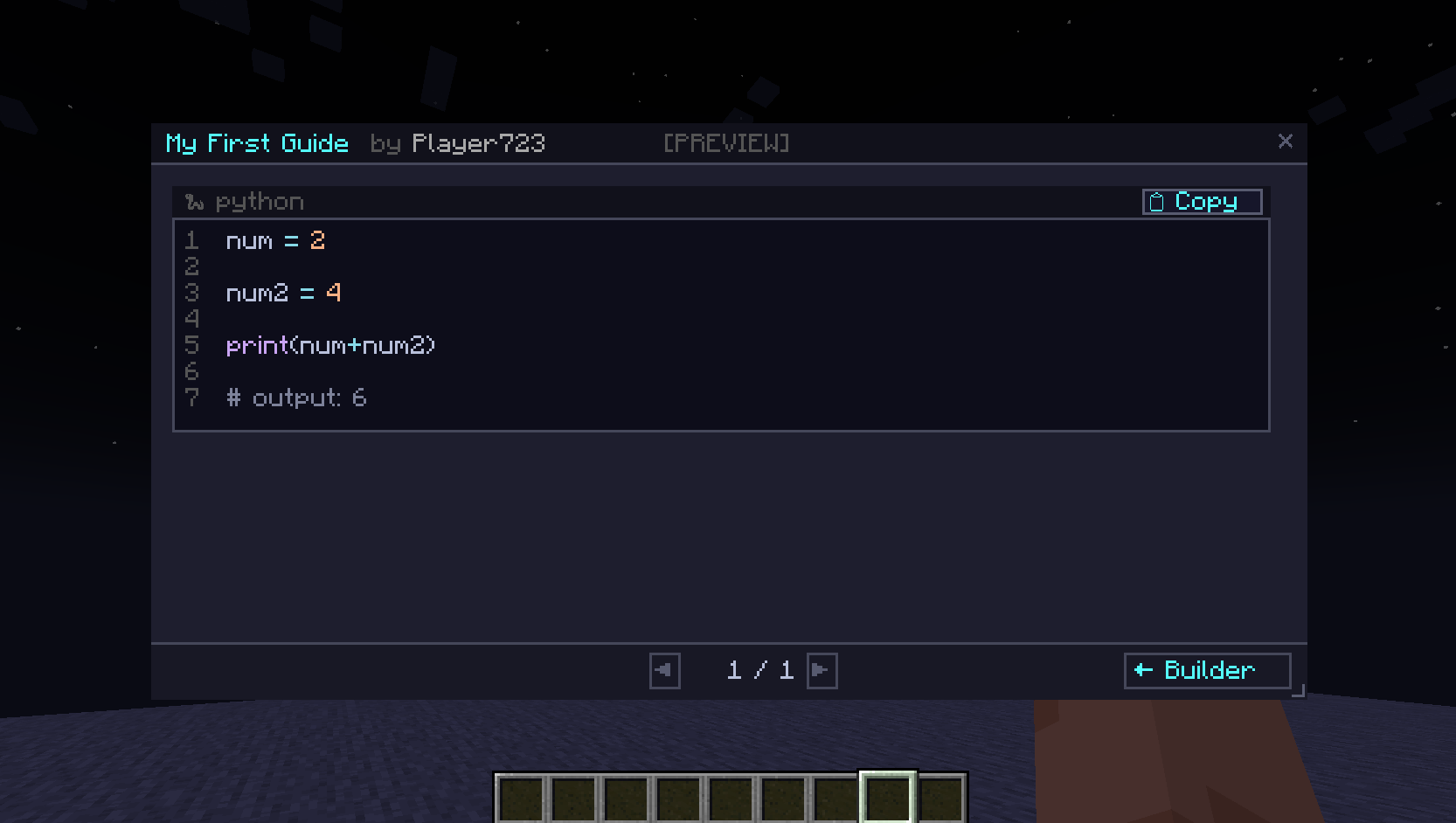
- Live preview of guides for students
Guide Management
-
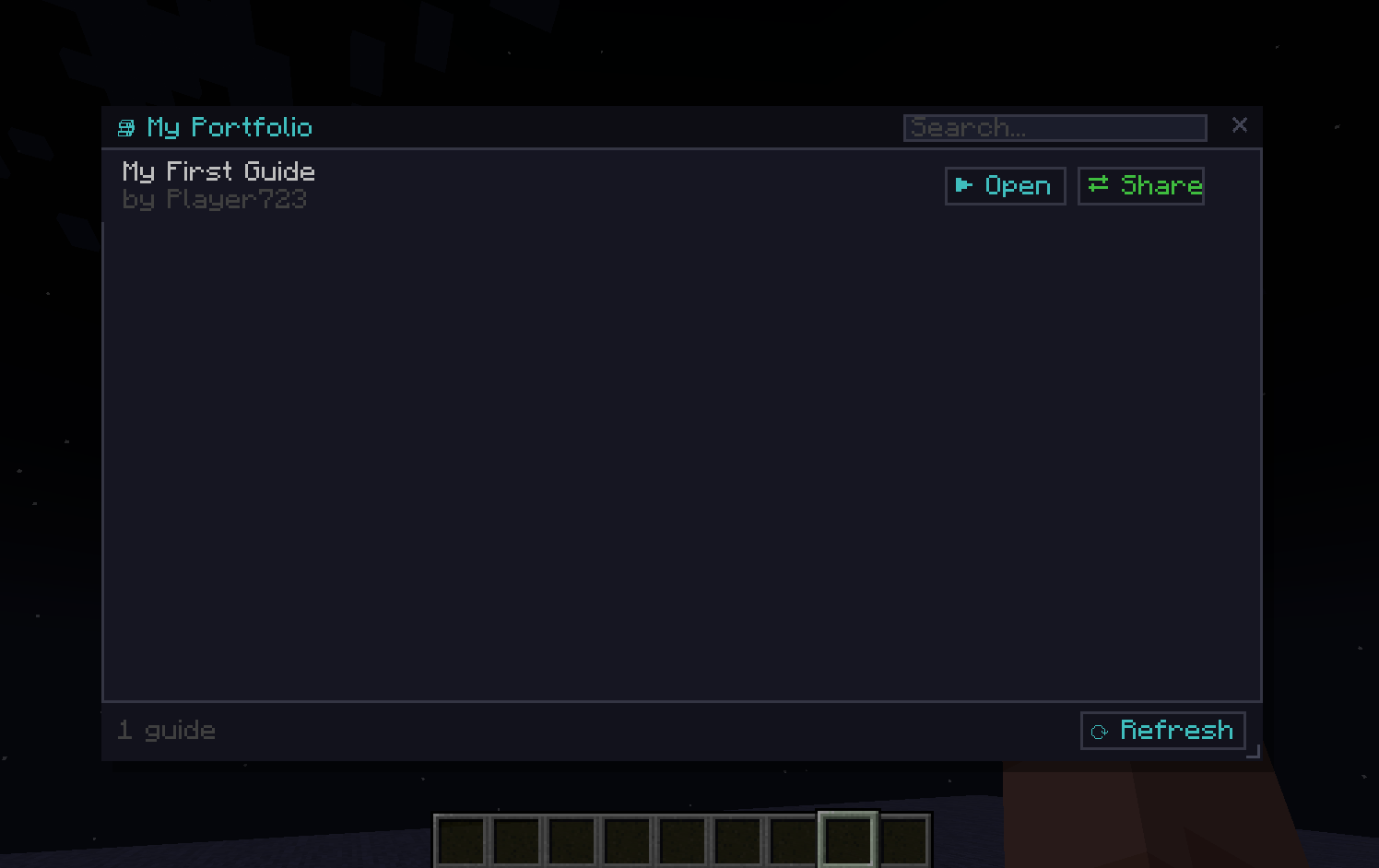
View all created guides
-
Give guides to:
- All players
- Specific players
-
Players can:
- Accept or decline guides
- Share guides with other players
Student Backpack
- Each player now has a Guide Backpack
- Stores all previously received guides
- Players can share guides with others who don't have them
Assignment System (For Teachers)
-
Server owners can create assignments
-
Input validation and expected output checking
-
Students receive assignments automatically
-
When completed:
- Teacher receives student's code
- Teacher receives execution result
IDE Improvements
- Improved UX and interface
- Fixed terminal functionality
- Added search in editor (Ctrl + F)
- Improved code autocomplete
- Snippets no longer overflow outside the screen
Крупное обновление — Обучение и улучшения IDE
Новые возможности
-
Расширены возможности взаимодействия с Minecraft через Python API
-
Добавлен Guide Builder — создание внутриигровых учебников
-
Возможности:
- Демонстрационный код
- Вставка изображений
- Стилизация текста
- Предпросмотр учебника
Управление учебниками
-
Просмотр всех созданных учебников
-
Выдача учебников:
- Всем игрокам
- Определённым игрокам
-
Игроки могут:
- Принять или отклонить учебник
- Делиться учебниками
Рюкзак ученика
- У каждого игрока появился рюкзак учебников
- Сохраняет все ранее полученные учебники
- Возможность делиться учебниками
Система заданий
-
Учитель может создавать задания
-
Проверка input и output
-
Ученики получают задания автоматически
-
После выполнения:
- Учитель получает код ученика
- Учитель получает результат выполнения
Улучшения IDE
- Улучшен UX интерфейса
- Исправлена работа терминала
- Добавлен поиск (Ctrl + F)
- Улучшено автодополнение
- Исправлены сниппеты (не выходят за экран)