


Links
Tags
Creators
Details
Licensed Apache-2.0
Published last month
Updated last month
All versions
mc26.1.2-v0.1.1-r1
Rift Gun 0.1.1-r1 for Minecraft 26.1.22 months ago 3
Compatibility
Minecraft: Java Edition
Platform
Supported environments
Changes
Rift Gun 0.1.1-r1 for Minecraft 26.1.2
Rift Gun 0.1.1-r1 is a polish and compatibility release for Minecraft 26.1.2, focused on rendering improvements, visual compatibility, and stability fixes after the initial 26.1.2 platform port.
Highlights
- Added a new Portal Gun inspired end-frame portal visual style.
- Added Random Rift portal generation with configurable attempts.
- Added new portal shot sound effects.
- Fixed unloaded local exits by improving portal preparation handling.
- Improved portal rendering performance and shader compatibility.
Details
Portal Transit and Reliability
- Fixed unloaded local exits by deferring preparation until the exit is ready.
- Improved portal readiness handling for distant destinations.
Portal Visuals and Rendering
- Added the Portal Gun inspired end-frame portal visual style.
- Improved GPU portal rendering behavior.
- Improved shader compatibility with safer fallback pipelines.
- Optimized geometry paths and unnecessary render updates.
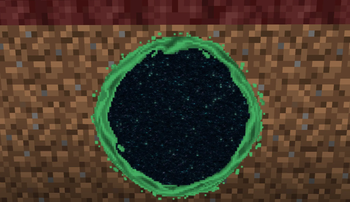
Random Rift
- Added Random Rift portal opening behavior.
- Added configurable random rift attempts.
Requirements
- Minecraft
26.1.2 - NeoForge
26.1.2.95+ - Java
25
The same Rift Gun version must be installed on both the client and server.
There are no required runtime dependencies other than NeoForge. JEI and Immersive Portals integrations are optional and are not bundled in the release JAR.
Known Issues
- The new Portal Gun inspired portal visual style is not compatible with shader packs and may not render correctly when shaders are enabled.
- Portal appearance may vary when using shader packs.
Upgrading
Back up worlds before updating.
Existing destinations, player permissions, and configuration files are compatible with this release.
Optional dependencies
Any compatible version