
Compatibility
Minecraft: Java Edition
Platforms


Links
Tags
Creators
Details
Vanilla Advancement Precisions
See exactly what you have completed, and what you still need, for Minecraft's biggest advancements.
Vanilla Advancement Precisions turns broad, multi-part vanilla advancements into detailed visual checklists. Open the Advancements screen to see every required biome, mob, food, animal variant, and more, with your progress displayed one step at a time.
No more guessing which monster you missed or revisiting every biome just to find the last one.
Detailed progress at a glance
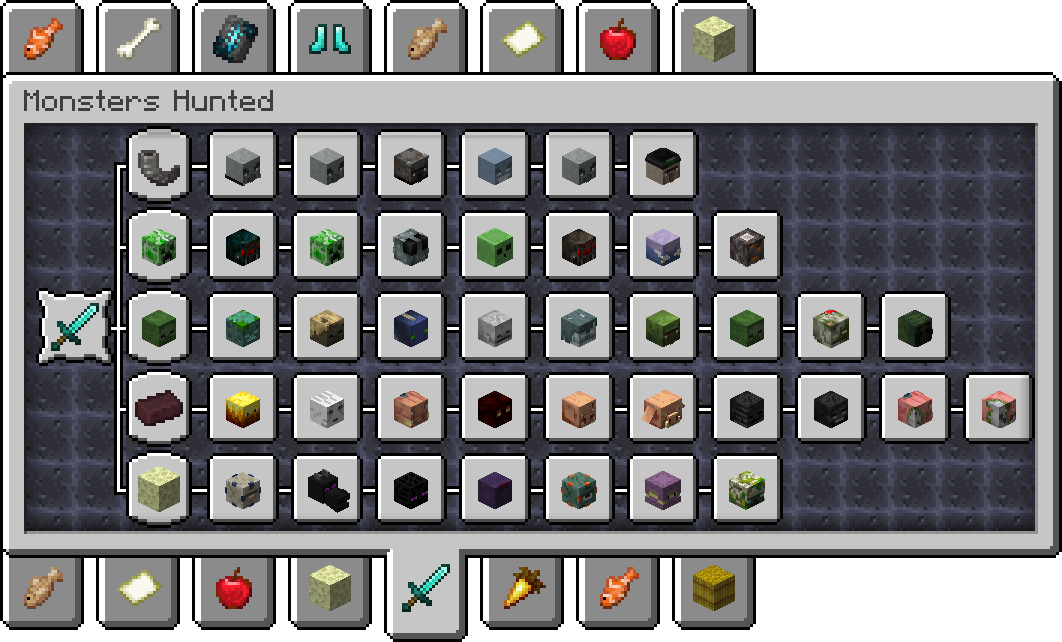
Monsters Hunted
See every required mob, organised into clear categories, and identify the ones you have not defeated yet.
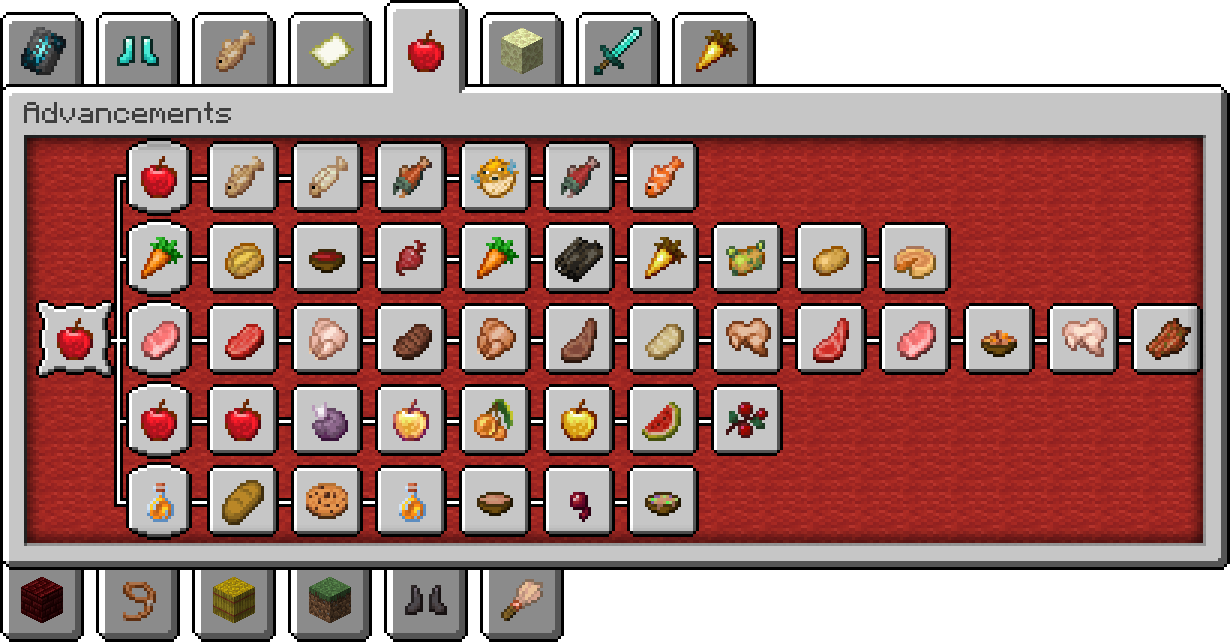
A Balanced Diet
Check every food you have eaten and quickly find what is still missing.
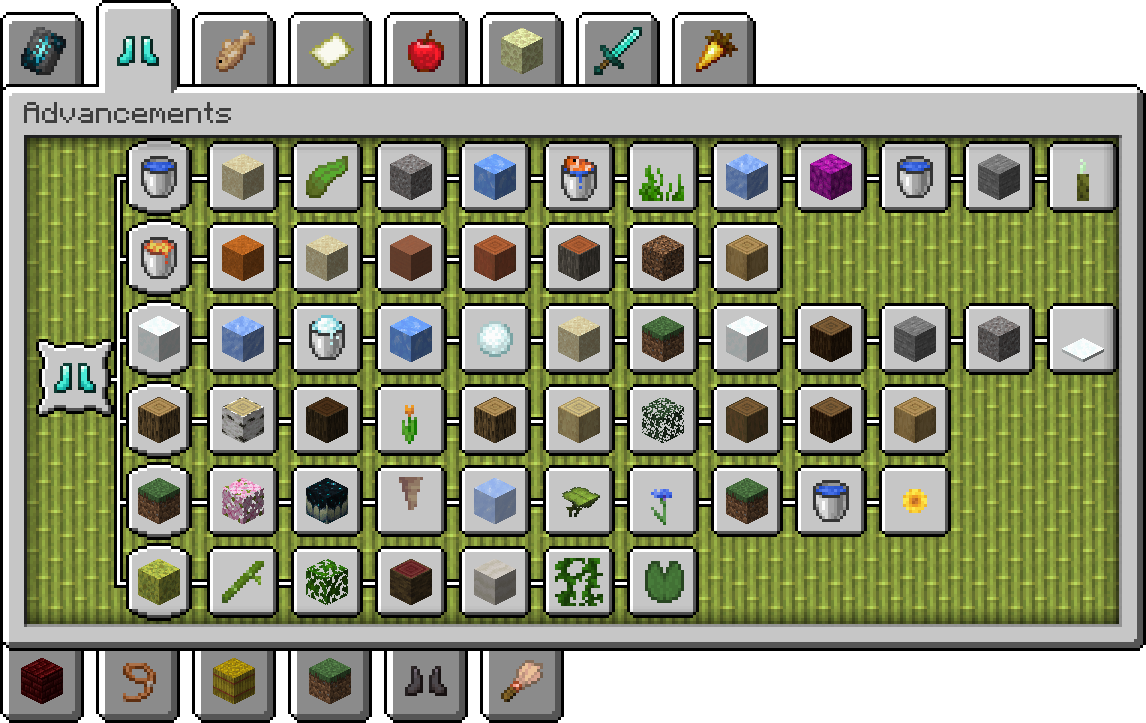
Adventuring Time
Track the required biomes by region instead of searching through one long, invisible list.
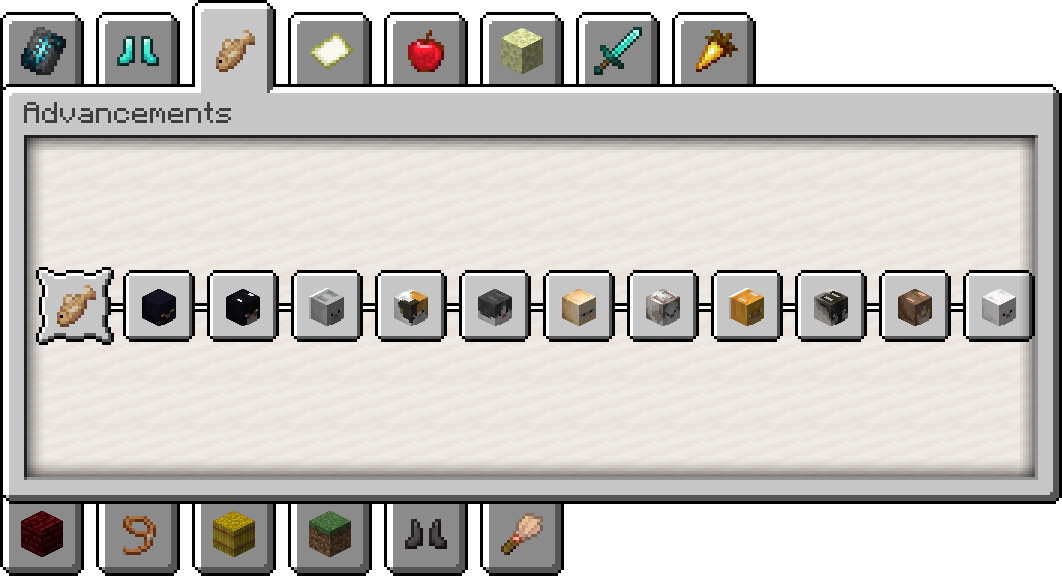
A Complete Catalogue
See which cat variants you have already tamed and which ones remain.
What it tracks
Vanilla Advancement Precisions adds detailed views for:
- Required Overworld biomes
- Required Nether biomes
- Foods eaten
- Mobs defeated
- Animals bred
- Cat variants tamed
- Frog variants leashed
- Wolf variants tamed
- Exclusive armor trim patterns used
- Pottery sherd salvage progress
The pack reads each player's vanilla advancement progress and presents it in dedicated advancement tabs. It does not replace the original advancements or change their requirements, rewards, or gameplay.
Features
- Clear, visual checklists inside the vanilla Advancements screen
- Automatically reflects progress from existing worlds
- Separate categories keep large checklists easy to navigate
- Works independently for every player on a server
- No resource pack, client mod, or commands required
- Designed to preserve the look and feel of vanilla Minecraft
Compatibility
Vanilla Advancement Precisions is a server-side data pack for Minecraft Java Edition. In multiplayer, only the server or world owner needs to install it; players can join with an unmodified client.
Advancement data formats and requirements can change between Minecraft releases. Always download the file matching your game version from the Versions tab.
Installation
- Download the version of Vanilla Advancement Precisions made for your Minecraft version.
- Open your world's folder, then open the
datapacksfolder. - Place the downloaded
.zipfile inside. - Join the world, or run
/reloadif the world is already open.
A confirmation message will appear in chat when the data pack loads successfully.
For a new single-player world, you can also select More → Data Packs during world creation and add the downloaded file there.
Uninstallation
Before removing the data pack, run:
/function vanilla_advancement_precisions:uninstall
Then remove the data pack from the world's datapacks folder. Your original vanilla advancement progress is not removed.
Credits
Support the creators
- EclairDeFeu360: Buy Me a Coffee
- Goldawn: Join on YouTube or subscribe on Twitch