


Content
| Name | |
|---|---|
| Actually 3D Stuff.zip | |
| astraliyte-s-animated-textures-v1-4.zip | |
| locomotion-fabric-0.1.11+1.21.11-playtesting.jar | |
| Weskerson's 3D Spawn Eggs.zip |
When installing the Modpack, go to the settings.
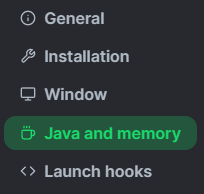 Go to "Java and memory".
Enable the "Custom memory allocation" option, and place the green dot on the second line; when you do, it will show 4096, as in the following image:

Now, enter the game and go to "Options".

Go to "Resource Packs".

Finally, click "Done".

Great, now you can play the Modpack without any problems!
Quando instalar o Modpack, vá nas configurações.
Vá em "Java and memory".
Ative a opção "Custom memory allocation", e coloque a bolinha verde no segundo tracinho, ao colocar, vai ficar 4096, como na imagem a seguir:
Agora, entre no jogo e vá em "Opções".
Vá em "Pacotes de recursos".
Por fim, clique em "Concluído".
Pronto, agora você pode jogar o Modpack tranquilamente sem nenhum problema!
“The Best Modpack” for Minecraft enhances the game’s Vanilla experience 🧱 by offering a selection of the best Optimization ⚙️, Quality of Life 🌿, and Visual Enhancement 🎨 Mods, providing smoother gameplay and a more immersive visual experience.
“O Melhor Modpack” para Minecraft aprimora a experiência Vanilla do jogo 🧱, oferecendo uma seleção dos melhores Mods de Otimização ⚙️, Qualidade de Vida 🌿 e Melhorias Gráficas 🎨, proporcionando uma jogabilidade mais fluida e visualmente envolvente.
| Name | |
|---|---|
| Actually 3D Stuff.zip | |
| astraliyte-s-animated-textures-v1-4.zip | |
| locomotion-fabric-0.1.11+1.21.11-playtesting.jar | |
| Weskerson's 3D Spawn Eggs.zip |