Share instances with friends
Play more easily with friends without having to share .mrpack files.
Posted on July 24, 2026 Modrinth Team
Hey everyone!
Sharing content has been one of the most requested features for the Modrinth App. People have worked around this by creating unlisted projects or sending a new .mrpack after every update.
You can finally share an instance directly with friends and push updates as it changes!
TL;DR
- Invite friends by username or share link
- Share instance content and config files
- Push updates when something changes
- Review everything before accepting
Sharing an instance
Instances have a new share tab, which requires you to be signed into a Modrinth account.
You can invite someone by username or create a share link. Username invites send a notification in the app, while share links can be sent directly to anyone you want to invite.
What gets shared
A shared instance distributes the following:
- The instance name and icon
- Instance content
- Any additional config files you choose
We detect when your instance has changed and let you know when it is ahead of the people you invited. From there, you can push all changes or only updated config files.
Receiving an instance
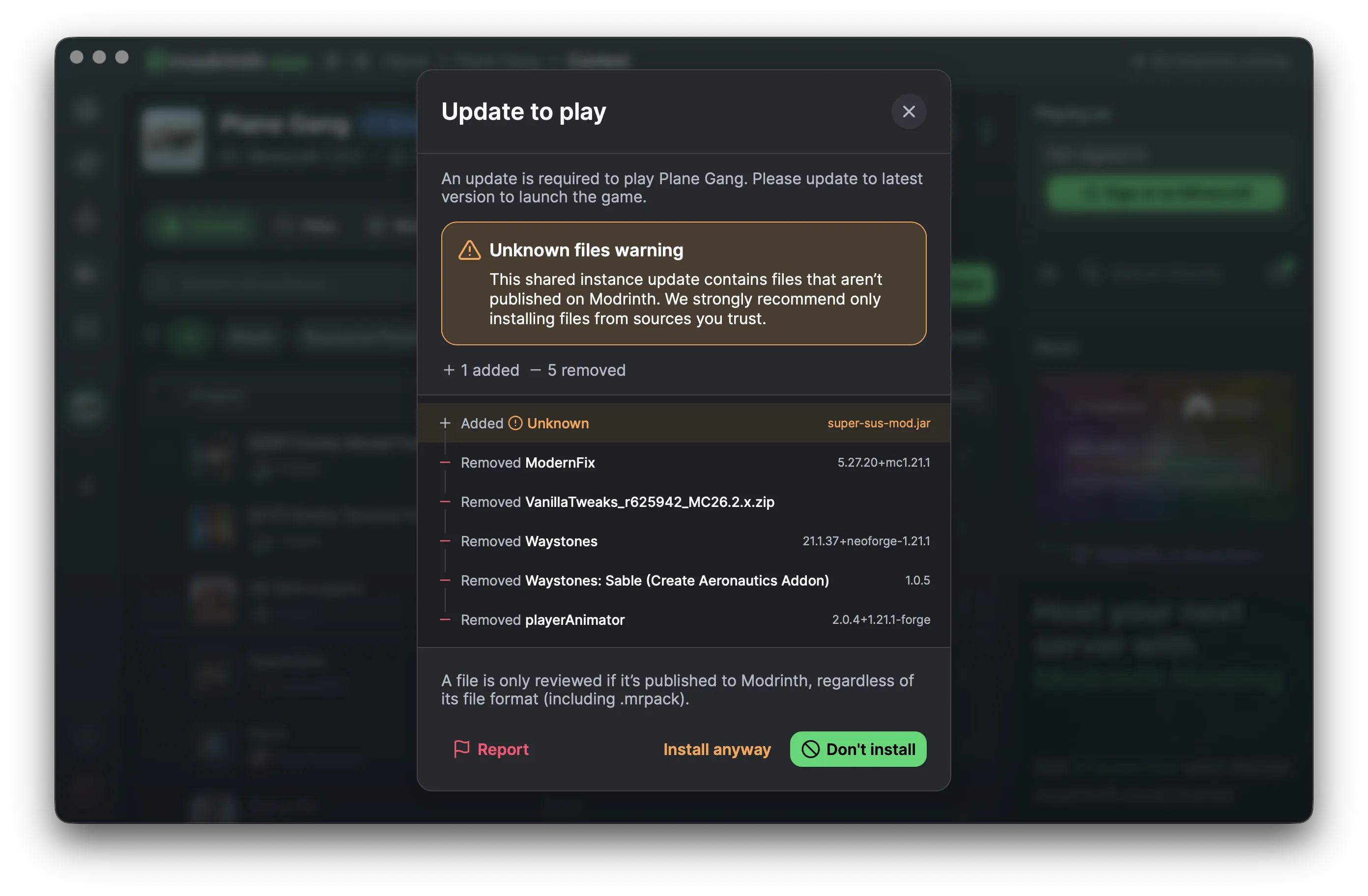
When you receive an invite, you’ll see actions to accept or deny in the app - or if you use an invite link, you will see a page to accept the invite. This will open a preview modal, which shows what content is included, and whether anything is not published on Modrinth. Once accepted, it installs like a normal instance.
Shared instances work a bit differently from normal ones. You cannot edit content added by the instance owner, but you can still add your own content on top. Just be aware that changes from the owner, such as a new game version or loader, could break anything you add.
Receiving updates
Updates sync when you go to play the instance. You can review any changes before accepting, and files not published on Modrinth are surfaced to help you spot anything potentially malicious.
Only accept invites from people you trust
Shared instances are not reviewed like published Modrinth projects, so only accept invites from people you trust.
You can report a shared instance if anything looks suspicious.
—
Thank you! We hope you guys enjoy this one.