


Tags
Creators
Details
Licensed CC-BY-NC-SA-4.0
Published 6 months ago
Updated 3 months ago
All versions
1.0.0
celestcombat Xtra 1.0.07 months ago 22
Compatibility
Minecraft: Java Edition
Platforms
Changes
CelestCombat





A comprehensive combat management plugin for Minecraft servers specializing in PvP environments.
Requirements
- Minecraft Version: 1.21 - 1.21.4
- Server Software: Paper, Purpur, Folia
- Java Version: 21+
Optional Dependencies
- WorldGuard - For safe zone integration and region protection
- GriefPrevention - For claim-based protection systems
Installation
- Download the latest release from Modrinth
- Place the
.jarfile in your server'spluginsfolder - Restart your server
- Configure the plugin in
plugins/CelestCombat/config.yml - Reload with
/cc reload
Commands
| Command | Permission | Description |
|---|---|---|
/cc help |
celestcombat.command.use |
Display command help |
/cc reload |
celestcombat.command.use |
Reload plugin configuration |
/cc tag <player1> [player2] |
celestcombat.command.use |
Manually tag players in combat |
/cc removetag <player/world/all> |
celestcombat.command.use |
Remove combat tags |
Aliases: /cc, /combat, /celestcombat
Permissions
| Permission | Default | Description |
|---|---|---|
celestcombat.command.use |
OP | Access to all plugin commands |
celestcombat.update.notify |
OP | Receive update notifications |
celestcombat.bypass.tag |
false | Bypass combat tagging |
Building
git clone https://github.com/ptthanh02/CelestCombat.git
cd CelestCombat
./gradlew build
The compiled JAR will be available in build/libs/
Contributing
- Fork the repository
- Create a feature branch
- Make your changes
- Test thoroughly
- Submit a pull request
Support
- Issues & Bug Reports: GitHub Issues
- Discord Community: Join our Discord
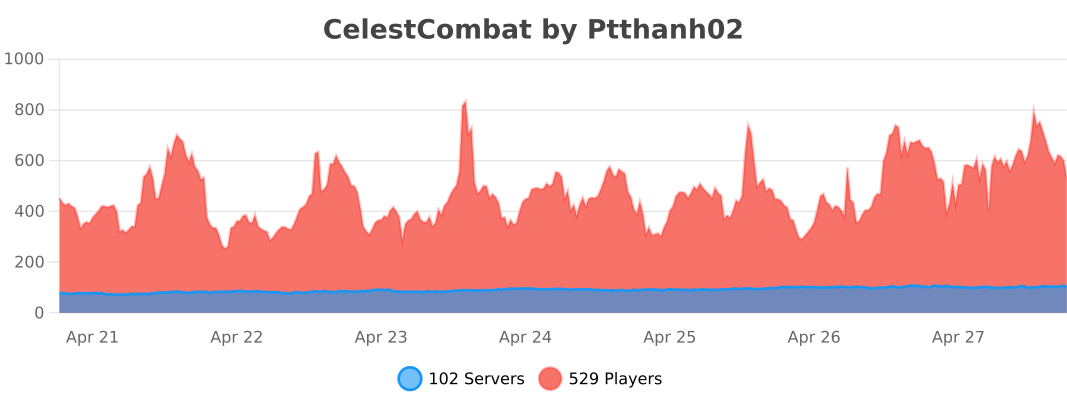
Statistics
License
This project is licensed under the CC BY-NC-SA 4.0 License - see the LICENSE file for details.