


Tags
Creators
Details
Licensed GPL-3.0-or-later
Published 11 months ago
Updated 11 months ago
All versions
1.0.0
Custom Recipes 1.0.011 months ago 51
Compatibility
Minecraft: Java Edition
Platforms
Changes
CustomRecipes




CustomRecipes allows you to create custom recipes for wide selection of workstations including: Crafting Table (Others in Future Updates)
Integrates with other plugins: (In Future)
In addition, you can switch vanilla recipes at your discretion, as well as disable and override them (In Future)
Support
For any questions or support join the Discord

Features
Recipe Management
- Shaped Recipes - Create custom 3x3 crafting grid patterns
- Custom Names & Lore - Add colored names and descriptions to crafted items
- Flexible Configuration - Easy-to-use configuration
- Bulk Crafting - Configure recipes to produce multiple items (1-64)
- Hot Reload - Reload recipes without restarting the server
GUI Interface
- Recipe Browser - View all recipes in an interactive GUI
- Recipe Viewer - Inspect individual recipe patterns visually
- Pages - Automatically creates new pages when there are a large number of recipes
- Intuitive Navigation - Easy-to-use interface for players and admins
User Experience
- MiniMessage Support - Rich text formatting with gradients and colors
- Permission System - Granular permission control
Usage
Commands
| Command | Aliases | Description | Permission |
|---|---|---|---|
/customrecipes help |
/cr help |
Show help message | customrecipes.use |
/customrecipes reload |
/cr reload, /cr rl |
Reload configuration | customrecipes.reload |
/customrecipes list |
/cr list, /cr l |
List all recipes | customrecipes.list |
/customrecipes gui |
/cr gui, /cr menu |
Open recipe GUI | customrecipes.gui |
Permissions
| Permission | Description | Default |
|---|---|---|
customrecipes.* |
All permissions | op |
customrecipes.use |
Basic command access | true |
customrecipes.reload |
Reload configuration | op |
customrecipes.list |
View recipe list | true |
customrecipes.gui |
Open GUI interface | true |
⚙️ Configuration
Basic Structure
# Enable debug logging
debug: false

# Use custom names and descriptions on crafted items
use-crafted-custom-names: true

# Keep custom names on spawn eggs when they spawn mobs
spawn-egg-keep-custom-name: false

# List of enabled recipe keys
enabled-recipes:
  - RecipeKey
  - BeeSpawnEgg

# Recipe Format:
 <RecipeKey>:                    # Recipe Name
   gui-name: "Name in GUI"       # Always shown in recipe browser GUI
   gui-description:              # Always shown in recipe browser GUI
     - "Line 1"
     - "Line 2"
   crafted-name: "Name on item"  # (Optional) Name on crafted item
   crafted-description:          # (Optional) Lore on crafted item
     - "Line 1"
     - "Line 2"
   type: SHAPED                  # Recipe type (currently only SHAPED is supported)
   recipe:                       # 3x3 crafting grid pattern
     - ITEM ITEM ITEM            # Top row
     - ITEM ITEM ITEM            # Middle row
     - ITEM ITEM ITEM            # Bottom row
   material: RESULT_ITEM         # The resulting item
   amount: 1                     # (Optional) Amount crafted (1-64), default: 1
Example Recipes
Spawn Egg Recipe
BeeSpawnEgg:
  gui-name: "<yellow>Bee Spawn Egg"
  gui-description:
    - "<gray>Craft using honey bottles"
    - "<gold>Place to spawn a bee!"
  crafted-name: "<yellow>Bee Spawn Egg"
  crafted-description:
    - "<gray>Craft using honey bottles"
    - "<gold>Place to spawn a bee!"
  recipe:
    - HONEY_BOTTLE HONEY_BOTTLE HONEY_BOTTLE
    - HONEY_BOTTLE CLOCK HONEY_BOTTLE
    - HONEY_BOTTLE HONEY_BOTTLE HONEY_BOTTLE
  material: BEE_SPAWN_EGG
  amount: 1
Bulk Crafting Recipe
GoldenAppleStack:
  gui-name: "<gold>Golden Apple Stack"
  gui-description:
    - "<gray>Bulk golden apple crafting"
    - "<yellow>Creates 8 golden apples"
  recipe:
    - GOLD_BLOCK GOLD_BLOCK GOLD_BLOCK
    - GOLD_BLOCK APPLE GOLD_BLOCK
    - GOLD_BLOCK GOLD_BLOCK GOLD_BLOCK
  material: GOLDEN_APPLE
  amount: 8
Color Codes
This plugin supports MiniMessage format for text coloring:
<red>,<green>,<blue>, etc. - Named colors<#FF0000>- Hex colors<gradient:#FF0000:#00FF00>Text</gradient>- Gradients<rainbow>Text</rainbow>- Rainbow effect<bold>,<italic>,<underline>- Formatting
See MiniMessage Documentation for more options.
Roadmap
Planned Features
- [ ] Shapeless Recipes - Support for recipes without specific patterns
- [ ] Furnace Recipes - Custom smelting recipes
- [ ] Brewing Recipes - Custom potion recipes
- [ ] Smithing Recipes - Custom smithing table recipes
- [ ] Recipe Editor GUI - In-game recipe creation interface
- [ ] Recipe Export/Import - Share recipes between servers
- [ ] MySQL Support - Store recipes in database
- [ ] Per-Player Recipes - Unlock recipes per player
- [ ] Recipe Groups - Organize recipes into categories
- [ ] Recipe Dependencies - Require other recipes first
Installation
- Download the latest
CustomRecipes-1.0.0.jarfrom releases - Place the jar file in your server's
pluginsfolder - Start your server to generate the default configuration
- Edit
plugins/CustomRecipes/config.ymlto add your custom recipes or use/customrecipes guiwith GUI-Create system. - Reload using
/cr reloador restart your server
Compatibility
- Minecraft Version: 1.21+
- Server Software: Paper/Spigot/Purpur (or compatible fork)
- Java Version: Java 21+
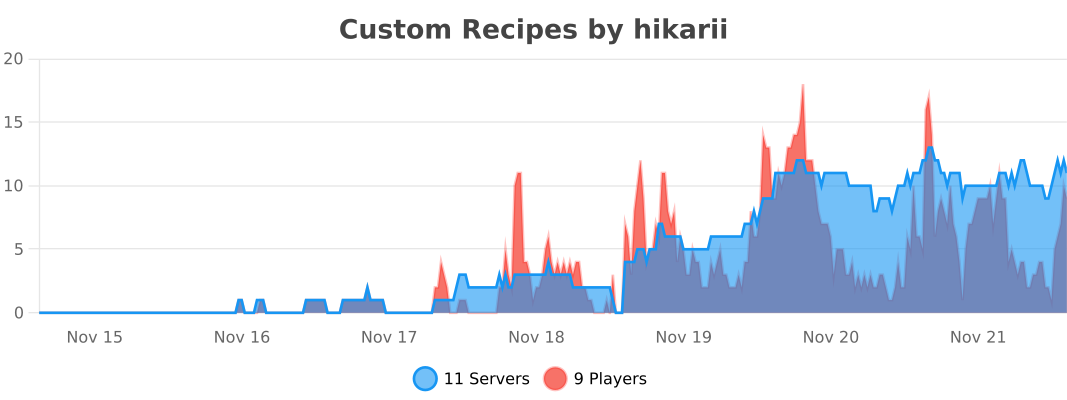
Statistics
Made with ❤️ for the Minecraft community