


Tags
Creators
Details
Licensed MIT
Published 10 months ago
Updated 10 months ago
All versions
1.1
MapLock+10 months ago 209
Compatibility
Minecraft: Java Edition
Platforms
Changes
Features
- Lock Maps - Prevent your maps from being copied
- Owner-Only Unlock - Only the map owner can unlock it
- Anonymous Mode - Lock maps without revealing your name
Commands
| Command | Description |
|---|---|
/maplock |
Lock/unlock the map you're holding |
/maplock anon |
Lock map anonymously (hides owner name) |
/maplock reload |
Reload configuration |
Aliases: /ml, /lockmap
How It Works
- Hold a filled map in your main hand
- Type
/maplockto lock it - The map now displays a "locked" indicator in its lore
- Nobody can copy this map through any crafting method
- Only you can unlock it by using
/maplockagain
Permissions
| Permission | Description | Default |
|---|---|---|
maplock.use |
Lock and unlock maps | Everyone |
maplock.reload |
Reload config | OP |
maplock.* |
All permissions | OP |
Config
# ================================================
# MapLockPlus Plugin Configuration
# ================================================
# Configuration file for MapLockPlus plugin
#
# Color support: use & for color codes
# Example: &a - green, &c - red, &7 - gray
# ================================================

# Language settings
language: en

messages:
  players-only: "&cThis command can only be used by players!"
  must-hold-map: "&cYou must hold a filled map to use this command!"
  not-owner: "&cYou are not the owner of this map! Only the owner can unlock it."
  unlocked: "&aMap unlocked! It can now be copied."
  locked: "&aMap locked! It can no longer be copied."
  only-you-unlock: "&7Only you can unlock this map."
  cannot-copy: "&cYou cannot copy a locked map!"
  config-reloaded: "&aConfig successfully reloaded!"
  no-permission: "&cYou don't have permission to use this command!"

# ================================================
# LOCKED MAP LORE SETTINGS
# ================================================
lore:
  # Show owner name for regular lock?
  show-owner: true

  # Owner line format (%owner% will be replaced with player name)
  owner-format: "&7Owner: &f%owner%"

  # ===== LORE FOR /maplock (with owner name) =====
  locked-map:
    - ""
    - "&c🔒 Locked Map 🔒"
    - ""

  # ===== LORE FOR /maplock anon (WITHOUT name) =====
  anonymous-map:
    - ""
    - "&c🔒 Anonymous Locked Map 🔒"
    - ""
    - "&7Owner: &f???"

# ================================================
# УКРАЇНСЬКА ВЕРСІЯ / UKRAINIAN VERSION
# ================================================
# Скопіюйте та замініть значення вище для української мови
# Copy and replace values above for Ukrainian language
#
# language: uk
#
# messages:
#   players-only: "&cЦю команду можуть використовувати тільки гравці!"
#   must-hold-map: "&cВи повинні тримати заповнену карту, щоб використати цю команду!"
#   not-owner: "&cВи не власник цієї карти! Тільки власник може її розблокувати."
#   unlocked: "&aКарту розблоковано! Тепер її можна копіювати."
#   locked: "&aКарту заблоковано! Її більше не можна копіювати."
#   only-you-unlock: "&7Тільки ви можете розблокувати цю карту."
#   cannot-copy: "&cВи не можете копіювати заблоковану карту!"
#   config-reloaded: "&aКонфіг успішно перезавантажено!"
#   no-permission: "&cУ вас немає прав для використання цієї команди!"
#
# lore:
#   show-owner: true
#   owner-format: "&7Власник: &f%owner%"
#
#   locked-map:
#     - ""
#     - "&c🔒 Заблокована мапа 🔒"
#     - ""
#
#   anonymous-map:
#     - ""
#     - "&c🔒 Анонімна заблокована мапа 🔒"
#     - ""
#     - "&7Власник: &f???"
#
# ================================================
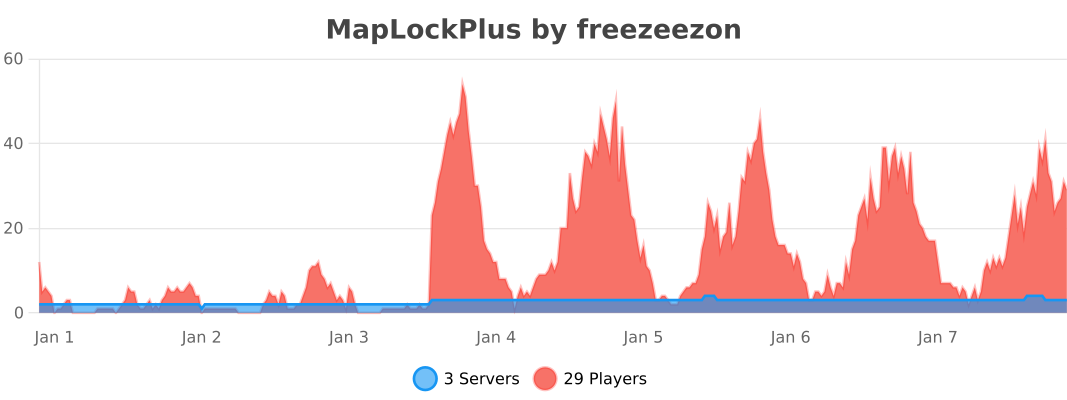
Metrics