


Links
Tags
Creators
Details
Licensed Apache-2.0
Published 5 months ago
Updated 3 months ago
All versions
1.0.0
Ultimate Warp Pad 1.0.05 months ago 19
Compatibility
Minecraft: Java Edition
Platforms
Required content
Any compatible version
Changes
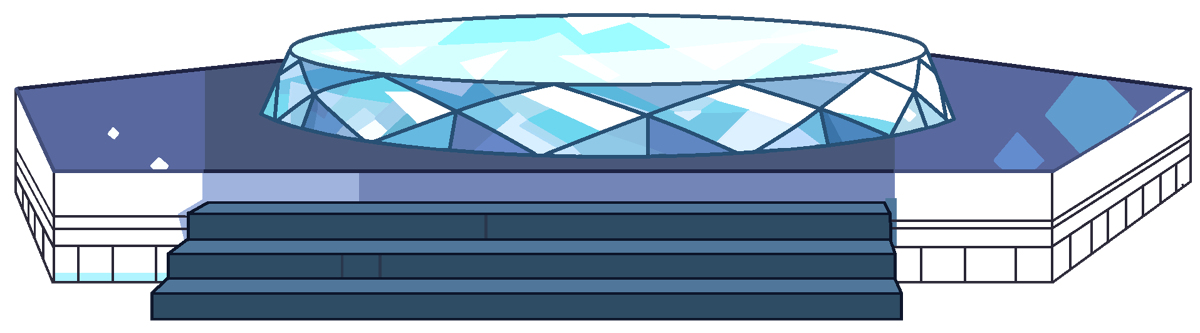 Ultimate Warp Pad | Inspired by Steven Universe
Bring the magic of the Crystal Gems to your Minecraft server! Ultimate Warp Pad is a unique, lightweight, and highly interactive teleportation plugin inspired by the iconic warp pads from the animated series Steven Universe. Travel across your world in style with immersive particle effects, visualization, sounds, and GUI!
- Steven Universe Inspired: Experience teleportation just like the Crystal Gems! Includes custom particle effects and sound cues when warping.
- Interactive GUI Menu: Players don't need to type long commands to travel. Simply step on a warp pad and open the beautifully designed Warp Selection GUI to choose your destination!
- Instant & Seamless Travel: Connect multiple locations across your server instantly. Perfect for survival servers, hubs, or RPG worlds.
- Easy Setup: Creating and linking warp pads is incredibly simple and intuitive for admins.
- Highly Customizable: Tweak messages, GUI layouts, Craft item, and warp settings via the config.
- Lightweight & Optimized: Designed to have minimal impact on your server's performance.
How It Works
- Set the Warp: Simple just one command. Plugin will create a real block warp structure for you. and add it into Warp System.
- Travel: Players simply step onto the center of the pad, Press Shift and the Warp Selection GUI will appear, allowing them to travel to any other discovered/public warp pads!
Admin Command: uwp.admin
- /wpa create <warp_id> - Creates a new warp pad at your current location.
- /wpa delete <warp_id> - Deletes an existing warp pad.
- /wpa setting [warp_id] - Setting your warp pad you standing on it.
- /wpa give <player> [amount] - Give a player warp creator item.
- /wpa reload - Reloads the plugin configuration.
Player Command: uwp.user.*
- /wpp create <warp_id> - Creates a new player warp pad at your current location.
- /wpp delete <warp_id> - Deletes an existing warp pad.
- /wpp setting [warp_id] - Setting your warp pad you standing on it.
- /wpp trust <warp_id> <player> - Add a player into your private warp network.