
Compatibility
Minecraft: Java Edition
Platforms
Supported environments


Links
Tags
Creators
Details
Enchantment Calculator Mod
Find the cheapest anvil order for any item and enchantment set - without leaving the game. Save items to a list, Open the hud, and follow the steps at the Anvil.
Enchantment Calculator is a client-side mod that solves the "what order do I combine these books?" problem for players.
Open it with a keybind, choose your item and enchantments, and get a precise step-by-step plan with XP costs before you touch a single book. Save it to a list, open a hud option and Enchant your items at the anvil, all while never closing the game.
It is persistent per world. Meaning, you can save different enchantment lists, for different worlds, no crossover.
How to Use
- Press J (rebindable in Controls) to open the Enchant Calculator screen.
- Select your item type from the category and item pickers.
- Toggle the enchantments you want and set each to the correct level.
- Click Calculate.
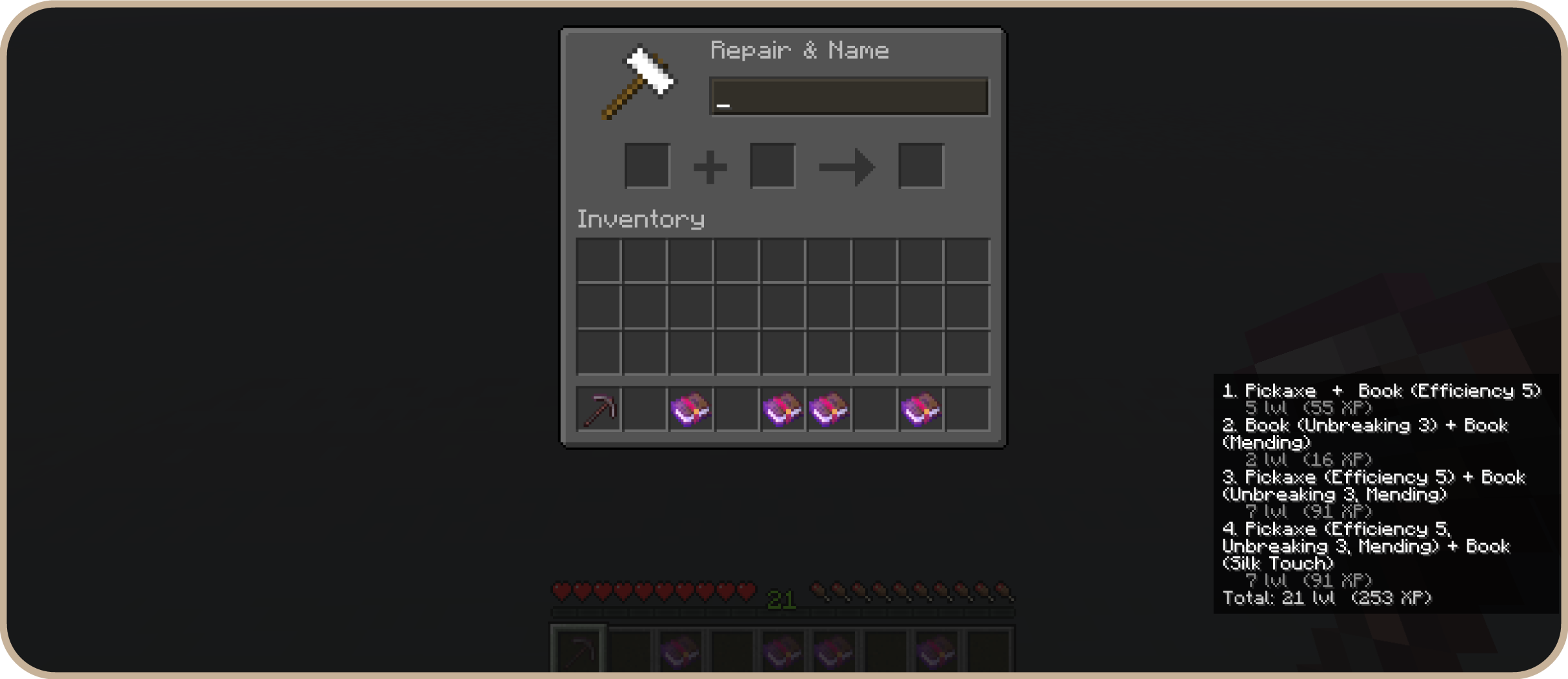
- Read the step-by-step anvil order in the results panel, or press HUD: Off/On to pin the steps to your screen.
- Follow the steps at the anvil. Done.
Slash commands
/enchantcalc- opens the calculator screen directly, no keybind required./enchantcalc hud- lists the current HUD position and all placement choices./enchantcalc hud top_left, top_right, center_left, center_right, bottom_left, bottom_right- moves the HUD to your desired location./enchantcalc hud off- turns the HUD off.
The Algorithm
Enchant Calculator's optimizer was built from scratch for this mod. Each selected enchantment is represented as a bit in an integer, and a dynamic-programming search considers every way to split that set into two combinable groups - exhaustively, not a greedy shortcut - tracking the best result at each anvil prior-work depth along the way. The result is the mathematically optimal combining order, for either minimum XP levels or minimum prior-work penalty.
The in-game interface is also built entirely from scratch for this mod - no shared UI framework or external assets - and includes a real-time item picker using the game's own item renderer, a persistent save system that keeps calculations separate per world and player, an optional HUD overlay, and curated "quick build" presets for common enchantment loadouts.
Features
- Optimal anvil order - uses an exhaustive search algorithm that evaluates every possible combining sequence and returns the one with the lowest total XP cost. Not an approximation.
- Step-by-step results - each anvil operation is listed clearly: left item + right item > output, with the level cost and prior-work penalty shown per step.
- Total cost summary - see the full level and XP cost upfront so you know exactly how many levels to farm.
- Two optimize modes - minimize total XP spent, or minimize the maximum prior-work penalty (useful when you want to keep the item repairable).
- In-game HUD overlay - pin your enchanting plan to the screen like a Litematica materials list. Toggle it on/off with the HUD button so you can reference the steps while working at the anvil.
- Saved calculations - save any result for later. Useful when planning multiple items in one session.
- Copy to clipboard - copy the full step list as plain text with one click.
- Client-side only - no server-side installation required. Works on any server.
Compatibility
Works alongside any other client mod. Does not modify any game mechanics, network traffic, or server-side state.
Made by ChapmanOfficial