
Compatibility
Minecraft: Java Edition
Platforms
Supported environments


Tags
Creators
Details
Licensed MIT
Published 4 months ago
Updated 4 months ago
Baston's Coordinates
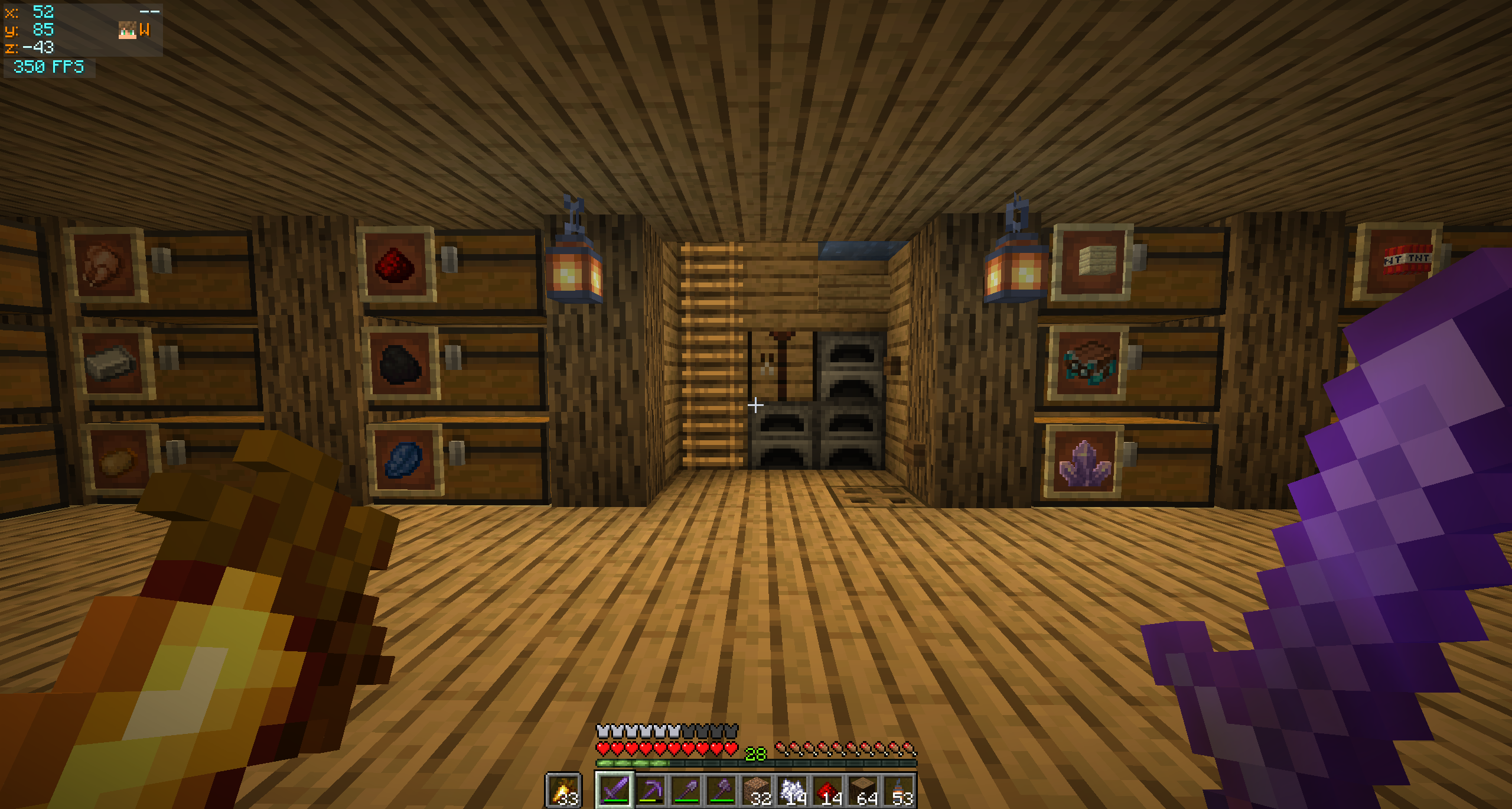
A modern, minimalist coordinates HUD for Fabric — inspired by Batty's Coordinates PLUS, the beloved 1.12.2 mod that never got updated.
Rebuilt from scratch for Minecraft 26.1.2 and entirely configurable through Mod Menu — no keybinds to memorize, no clutter, just the information you actually want on screen.
✨ Features
- XYZ coordinates with separate colours for positive and negative values
- Compass cardinal — N / NE / E / SE / S / SW / W / NW
- Movement arrows — chevrons (
+/-) on the X and Z lines indicate which way the coords are changing as you walk - Player head rendered next to the compass — face and hat overlay, using the same helper Minecraft uses for the multiplayer tab list
- Local time — real-world clock on its own row,
HH:mmorHH:mm:ss - Independent FPS panel that auto-stacks below the coords when both share a corner
- Auto-hides when the F3 debug overlay is open — no double-up of info
- Dynamic panel width that only grows as wide as the active features need (with a configurable floor)
🎨 Customization
Open Mod Menu → click the gear next to Baston's Coordinates.
Coordinates Panel
- Toggle every individual feature (compass, arrows, time, player head…)
- Choose a screen corner (Top Left / Top Right / Bottom Right)
- Fine-tune position with X / Y offset sliders
- Set a minimum panel width floor
FPS Panel
- Independent on/off and screen corner
- When in the same corner as the coords panel, the FPS auto-stacks below (or above for bottom corners) with a configurable gap
Colours
- R / G / B sliders with a live preview swatch for every text element
- RGBA for the background — full transparency control
The HUD renders on top of the config screen so you can preview your changes immediately after clicking Save & Quit.
📦 Requirements
| Requirement | Version |
|---|---|
| Minecraft | 26.1.2 |
| Fabric Loader | 0.19.3+ |
| Fabric API | any matching build |
| Java | 25+ |
Optional but strongly recommended
- Mod Menu — entry point for the config screen
- Cloth Config — provides the config UI widgets
Without these the mod still works, just with defaults. You can edit the
file at config/bastons_coordinates.properties manually.