
Compatibility
Minecraft: Java Edition
Platforms
Supported environments


Tags
Creators
Details
Mino++
Recreating a certain popular card game in Minecraft
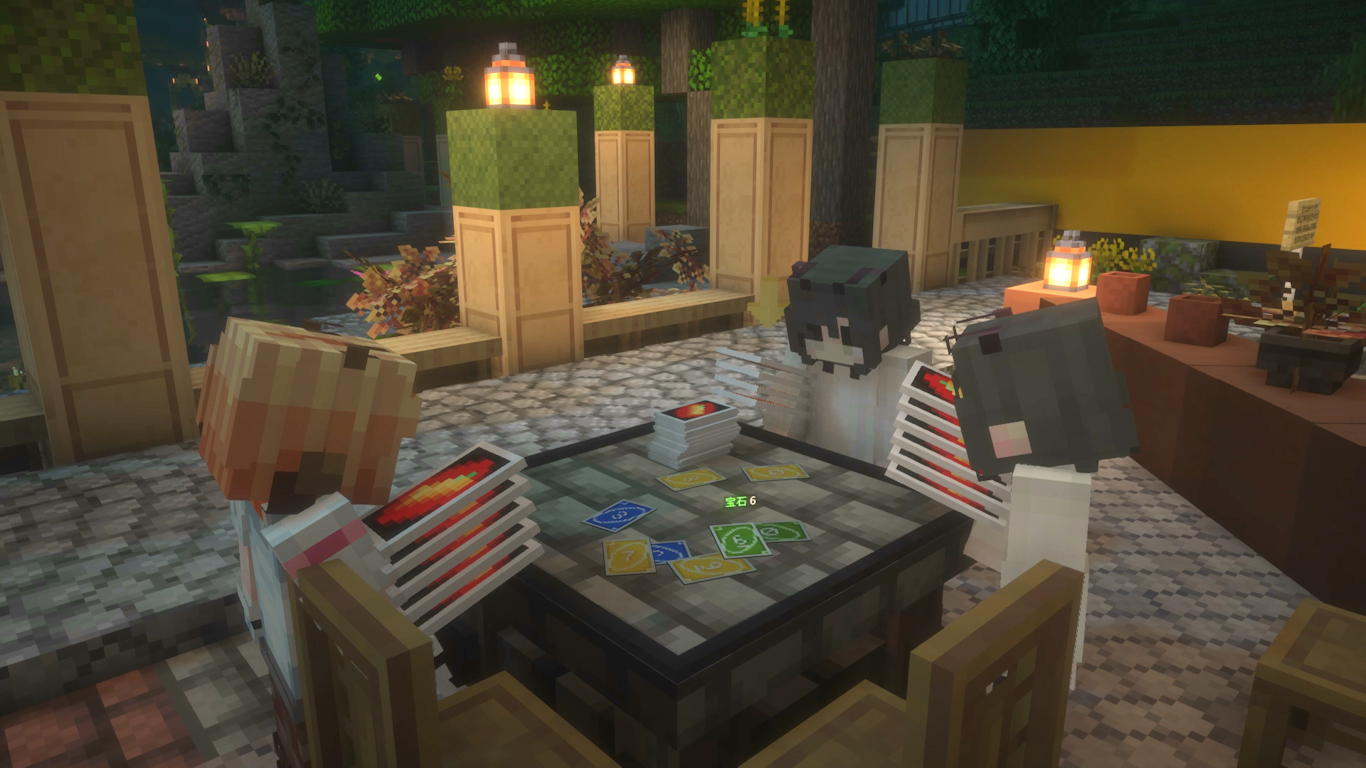
Wouldn't it be a shame when you met up with your best friends online, but stranded with no card games to play? Mino++ aims to resolve this issue in a Minecraft-y way.
We also provide you with virtual friends whenever organic counterparts of yours happened to be unavailable!
Gameplay
Place down a Mino++ table, and right click it to join.
The rules used on a table can be adjusted with the "Rule" menu. Mino++ supports the official rule alongside with common community variations.

We'll skip the rules, see online resources like THIS for that.
- Use scroll wheel to select a card
- Right-click on the table to play a card
- Or, right-click on the pile to draw a card
- To shout "Mino!", either hold down LCTRL while playing a card when you have two cards remaining (i.e. shouting simultaneously while playing)
- Should you forget that, you can also type "mino" in the chat after playing a card
- If you find your opponent forgot to shout "Mino!" and want to point it out, just simply beat them.
Auto Player Bots
Bots can be summoned to join a table. The "MinoBot" spawn item is craftable in survival, and is also available in the creative mode inventory.
After summoning the bot, right click it and it'll search for and join a table near it. Shift + Right click it will open a menu that allows configuring its behavior.
Derivation from official rules
- To simplify things, a Wild Draw Four card may only be played if the player holding it has no cards matching the current color. Otherwise, playing it is disallowed entirely, and hence there's no challenge interaction in Mino++'s gameplay.