
Compatibility
Minecraft: Java Edition
Platforms
Supported environments


Links
Tags
Creators
Details
⚔️ Force Battles ⚔️
Play a Force Battle with friends or on your own. Choose which Force Battles you want to appear — whether it’s items, mobs, structures, or biomes — and play them all at once or individually.
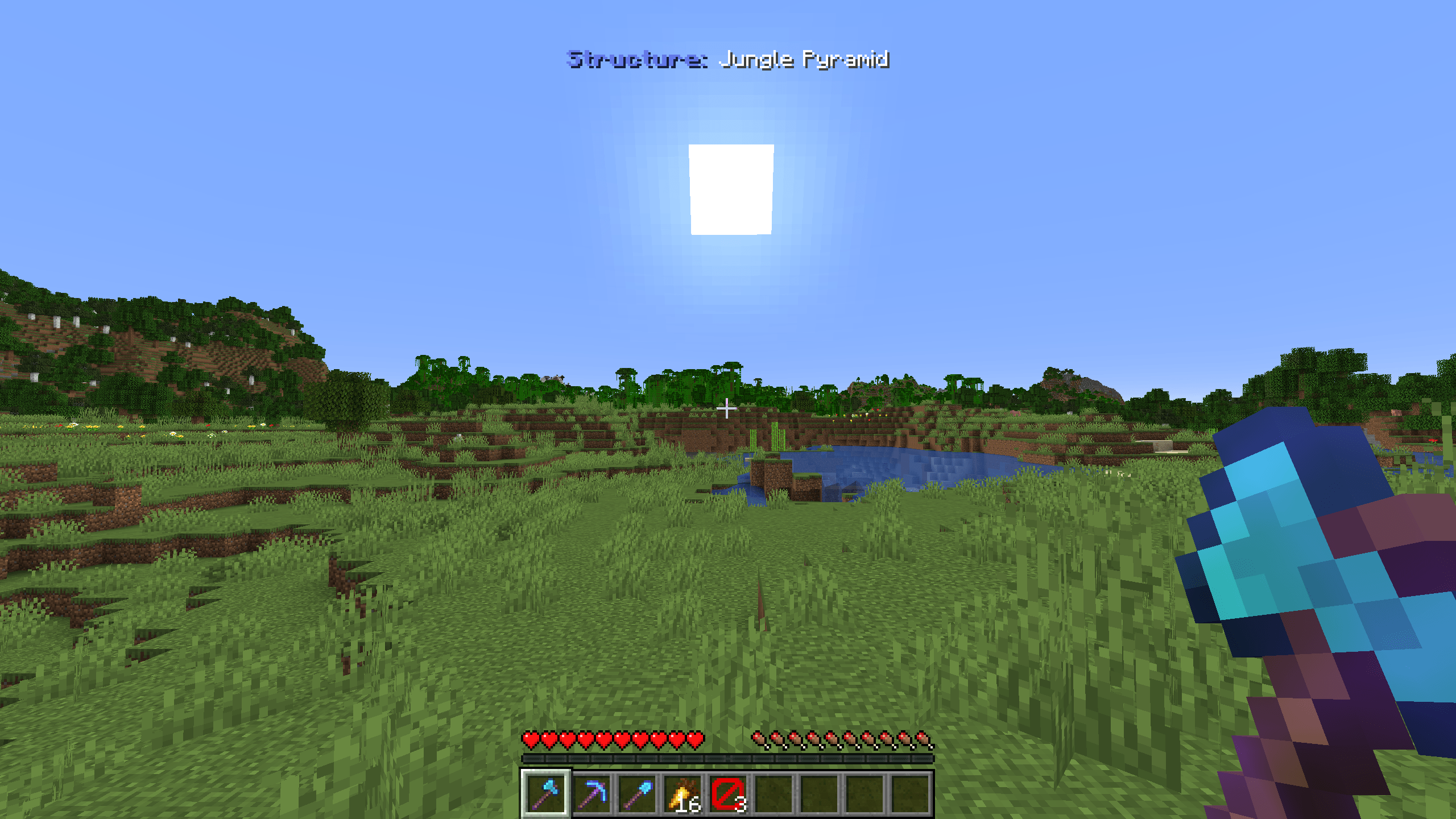
🔎 The various battles
Select all the battles you want to play. The boss bar shows you your current objective.




🔎 Adjusting the play
⚙️ Battle, difficulty, and inventory settings
You can customize the Force Battle to your liking. The following commands are available to you in-game. To execute some of these commands, you must have briefly been in Creative mode beforehand so that not just any player can change the settings.
/trigger battle.settings » Opens the settings.
/trigger battle.start » Starts the force battle.
/trigger battle.reveal » Reveals the score of every team.
/trigger battle.reset » Resets the battle.
Visit the gallery to see the configuration options available in the settings menu.

🚩 Teams
Before the game starts, you can add players to the following teams: Blue, Red, Green, Yellow, Light Purple, and Aqua.
Use the command /team join <team> <player> to do so.
Every team shares the same objective, so if you want to play with your friends, add everyone to the same team. If a player is not on a team, they will be automatically assigned to one.
ℹ️ Recommended
It is recommended to download the corresponding texture pack.
You can also use the Timer from the dependencies; it starts automatically when the battle begins.