Compatibility
Minecraft: Java Edition


Tags
Creators
Details
Licensed ARR
Published 5 months ago
Updated 3 months ago
⚡Tired of that annoying sand texture in the hotbar?
I suddenly noticed that the default Minecraft hotbar has a pixelated sand texture hidden in its semi-transparent background, and I couldn't unsee it.
It drove me crazy, so I decided to jump into Paint.NET and fix it myself. This simple resource pack removes that annoying pixel noise, replacing it with a completely smooth, flat, and clean vanilla-style gray background.
🔍 Side-by-Side Comparison
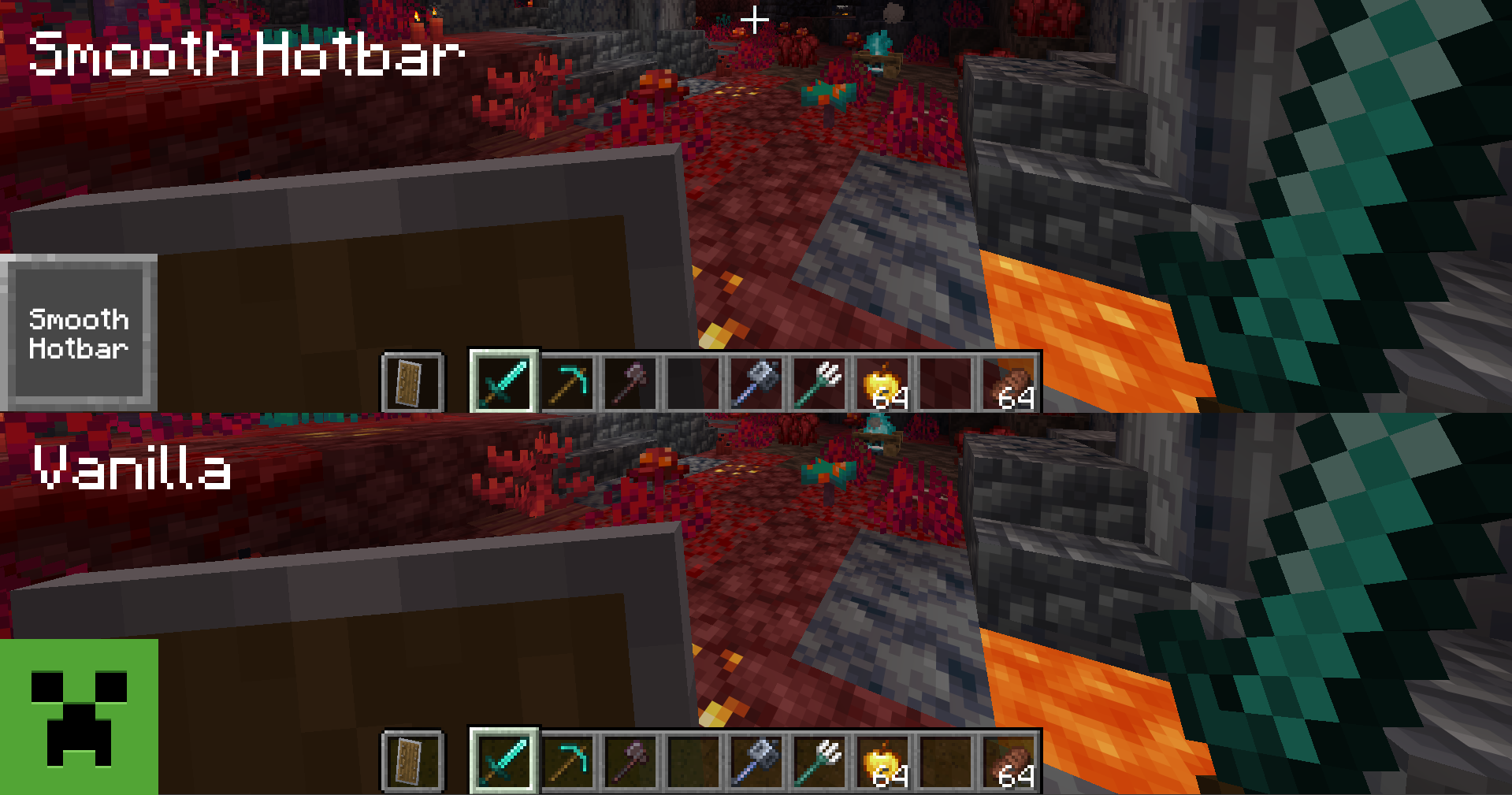 (Look closely at the background of the hotbar slots against the dark blocks)
- Vanilla: Annoying pixelated, grainy texture inherited from old sand sprites, puff who would enjoy that.
- Smooth Hotbar: Clean, matte, chad and uniform solid gray. Pure visual peace like a real sigma. (please help)
🎯 Features
- 100% Faithful Layout: Keeps the exact same borders, icons, and native dimensions. No weird redesigns for PVP or something similar.
- Noise Reduction: Eradicates the old sand pattern from your HUD entirely.
- Performance Friendly: Extremely lightweight. It won't affect your FPS at all, because It's just two textures I mean- YES LIGHTWEIGHT.
🛠️ How to Install
- Download the .zip file.
- Open Minecraft and go to Options > Resource Packs > Open Pack Folder.
- Drag and drop the downloaded file inside.
- Activate it by moving it to the right column and press Done!