
Compatibility
Minecraft: Java Edition
Platforms


Tags
Creators
Details
Licensed ARR
Published 4 months ago
Updated 2 months ago

FoStatistics gives server staff a controlled way to view and adjust player Minecraft statistics without editing player data by hand. It is built for admins who need quick fixes, corrections, or controlled stat changes through commands and a simple editor.
Features
- View exact player statistic values from in-game commands.
- Set, add, or take statistic amounts with validation and a configurable maximum.
- Edit known offline players while blocking typo-created unknown targets by default.
- Use typed statistic keys for blocks, items, and entities, such as
mine_block:stoneorkill_entity:zombie. - Handle
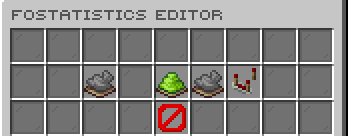
time_playedwith readable units like30s,10m,1h,1d, or1w. - Manage core settings from an admin GUI, including offline edits, unknown targets, max statistic amount, and file logging.
Commands
/fostatisticsadmin view <statistic> <player>- View a player's current statistic value./fostatisticsadmin setstatistic <statistic> <player> <amount>- Set a statistic to an exact value./fostatisticsadmin addstatistic <statistic> <player> <amount>- Increase a statistic safely./fostatisticsadmin takestatistic <statistic> <player> <amount>- Decrease a statistic without dropping below zero./fostatisticsadmin editor- Open the admin settings editor./fostatisticsadmin reload- Reload config, messages, editor, and logging./fostatisticsadmin version- Check the installed version and update status.
The command also has the alias /statisticsadmin.
Permissions
fostatistics.admin- Allows access to FoStatistics admin commands and the editor.