
Compatibility
Minecraft: Java Edition
Platforms
Supported environments


Tags
Creators
Details
KillFX
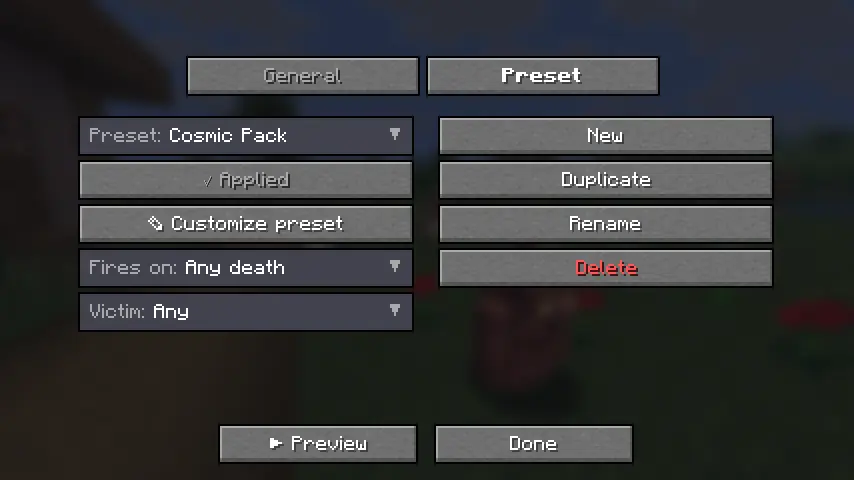
Fully client-side, ridiculously customizable kill effects for Minecraft.
Trigger real lightning, 3D skin-matched ghosts, custom PNG particles, fireworks, shockwaves, and more the instant something dies — plus fully customizable critical hit particles and hit sounds.
No server install. No packets. Works on any server.
Fabric • 1.21.4 • 1.21.10 • 1.21.11 • Java 21
What is KillFX?
KillFX is a fully client-side cosmetic mod that plays visual effects whenever an entity dies.
Everything is rendered locally on your client:
- No server installation required
- No packets sent
- No gameplay changes
- Safe to use on any multiplayer server
Rather than being a single effect, KillFX is a complete customization toolkit with editable presets, entity filters, custom particles, and sound effects.
Kill Effects
Create anything from simple kill flashes to over-the-top cinematic effects.
Included Effects
-
Real Lightning
- Spawns a client-side
minecraft:lightning_bolt - Uses vanilla lightning visuals and thunder
- No damage or fire
- Spawns a client-side
-
3D Ghosts
- Creates a translucent, skin-matched ghost of the victim
- Floats upward and fades away
-
Custom PNG Particles
- Import your own PNG images
- Render them as custom billboard particles
-
Additional Effects
- Fireworks
- Particle bursts
- Shockwaves
- Floating text
- And more
Advanced Customization
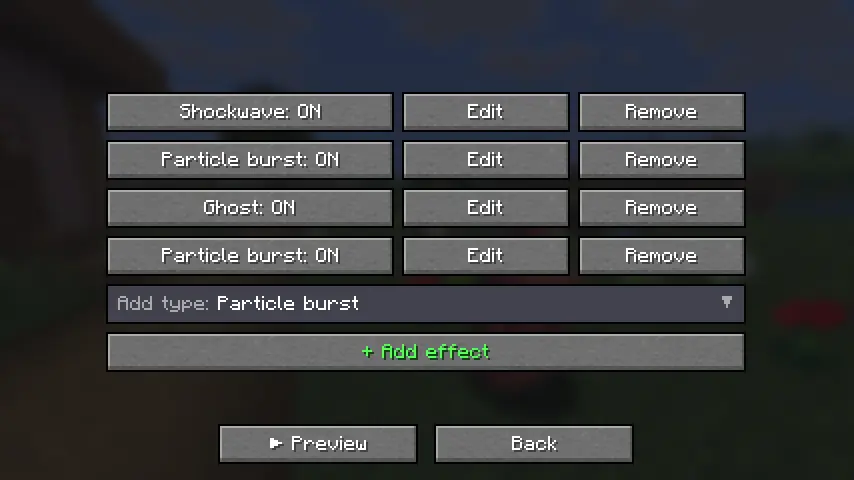
Every effect supports:
- Full RGB color control
- Size scaling
- Particle count
- Lifetime
- Motion settings
- Gravity
- Glow effects
- Trails
- Additive blending
Presets
Includes built-in presets such as:
- PvP
- Cosmic
- Fire
- Lightning
- Minimal
Or create your own from scratch.
Filters
Only trigger effects when:
- Players die
- Mobs die
- Specific entities die
- Custom conditions are met
Critical Hits
Replace Minecraft's vanilla crit particle with your own custom design.
Custom PNG Crit Particles
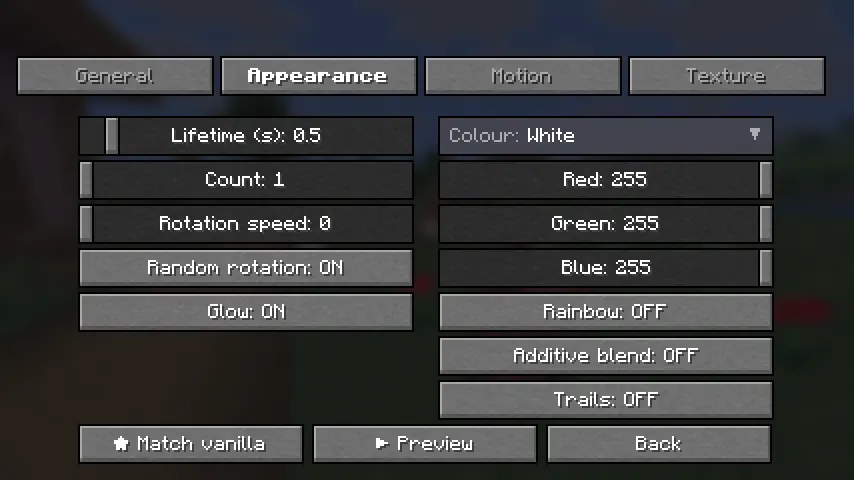
Import any PNG and customize:
- Size
- Opacity
- Particle count
- Rotation
- RGB colors
- Rainbow mode
- Additive blending
- Trails
- Gravity
- Spread
Includes a one-click "Match Vanilla" option.
Configuration Tabs
- Setup
- Appearance
- Motion
- Texture
Hit Sounds
Play a custom sound whenever you land a hit.
Features
- Choose from built-in sounds
- Import your own
.oggfiles - Volume control
- Pitch control
- Crit-only playback
- ▶ Sound preview button
Vanilla Sound Override
Mute Minecraft's default hit and crit sounds so your custom sound completely replaces them.
Share Your Setup
Export and import your entire configuration.
Includes:
- Global settings
- All presets
- Effect configurations
- Crit particle settings
- Sound settings
Configurations can be copied directly to the clipboard or saved to a file for easy sharing.
Quality & Compatibility
Built for Multiple Versions
Supports:
- Minecraft 1.21.4
- Minecraft 1.21.10
- Minecraft 1.21.11
All versions are built from a single source using proper production mappings.
Modern Codebase
- Java 21
- Fabric
- Mixins
- Tested before release
Easy Configuration
Access settings through:
- A dedicated keybind
- Mod Menu integration
Installation
Requirements
- Fabric Loader 0.16+
- Fabric API
Steps
- Install Fabric Loader and Fabric API for your Minecraft version.
- Download the matching
killfx-<version>+<mc>.jarfrom the latest release. - Place the file inside your
mods/folder. - Launch Minecraft.
Optional
Install Mod Menu for quick access from the Mods screen, or assign the KillFX keybind in Controls.
Create anything from subtle PvP effects to complete visual chaos — all client-side, all customizable, and compatible with any server.