Compatibility
Minecraft: Java Edition
Platforms


Tags
Creators
Details
About
ChickReport is the advanced solution for Minecraft server report plugins, supporting all versions from 1.8 to 1.21 and Folia, with fully configurable GUIs, admin handling tools, and PlaceholderAPI integration.
It provides a complete reporting workflow: players can report others through an intuitive GUI or direct command, while staff manage incoming reports via a powerful admin interface. Every message, menu, and behaviour can be customised through YAML files – and with PlaceholderAPI support, you can inject any data your server provides.
Features
Player Reporting GUI
- Open a player-selection GUI (
/chickreport) that lists all players in your current world. - Each head is displayed with the player's skin and a configurable lore (e.g. "Click to report this player").
- Click a player to choose from preset reasons (Cheating, Chat Abuse, Inappropriate Skin/Name, Griefing) or submit a custom reason via chat.
- The custom-reason chat message is automatically cancelled and captured – no other players see it.
Preset & Customisable Reasons
- Each reason has its own icon, name and lore, defined in
menu/reasons.yml. - Optionally, a
report-reasonfield can store a clean text version of the reason, separate from the coloured display name. - Custom reasons are entered through a chat prompt; typing "cancel" aborts the process.
Smart Cooldown & Anti‑Spam
- Players can have a limited number of active (pending) reports at the same time (
max-active-reportsinconfig.yml). - Reporting yourself is blocked.
- You cannot report the same player again until your previous report against them has been handled.
Admin Report Management
- Staff with
chickreport.adminpermission can open the admin GUI (/chickreport reports) to see all pending reports, complete with timestamp, reason, and source server (in cross‑server mode). - Two actions are available:
- Ban Permanently – Executes the
/bancommand with a configurable reason (ban-reasoninconfig.yml) and marks the report as handled. - Ignore & Delete – Permanently removes the report from storage, freeing the reporter's slot.
- Ban Permanently – Executes the
- All action buttons (Ban, Ignore & Delete, Back) have configurable materials, names and lore in
menu/admin-handle.yml.
Configurable GUIs
- Every menu layout is defined in the
menu/folder:main.yml– Player selection GUIreasons.yml– Reason selection GUIadmin.yml– Admin pending reports listadmin-handle.yml– Admin handling panel
- Icons support both 1.13+ material names and legacy data values (e.g.
WOOL:3). - All titles, item names, and lore lines can contain
&colour codes.
Messages & Placeholders
- All plugin messages are stored in
messages.ymland support&colour codes. - Internal placeholders
%reporter%,%reported%,%reason%,%server%are replaced automatically. - The help command displays a multi‑line message defined in the config.
- PlaceholderAPI support provides the following placeholders:
%chickreport_active_count%– pending reports submitted by the player%chickreport_total_reports%– total reports ever submitted by the player%chickreport_reported_count%– total times the player has been reported%chickreport_reported%– name of the last player this player reported%chickreport_reporter%– name of the player who last reported this player%chickreport_server%– current server name (cross‑server enabled) or “local”
Cross‑Server Support
- When enabled in
config.yml, report data is forwarded through BungeeCord / Velocity plugin messaging. - Staff can view reports from all connected servers, and the admin GUI displays the source server.
- All servers must have ChickReport installed and
cross-server.enabledset to true.
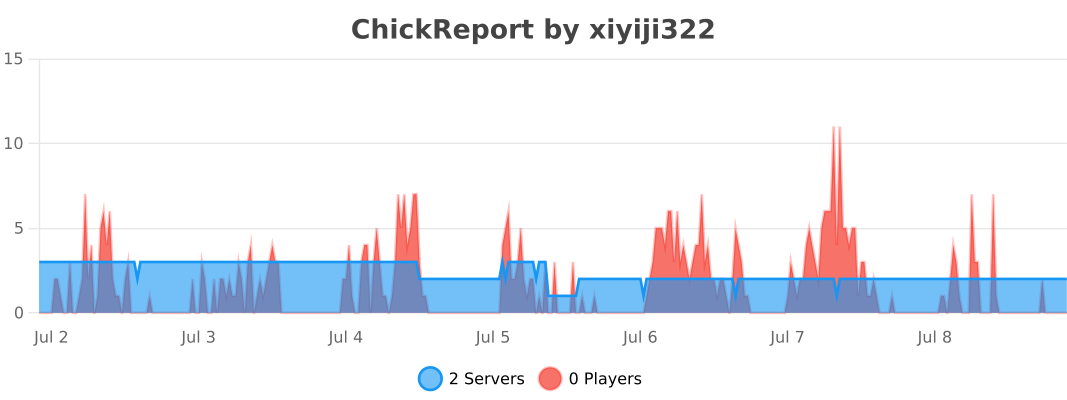
bStats Metrics
- Anonymous usage statistics are collected using the official bStats integration (plugin ID
32236). - Server owners can opt out via the global bStats configuration in
plugins/bStats/config.yml.
Cross‑Version Compatibility
- Works on Spigot, Paper, Purpur, Folia from 1.8 to 1.21.
- Automatically detects the server version and uses the appropriate material names and item data values.
- No external libraries (like XSeries) are needed.
Commands
| Command | Aliases | Permission | Description |
|---|---|---|---|
/chickreport |
/report, /crp |
chickreport.report |
Opens the player selection GUI for reporting. |
/chickreport report <player> |
/report <player>, /crp report <player> |
chickreport.report |
Directly opens the reason selection GUI for the specified player. |
/chickreport reports |
/crp reports |
chickreport.admin |
Opens the admin GUI listing all pending reports. |
/chickreport reload |
/crp reload |
chickreport.reload |
Reloads configuration, messages and menu files without restarting. |
/chickreport help |
/crp help |
chickreport.help |
Shows the help message from messages.yml. |
Permissions
| Permission | Default | Description |
|---|---|---|
chickreport.report |
true |
Allows a player to open the report GUI and submit reports. |
chickreport.help |
true |
Allows viewing the help command. |
chickreport.admin |
op |
Allows opening the admin reports GUI and handling reports. |
chickreport.reload |
op |
Allows reloading the plugin configuration. |
Technical Requirements
- Java 8 or higher
- Spigot / Paper / Purpur / Folia 1.8.8 – 1.21
- PlaceholderAPI (optional, but recommended for placeholder support)
- BungeeCord / Velocity (optional, for cross‑server reporting)
Installation
- Place the
ChickReport.jarinto your server’splugins/folder. - Restart the server (or load the plugin with a plugin manager).
- Edit
plugins/ChickReport/config.ymlto customise the prefix, max active reports, ban reason, and cross‑server settings. - (Optional) Edit
plugins/ChickReport/messages.ymlto change all plugin messages. - (Optional) Edit the files in
plugins/ChickReport/menu/to redesign the GUIs. - Apply changes without restart: run
/chickreport reload.
Note: If you do not install PlaceholderAPI, only the internal placeholders (
%reporter%,%reported%,%reason%,%server%) will be replaced. For advanced placeholders like%luckperms_prefix%, install PlaceholderAPI and any expansions you need.
Stats