
Compatibility
Minecraft: Java Edition
Platforms
Supported environments


Tags
Creators
Details

HomeGui
Stop typing /home thirty times a session. Browse, search, favorite, and click to teleport to any server home in one clean client-side UI.





On any survival multiplayer server with 10+ saved homes, half your chat history ends up looking like /home base, /home farm, /home nether, /home shop. HomeGui replaces chat typing and tab-completion scrolling with a single keybind (H) and a single click.
HomeGui is 100% client-side: it does not store separate homes or inject custom packets. Opening the menu sends /homes, parses the server's response (EssentialsX, CMI, or compatible /home plugins), and clicking a home sends the exact /home <name> command you would type by hand.
Features
| Capability | |
|---|---|
 |
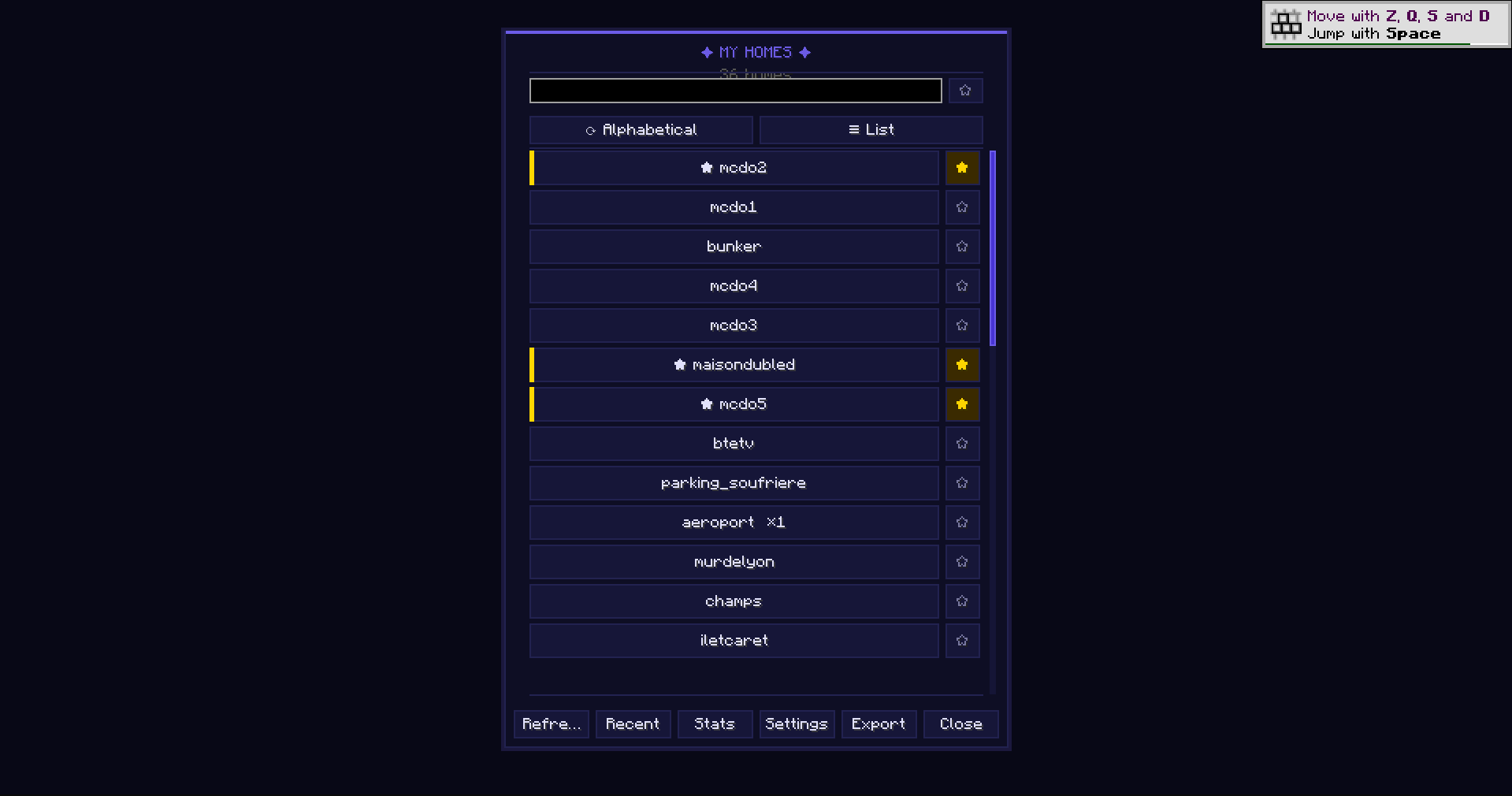
Searchable Grid & List Views Switch freely between Grid and List layouts, filter in real time from the search bar, and sort by server order, name, most used, most recent, or favorites first. Clear status states tell you immediately when a list is loading, empty, timed out, or in an unrecognized format. |
 |
Favorites, Recent History & Instant Number Keys Right-Click any home to pin it with a star, browse your recent teleports in the History tab when bouncing between farms and storage, or press number keys 1–9 while the screen is open for sub-second teleportation. |
 |
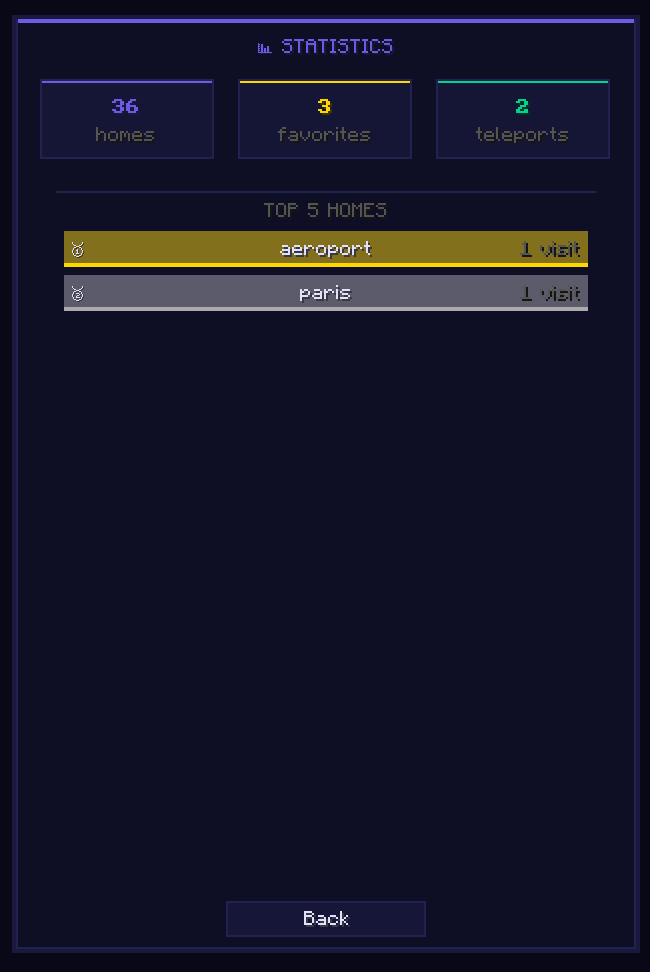
Confirmed Stats & Coordinate Memory Counts teleports only after the teleport actually succeeds, captures approximate destination coordinates upon arrival, and displays your top 5 most-visited homes in a color-coded bar chart inside the Stats tab. |
 |
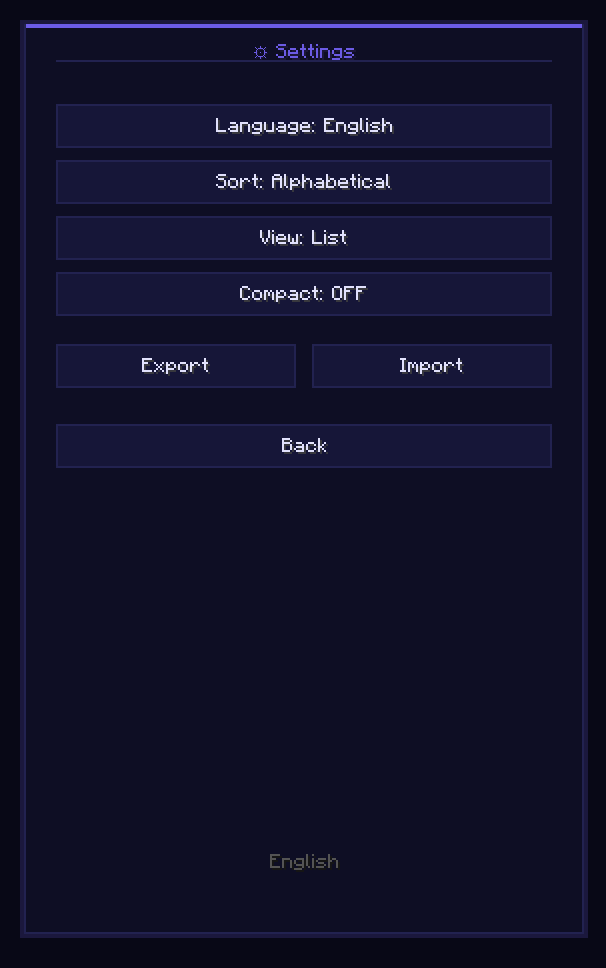
17 Languages, Themes, Import/Export & Accessibility Configure everything in the Settings tab: 17 built-in languages (auto-synced to your client or pinned manually), color themes (including a High-Contrast option), compact/comfortable density, optional animations toggle, full keyboard focus & screen-reader labels, and one-click JSON backup import/export. |
Controls
| Input | Action |
|---|---|
| H | Open HomeGui (remappable in Options → Controls → Key Binds) |
| Left-Click | Teleport immediately to the selected home |
| Right-Click | Favorite or unfavorite a home |
| 1 – 9 | Instant shortcut to the first 9 homes in your current view |
| Tab / Arrow keys | Full keyboard navigation across tabs and home cards |
Installation & Compatibility
- Install Fabric Loader and Fabric API on your client.
- Drop the HomeGui JAR matching your Minecraft version (
1.21through26.3) into.minecraft/mods/(client-only; never install on a dedicated server). - Join any server running EssentialsX, CMI, or a standard
/homes+/home <name>plugin and press H.
Frequently Asked Questions
- Is HomeGui safe on servers with anti-cheat? Yes. HomeGui touches zero movement or world packets and only sends standard
/homesand/home <name>chat commands identical to typing on your keyboard. Always respect your server's allowed-mod rules. - My server's
/homesoutput isn't recognized. What should I do? Open an issue on GitHub with the plugin name and a screenshot of the chat output when you run/homesor/homelistso parser support can be added. - Does it affect FPS? Zero background tasks or tick polling run while the screen is closed.
Links & Credits
- Source Code & Issue Tracker: GitHub — MaxLananas/HomeGui
- Community & Support: Join our Discord
Project icon artwork by Elfi (@elfi_draw)