Compatibility
Minecraft: Java Edition
Platforms


Links
Tags
Creators
Details
Armored Elytra for Minecraft Java Edition
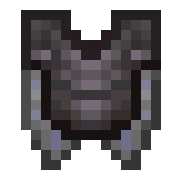
This datapack solves one of my biggest gripes in endgame survival Minecraft: having to choose between an Elytra's utility and the defense/customization of chestplates. Armored Elytra lets you seamlessly merge any vanilla chestplate with an Elytra, keeping armor values, durability, enchantments, and full visual customization.
Features
Full Armor Stats: Merging an Elytra with a chestplate grants it all the defensive qualities of that chestplate, including armor points, toughness, durability, and enchantability.
Infinite Customization (Requires Resource Pack): Supports all 7 chestplate materials, all 18 Armor Trim Patterns, 10 Trim Materials, and all Dyed Leather Tunic color variants with unique item and player textures.
Unbreakable Design: Armored Elytras cannot permanently break when depleted, just like vanilla Elytras. Broken Armored Elytra updates its custom item texture to reflect a broken state to conform to vanilla mechanics
Material-Based Repairs: Repairs now require the material matching your chestplate (e.g., a Diamond Armored Elytra requires Diamonds to repair instead of Phantom Membranes). Vanilla Elytras still use Phantom Membranes.
Comprehensive Enchanting: Compatible with all standard chestplate enchantments (the four Protection variants remain mutually exclusive).
Using Without the Resource Pack
While the resource pack is heavily recommended for the full visual experience, the datapack is fully functional on its own:
If you don't want to use the resource pack, your torso will appear blank/invisible while wearing an Armored Elytra. All functional mechanics (armor stats, flight, durability, and repairs) will still work as intended.
How to Use
At a Smithing Table, place your chestplate into the equipment slot, then place your Elytra into the augmenting material slot and leave the template slot empty. The output will be a modified Elytra with the corresponding tags and effects of the used chestplate.
Detaching Armored Elytra
At a Grindstone, drop your Armored Elytra that you wish to separate into individual armor/elytra pieces. Chestplates will retain any Armor Trims, Dyes, or Enchantments. Elytra will lose all Item Component tags, including enchantments, and return to a fresh Elytra.
Important Notes
Due to technical limitations, you cannot apply Armor Trims or upgrade templates after merging. If you so desire, you may separate the pieces and later reattach them. Make sure your chestplate is fully upgraded to Netherite, dyed, customized with an Armor Trim before combining it with the Elytra. Trims and templates cannot be changed or applied once fused, so you will need to detach them before applying any new trims
Installation
Download both the Datapack and the Resource Pack from the download page.
Datapack: Place the .zip file into your Minecraft world's datapacks folder (saves/YourWorldName/datapacks). Run /reload in-game if the world is already open.
Resource Pack: Place the resource pack .zip file into your resourcepacks folder and enable it in your game's Resource Pack menu.