Compatibility
Minecraft: Java Edition
Platforms
Supported environments


Tags
Creators
Details
Copy Block States
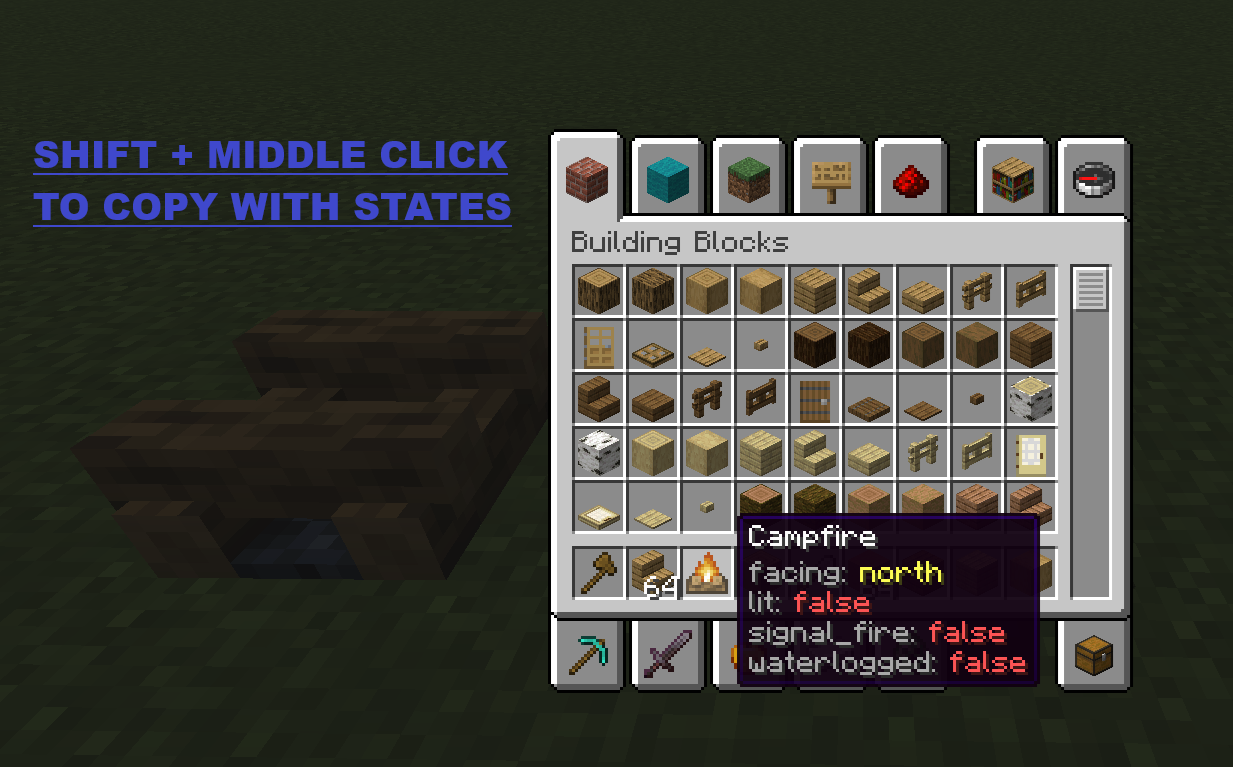
Hold Left Ctrl + middle-click on a block in Creative mode to copy it with all its state properties (facing, waterlogged, axis, half, etc.).
Properties are displayed as colored lore on the copied item:
| Color | Meaning |
|---|---|
| Light gray | Property name |
| Aqua | true value |
| Light red | false value |
| Yellow | Non-boolean value |
Block ID Panel
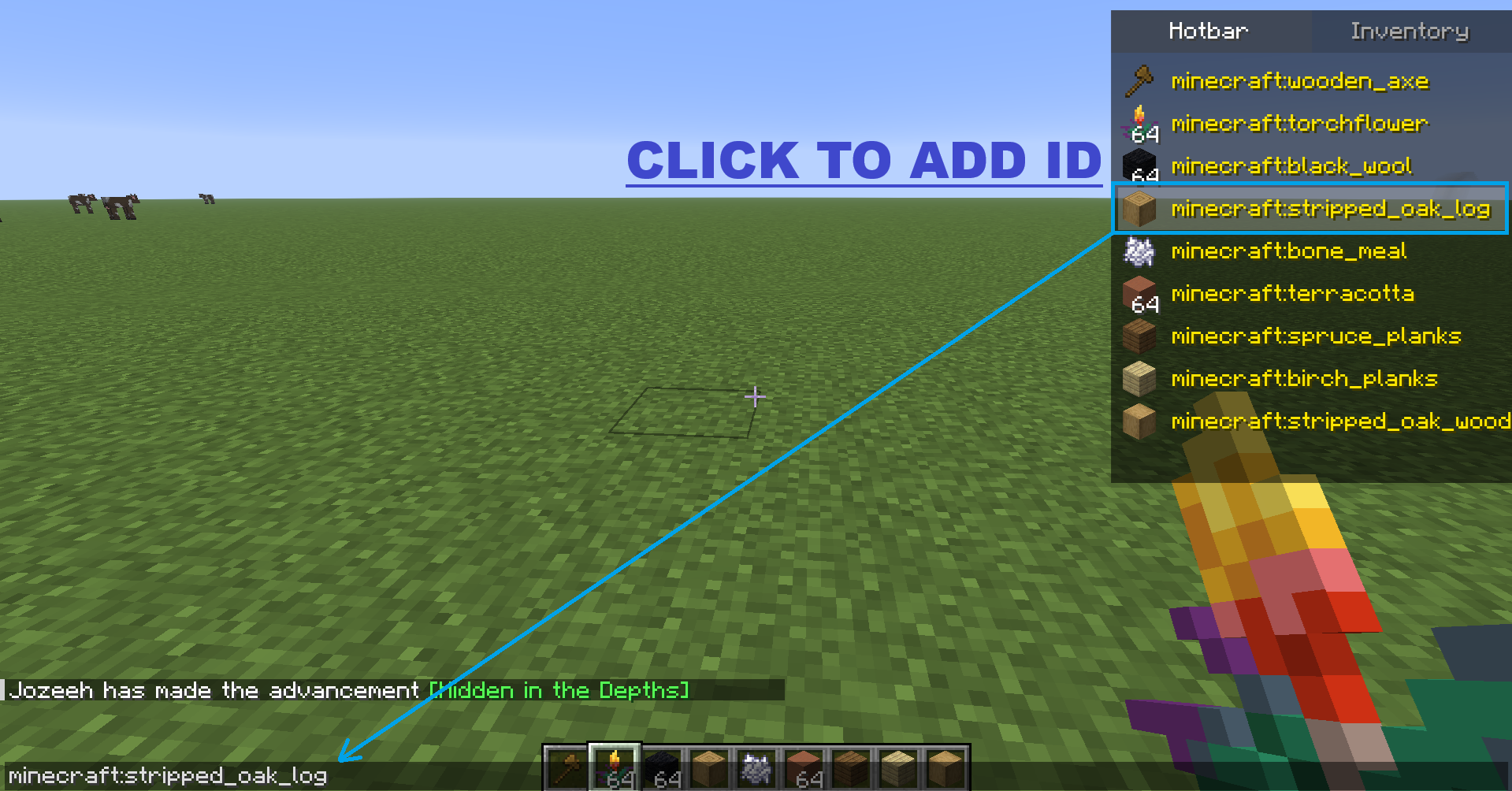
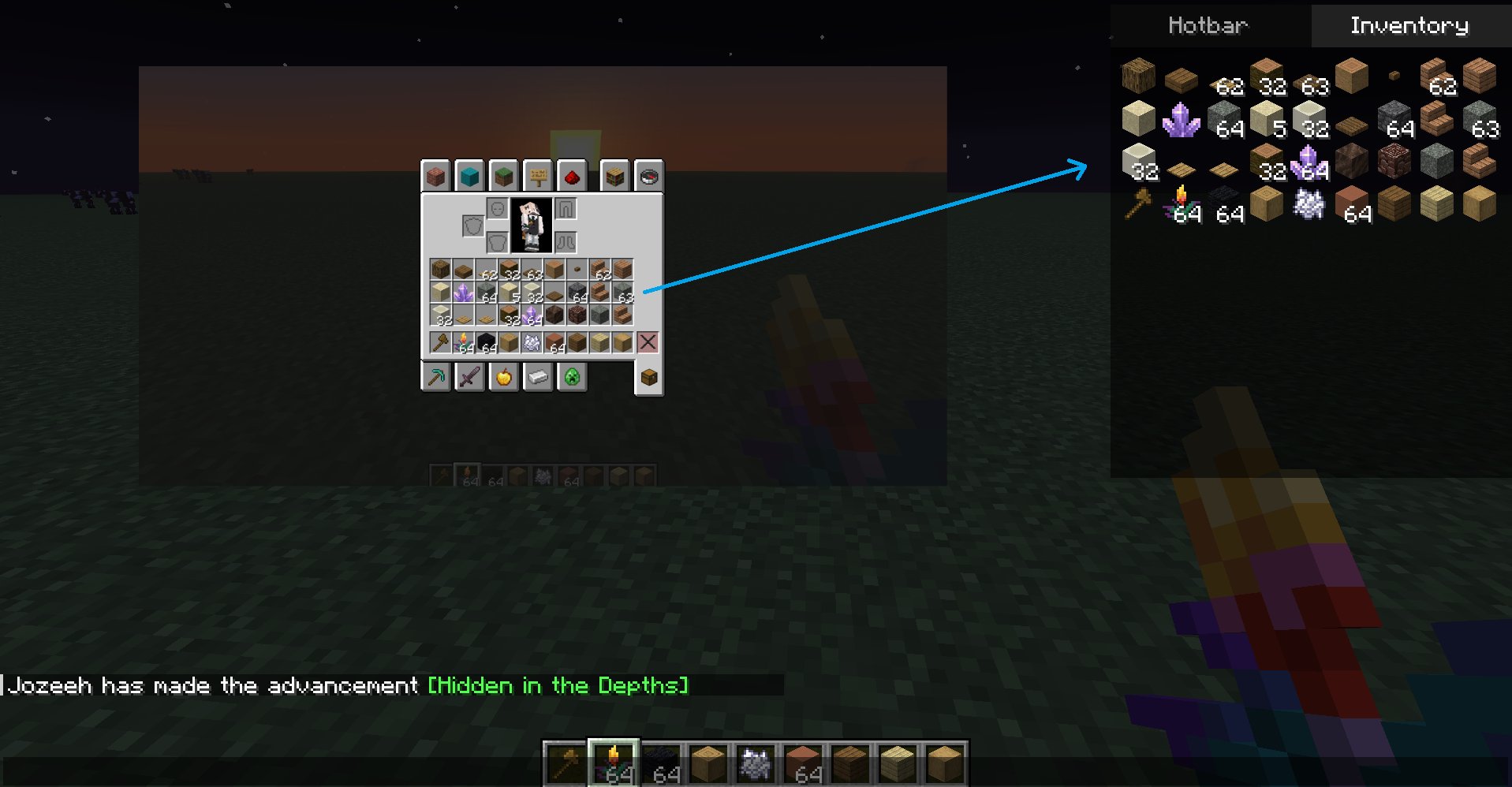
When you open chat (T), a panel appears at the top-right corner with two tabs:
| Tab | Content |
|---|---|
| Hotbar | Icon + full item ID (e.g. minecraft:stone) in yellow text |
| Inventory | 4x9 grid showing every item in your inventory |
Click any item in the panel to insert its full namespaced ID into the chat input.
- F6 — Toggles panel visibility.
- The key is rebindable from Minecraft controls → Intelibuild category.