
Compatibility
Minecraft: Java Edition
Platforms


Tags
Creators
Details
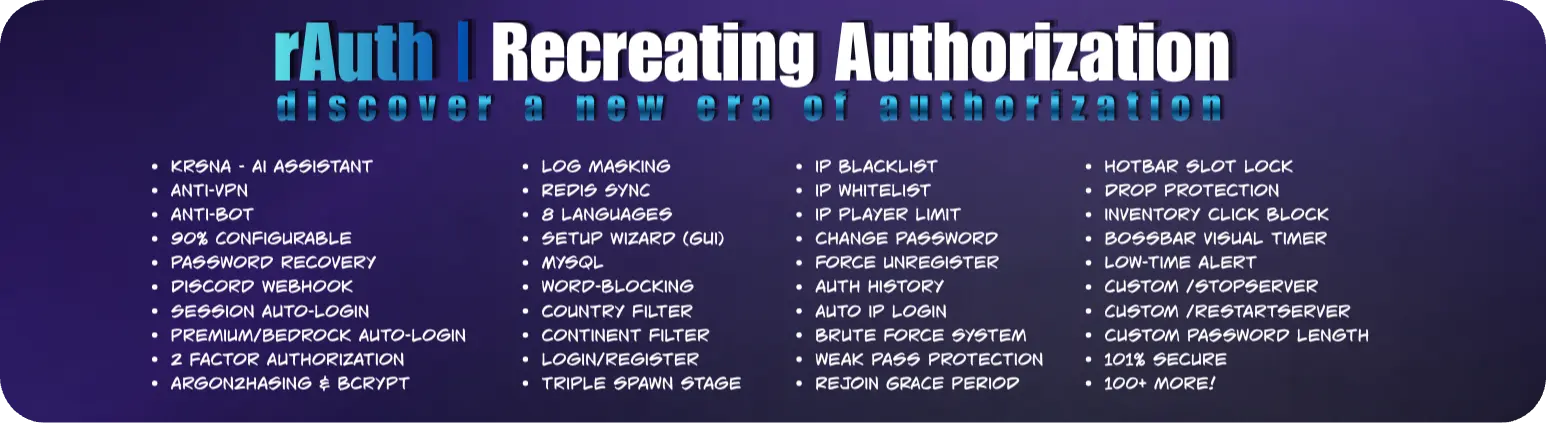

Minecraft plugins that offer advanced authorization and security capabilities, providing over 120 features and more than 30 commands.
Major Features
- AntiVPN
- AntiBot
- Login/Register
- 90% Configurable
- Triple Spawn Stage
- Login/Register UI
- Email-Recovery
- Discord Recovery
- Question Recovery
- Brute Force Protection
- Geographic (Country & Continent) Filter
- Rejoin Grace Period
- IP Detection
- Premium & Bedrock/PE Auto-Login
- 2FA
- Discord Webhooks
- Multi Database Support
- AI Assistant
- More!
Commands & Permissions
Admin Commands
| Command | Description |
|---|---|
/setauthspawn |
Set the authentication and login spawn. |
/setmainspawn |
Set the main server spawn. |
/setbotprotectionspawn |
Set the bot protection spawn. |
/blockedips |
View the list of blocked IP addresses. |
/unblockip <IP> |
Unblock a previously blocked IP address. |
/auth <page> |
View authentication history. |
/clearloginattempts <player/IP> |
Clear login attempts for a player or IP address. |
/rauth setup |
Open the rAuth setup wizard GUI. |
/rauth reload |
Reload the rAuth configuration in-game. |
/krnsa |
Chat with Krsna AI, the built-in AI assistant. |
/model |
View or change the Krsna AI assistant model. |
/language |
Change the language used by rAuth. |
/stopserver |
Stop the server using rAuth's custom shutdown features. |
/restartserver |
Restart the server using rAuth's custom restart features. |
/unregister <player> |
Unregister a player's account. |
Player Commands
| Command | Description |
|---|---|
/register <password> <confirmPassword> |
Create and secure your account. |
/login <password> |
Authenticate and unlock your account. |
/changepass <oldPass> <newPass> <confirmPass> |
Securely change your existing password. |
/forgotpass |
Recover access to your account if you forget your password. |
/2fa |
Set up and manage two factor authentication. |
Installation
Installing rAuth is quick and straightforward.
- Download the latest version of rAuth.
- Download the recommended dependencies listed below.
- Place the plugin and its dependencies inside your server's
pluginsfolder. - Restart your server.
- Configure your authentication and main spawns using the available admin commands.
- Customize the plugin using the generated configuration files.
- Enjoy!
Dependencies
The following dependencies are optional but recommended. Depending on your server setup, they can provide additional compatibility and functionality.





Optional but recommended dependencies that can enhance compatibility and enable additional functionality.
Support and Bug Reports
Found a bug or experiencing an issue?
Join our Discord server and report the problem. You can also get support, request custom plugins, and stay updated with the latest rAuth news and releases.



Visit RadheeVan
Explore the RadheeVan ecosystem
Discover more Minecraft plugins, tools, updates, and projects from RadheeVan.

rAuth
Fast, secure, and reliable authentication for Minecraft servers.
FAQ
Why do I need an auth plugin?
An authentication plugin protects player accounts on offline-mode and cracked servers. Without authentication, anyone can join using another player's username and potentially access their inventory, location, permissions, and other data.
rAuth provides a secure and customizable authentication system to protect your players and their accounts.
Which Minecraft versions are supported?
rAuth supports Minecraft versions from 1.8 up to the latest supported versions and works with Paper, Spigot, Bukkit and Purpur.
What happens if a player does not log in?
Players who have not successfully authenticated are restricted from normal gameplay. Depending on your configuration, rAuth can prevent actions such as movement, interaction, commands, item usage, and other activities until the player logs in.
Can players move or drop items before logging in?
No. rAuth can restrict unauthenticated players from performing gameplay actions such as moving, interacting, dropping items, picking up items, and more.
These restrictions can be customized through the configuration.
What if a player forgets their password?
rAuth provides account recovery options that can help players regain access to their accounts without requiring an administrator to manually change their password.
The available recovery methods depend on your server's configuration.
How do players register and log in?
New players can register using the configured registration command and create a password for their account.
After registering, players can authenticate using the login command whenever they join the server.
How do I change my password in-game?
Players can change their password using rAuth's password management commands.
How are passwords stored?
rAuth does not store player passwords as plain text. Passwords are securely hashed before being stored in the database.
This helps protect player credentials even if the authentication database is accessed.
Which databases does rAuth support?
rAuth supports multiple database management systems, allowing you to choose the storage solution that best fits your server.
Supported options include SQLite, MySQL, and other supported database configurations.
Can I use rAuth with multiple servers?
Yes. rAuth can be used in server networks and supports database-based synchronization.
With a shared database and the appropriate configuration, player authentication data can be shared between multiple servers.
Do auth plugins lag the server?
rAuth is designed to minimize its impact on server performance. Database operations and authentication-related tasks are handled with performance in mind, so authentication should not noticeably affect normal gameplay when properly configured.
For larger networks, database-based storage can be used instead of relying on a local database.
What is "Session Login"?
Session Login allows a player to remain authenticated for a configured period of time.
After successfully logging in, the player may be able to join again without entering their password every time, depending on the session configuration.
This makes joining the server faster while still providing configurable security controls.
How can we report bugs or suggest features?
You can report bugs, suggest new features, and share feedback through our Discord community.
Does rAuth support Bedrock players?
Yes. rAuth supports Bedrock players through Geyser and Floodgate.
Is rAuth free?
Yes. rAuth is completely free and includes a large collection of advanced authentication and security features.
How secure is rAuth?
rAuth provides multiple security features such as secure password hashing, brute-force protection, IP protection, session management, and other authentication safeguards.