
Compatibility
Minecraft: Java Edition
Platforms
Supported environments


Links
Tags
Creators
Details
NeoProtect
NeoProtect records what happens on your Minecraft server so you can investigate damage, missing items, and disputes with a clear history. It gives staff in world inspection, searchable logs, and controlled rollback tools. Builds are available for NeoForge, Fabric, and Forge.
What does it record?
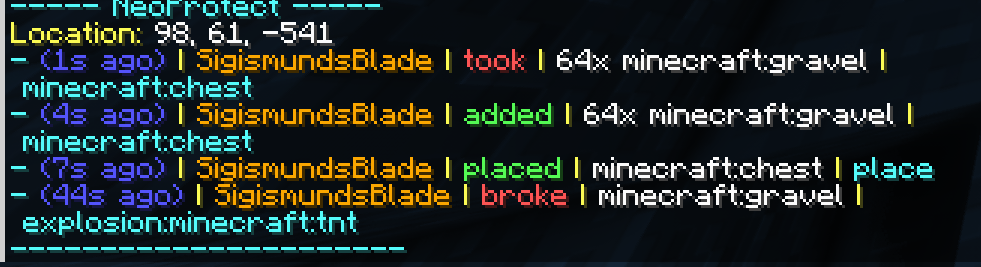
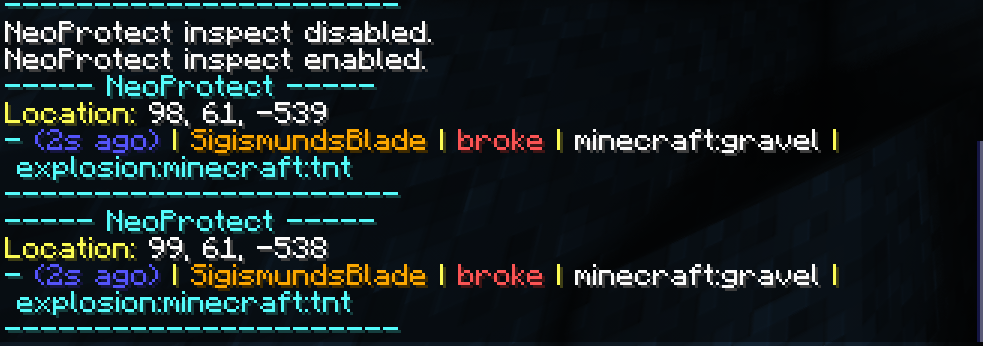
NeoProtect logs block placements, breaks, Items added to or removed from containers, sign edits, explosions, and fire spread. Records include the time and location, with player or cause attribution where the game provides it. History is stored persistently and remains available across restarts until an administrator removes it.
Vanilla containers are supported, along with beta inventory adapters for Sophisticated Storage, Functional Storage, and Tom's Simple Storage. Other mods can integrate through the inventory adapter API.
Find out what happened
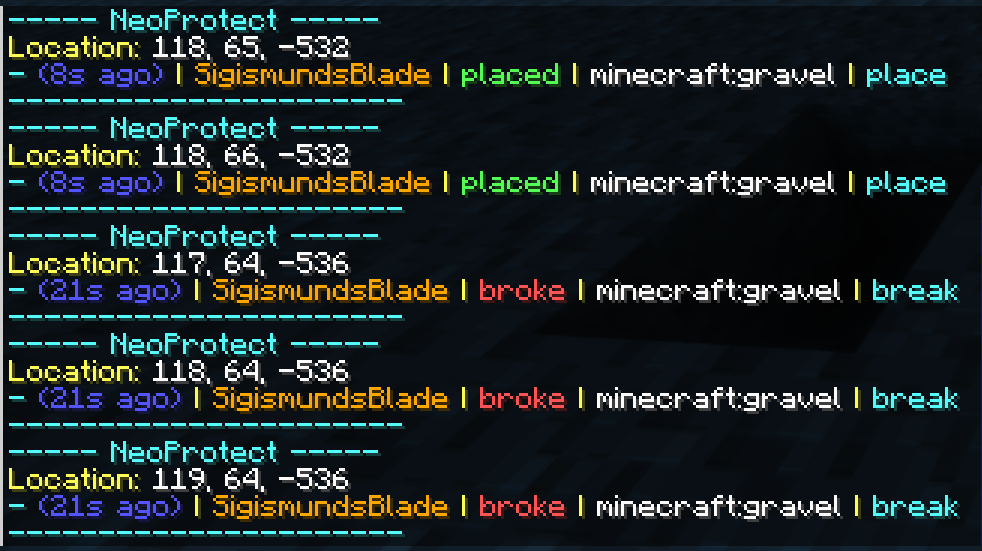
Use /np inspect and interact with a block or container to see its history where you are standing. Results have page controls, so older events remain accessible at busy locations.
For a wider investigation, /np search looks through recorded activity across dimensions. /np player shows one player's activity, and /np signs finds sign edits. Search results support time ranges and filters for players, actions, targets, locations, and pages. Click a result's coordinates to teleport to it.
Every /np command also works with /neoprotect, and common command arguments have tab completion.
Repair damage with a preview
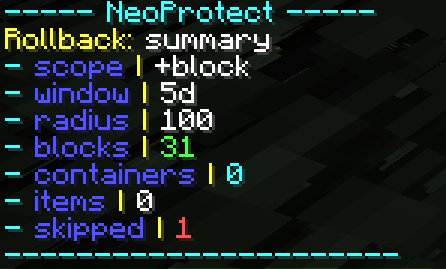
/np rollback shows what would change before anything is applied, including affected blocks and container items. Confirm or cancel the preview in chat. You can choose block or container changes, select the direction of a rollback, and include or exclude particular block or item IDs. For example, blocks,e:water leaves water out of a block rollback. Administrators can undo their own recent rollbacks with /np undo.
Storage and setup
NeoProtect uses an embedded H2 database by default and writes logs asynchronously. Servers that use MariaDB or MySQL can configure a remote database and migrate existing H2 history. CSV export and retention controls are also available to administrators.
Install the jar that matches your Minecraft version and loader on the server. Fabric builds require Fabric API. Players do not need to install NeoProtect on their clients.
Screenshots
Block history
Container history
Rollback records
Explosion history
Need help?
Join the NeoProtect Discord for setup help, questions, and bug reports. If something is not being logged or a server fails to start, include your Minecraft version, loader and loader version, NeoProtect version, and the relevant server log. For inventory issues, include the name and version of the storage mod too.