
Compatibility
Minecraft: Java Edition
Platforms


Tags
Creators
Details
Whack Me
One arena. Thirty seconds. A new personal best.
Quick rounds · Custom arenas · Lasting rivalries Give players a reason to stop by your arcade and come back for one more run.
Turn a corner of your lobby into a score challenge. Add a quick activity between larger games. Let players chase a perfect run and compete for the arena record. Whack Me brings a single-player whack-a-block minigame to your Minecraft server.
Players enter an arena, hit the green blocks and avoid the red ones before time runs out. The default round lasts thirty seconds; the duration, arena layout, displays and rewards are yours to configure.
01 / PLAY THE NEXT RUN
Easy to start. Hard to put down.
Green means go. Every correct hit adds a point and builds your streak. Red means rethink. A wrong hit removes a point without taking the score below zero, and resets your current streak.
Point blocks rise, pause and fall from the arena's portal positions. A hit turns the block into its gray hit state, so the same target cannot award points twice. The block selector balances green and red targets as new blocks appear.

Follow the remaining time, score and streak through configurable scoreboards, boss bars and action bars. At the end, see your correct and incorrect hits, accuracy, longest streak and personal best, then try to beat the result.

The live run: a compact challenge with your score and remaining time in view.

The result summary brings the score, streak and accuracy together.
02 / BUILD THE ARENA
Your space. Your layout.
Create an arena with /wm create arcade_1, then open /wm edit arcade_1. The in-game setup menu takes you through locations, portal positions, block settings, music, displays and registration.

Set up and manage an arena through the in-game menu.
Start with a frame ring. Shift-click the start-location action to center the player position and place eight surrounding portal frames. Save an end location for players returning from the run.
Or make a custom layout. Use the portal editor to add and remove spawn positions. Build a layout that suits the room and keeps targets visible and reachable from the start position.
Let players walk up and play. Register an arena join sign or use /wm join <arena>. Each arena hosts one player at a time; multiple arenas let players take their own runs.
The complete arena setup walkthrough
Step 1: Create the Arena
Create a new arena with a unique, stable ID:
/wm create <arena_id>

Use IDs such as arcade_1 or castle_whack. The ID is reused by join commands, placeholders, setup output, and saved data.
Step 2: Open the Setup Menu
/wm edit <arena_id>
The home page provides access to locations, portal layout editing, point-block settings, music, display toggles, arena records, signs, and final registration.
Step 3: Set Start and End Locations

Open Manage Arena Locations (FILLED_MAP). Both locations are required.
Start Location
- Click: Saves your exact position. In the normal layout mode, you must already be surrounded by end portal frames.
- Shift-click: Centers the saved position on the current block and automatically places end portal frames in the eight surrounding positions.
When the plugin detects the surrounding frame ring, those eight blocks become the arena's portal locations automatically.
End Location
- Click: Saves your exact position.
- Shift-click: Centers the position on the current block.
The end location is used after normal finishes, leaves, kicks, cancellations, and reconnect recovery.
Step 4: Define the Portal Layout

Portal locations are the positions from which point blocks rise. Use the automatic eight-frame ring from the start-location action, or click Manage Portal Layout (ENDER_PEARL) to build a custom layout.
In Portal Editing Mode:
- Your inventory is saved and replaced with end portal frames plus a barrier.
- Place frames to add point-block positions.
- Break frames to remove positions.
- Use the barrier to leave editing mode, save the new list, and restore your inventory.
Note: Registration requires at least one portal location. In practice, use several well-spaced frames so multiple blocks can be visible and reachable at once.
Step 5: Open Point-Block Settings

The Point Block Settings entry unlocks after portal locations exist. It opens a dialog with arena-specific spawning, movement, and appearance controls.
- Minimum active blocks: Default 4, allowed from 1 to the portal count. Lowest target number of simultaneously visible blocks.
- Maximum active blocks: Default 8, allowed from 1 to the portal count. Hard cap on simultaneously visible blocks.
- Vertical movement step: Default 0.05, allowed from 0.01 to 0.20. Distance moved per tick; higher is faster.
- Maximum vertical step: Default 0.64, allowed from 0.01 to 1.00. Safety cap applied to the movement step.
- Peak wait: Default 12 ticks, allowed from 0 to 40. Time the block waits at its highest point.
- Spawn check period: Default 8 ticks, allowed from 1 to 20. Delay between checks that replace missing point blocks.
- Asynchronous movement: Disabled by default. Moves point-block animation outside the main thread; cleanup remains synchronous.
Step 6: Set Active Block Amounts
Choose Active Block Limits to edit the minimum and maximum together. Both are capped by the number of portal locations. If the maximum is set below the minimum, Whack Me raises it to match; changing either value individually also keeps the pair valid.
Tip: More simultaneous blocks increase visual load and decision pressure. Start with 4-8, then test the layout from a player's viewing angle.
Customize Block Appearance (Optional)
Use Customize Point Block Looks to assign the green, red, and gray hit-state items. Put an item on your cursor and click the corresponding preview slot. Blocks, player heads, and custom item metadata are supported, and the saved stack amount is normalized to one.
Step 7: Select Arena Music (Optional)

If NoteBlockAPI is installed, Select Arena Music lists every valid .nbs file in /plugins/WhackMe/musics/.
- Left-click: Select the song for this arena.
- Right-click: Preview the song for yourself.
- No Song: Clear the arena's selection.
Whack Me includes five starter songs and repeats the selected song while a player occupies the arena.
Step 8: Configure Other Settings (Optional)

The Other Arena Settings page controls two independent per-arena options:
- Arena Scoreboard: Enables the live scoreboard for this arena. The global scoreboard-enabled option must also be enabled.
- Arena Boss Bar: Enables the configured timer-progress boss bar for this arena. bossbar.yml must also have enabled: true.
Changes apply immediately if that arena currently has a running game.
Step 9: Reset an Arena Record (Optional)

After an arena has a record, Reset Arena Record shows its holder and score. The confirmation page prevents accidental deletion. Confirming resets only that arena's global holder to None and score to 0; it does not erase player statistics or personal records.
Step 10: Create a Join Sign (Optional)

Place a sign, look directly at it, and click Create Arena Sign (OAK_SIGN). Whack Me registers, formats, and waxes the sign. Its state updates automatically, and players can right-click it to join.
Breaking a registered sign requires whackme.sign.break.
Step 11: Register the Arena
Click Register the Arena (FIREWORK) when setup is complete. Whack Me verifies these required values in order:
- Start location
- End location
- At least one portal location
If a value is missing, registration stops and names the missing option. On success, the arena becomes ready, starts its waiting runtime, and the success message includes a clickable /wm join <arena> action.
Note: Arena data is saved automatically and during shutdown. If critical saved locations are missing on a later startup, Whack Me automatically marks the arena as not ready instead of starting a broken game.
How to Join:
- Command: /wm join <arena_id>
- Sign: Right-click the registered arena sign.
An arena accepts one player at a time. If occupied, other players must use another arena or wait until the run finishes.
03 / MAKE IT YOUR GAME
Tune the pace. Keep your style.
Control the pressure. Set the minimum and maximum visible blocks, movement speed, peak wait and spawn-check period for each arena. Use a relaxed lobby activity or a busier arcade challenge with the same gameplay rules.
Choose the targets. Assign block items, player heads or custom items to the green, red and gray hit states. The appearance editor keeps item metadata, letting the targets fit your server's theme.
Bring the atmosphere. With NoteBlockAPI, select an arena's .nbs song, preview it in game or add your own songs to plugins/WhackMe/musics/. Five starter songs are bundled with the plugin.
Make the displays yours. Edit messages, sounds, menus, signs, scoreboards and boss bars through YAML files. Turn the scoreboard and boss bar on or off per arena, and reload presentation changes with /wm reload.
Keep the run focused. Arena protections block building, item dropping, swapping, pickups and player damage. Configure chat isolation, allowed commands, leave-command blocking and the replay cooldown to suit your server.
Explore point-block settings · View the main configuration
04 / EVERY RESULT MATTERS
A personal best today. A server record tomorrow.
Track games played, perfect runs, personal record scores, longest hit streaks, lifetime green and red hits, and per-arena best scores. Players can inspect their own progress or another player's statistics with /wm stats [player].

Player statistics keep the progress from one run to the next.

Put your server's strongest results on display.
The built-in leaderboards rank scores, perfect runs, streaks, games played and lifetime hits. PlaceholderAPI lets you bring those rankings into compatible holograms, scoreboards and menus. Set leaderboard-size to choose how many positions are available.
Use flat-file storage for a simple local setup or MySQL for database-backed player statistics. Arena records remain part of the saved arena data.
Read about statistics and records
05 / CONNECT YOUR SERVER
Reward the moment. Show the progress.
Run the rewards you choose. Configure console commands or player commands for joining, quitting, finishing a game and hitting green, red or gray blocks. Use player, arena, score, timer, streak and hit-count placeholders in rewards.yml. Rewards are optional and the command lists start empty.
Reward triggers and a simple example
- game-join: the player starts a run.
- game-quit: the player leaves early or disconnects.
- game-end: the round reaches its normal end.
- green-block-step / red-block-step / gray-block-step: the matching block is hit.
Commands run as console by default. Prefix a command with p: to run it as the player.
game-end:
  - 'tell %player% You finished %arena% with %score% points!'
Supported placeholders: %player%, %uuid%, %arena%, %timer%, %score%, %hit-streak%, %max-streak%, %green-blocks%, %red-blocks% and %block-type%.
Display the data anywhere. With PlaceholderAPI installed, show a player's live score, lifetime statistics, arena status and leaderboard positions in other compatible plugins. Whack Me registers its expansion automatically.
"Server, Player & Statistics Placeholders"
Global Plugin Data
%wm_arenas_total%                 - Total number of registered arenas
%wm_arenas_ready%                 - Number of arenas that are ready to play
%wm_online_players%               - Total players currently inside Whack Me arenas
Live Player Session Outside an active run, these temporary values normally return 0.
%wm_local_score%                  - Current score earned during the active run
%wm_local_point_streak%           - Current consecutive correct-hit streak
%wm_local_longest_point_streak%   - Highest streak reached during the current run
Persistent Player Statistics
%wm_whacked_point_blocks%         - Total number of green point blocks hit
%wm_whacked_minus_point_blocks%   - Total number of red penalty blocks hit
%wm_whacked_block_rate%           - Positive-hit rate as a percentage value
%wm_record_score%                 - Highest personal score ever reached
%wm_perfect_runs%                 - Total number of perfect runs completed
%wm_games_played%                 - Total number of completed games
%wm_tours_played%                 - Alias for total completed games
%wm_longest_point_streak%         - Highest consecutive correct-hit streak
Generic Statistic Lookup
%wm_stat:<statistic_key>%
Examples
%wm_stat:games_played%
%wm_stat:longest_hit_streak%
%wm_stat:local_correct_blocks%
%wm_stat:local_wrong_blocks%
"Arena Status Placeholders"
Arena-Specific Syntax
%wm_arena:<arena_id>:<stat>%
Replace <id> with the arena identifier (matching is case-insensitive).
Arena Settings & Records
%wm_arena:<id>:ready%            - Whether the arena is registered and ready
%wm_arena:<id>:record_holder%    - Arena record holder
%wm_arena:<id>:record_score%     - Highest score recorded in the arena
Live Game Data
%wm_arena:<id>:player_name%      - Player currently using the arena
%wm_arena:<id>:point_blocks%     - Number of active point blocks
%wm_arena:<id>:state%            - Current arena state
%wm_arena:<id>:timer%            - Remaining game time in seconds
%wm_arena:<id>:score%            - Current score of the active player
"Leaderboard Placeholders"
Leaderboard Syntax
%wm_leaderboard:<statistic>:<position>:<name|uuid|value>%
1. Parameters
- <statistic>: The persistent statistic to rank.
- <position>: The rank position from 1 through the configured leaderboard-size (default: 10).
- <type>: name (username), uuid (unique ID), or value (raw score).
2. Available Statistics
games_played
perfect_runs
record_score
longest_hit_streak
whacked_plus_blocks
whacked_minus_blocks
3. Usage Examples
# Name of the highest-scoring player
%wm_leaderboard:record_score:1:name%

# Score of the highest-scoring player
%wm_leaderboard:record_score:1:value%

# UUID of the player in 3rd place
%wm_leaderboard:record_score:3:uuid%

# Name of the player with the most perfect runs
%wm_leaderboard:perfect_runs:1:name%

# Value of the 5th longest lifetime streak
%wm_leaderboard:longest_hit_streak:5:value%
Leaderboard entries with a value of 0 are excluded. Empty valid positions return No Player for names and 0 for values.
Build on the public API. React to game starts and finishes, state changes, join attempts, departures and statistic changes through Bukkit events. Hook your own plugin into the same run without editing Whack Me.
Reward configuration · Placeholder reference · Javadocs
06 / COMMANDS & PERMISSIONS
A short player flow. Clear controls for staff.
Use /wm or /whackme for every command. Players can join, leave and open statistics; staff can create, edit, list, stop and manage arenas through the permissions below.
"Player Commands (Everyone)"
Gameplay Commands No permissions required by default.
-
/wm join <arena> [INDENT]Join a registered, currently unoccupied arena and immediately start a timed run.[/INDENT]
-
/wm leave [INDENT]Leave the current game, restore the saved player state, and return to the arena's end location.[/INDENT]
-
/wm stats [player] [INDENT]Open the statistics menu for yourself or another online/cached offline player.[/INDENT]

"Arena Management Commands (Click to View)"
Arena Setup & Management Requires whackme.arena. for full access.*
-
/wm create <arena_id> [INDENT]Permission: whackme.arena.create[/INDENT] [INDENT]Create a new, unconfigured arena with the specified unique ID.[/INDENT]
-
/wm delete <arena_id> [--confirm] [--cancel] [INDENT]Permission: whackme.arena.delete[/INDENT] [INDENT]Permanently unregister an arena through an explicit confirmation flow.[/INDENT]
-
/wm list [INDENT]Permission: whackme.arena.list[/INDENT] [INDENT]List every arena and show clickable join actions for ready arenas or setup actions for incomplete arenas.[/INDENT]
-
/wm edit <arena_id> [INDENT]Permission: whackme.arena.edit[/INDENT] [INDENT]Open the interactive setup menu for an existing arena.[/INDENT]
"Admin Commands (Click to View)"
Main Administration Commands Requires the listed permission; whackme.admin includes the administration commands.
-
/wm [INDENT]No permission required.[/INDENT] [INDENT]Display the installed Whack Me version and author.[/INDENT]
-
/wm help [INDENT]Permission: whackme.command.help[/INDENT] [INDENT]Display player commands and any administrative commands available to the sender.[/INDENT]
-
/wm reload [INDENT]Permission: whackme.admin.reload[/INDENT] [INDENT]Reload messages, configuration options, menus, command policy, event profiling, signs, boss bars, sounds, rewards, and live game presentation.[/INDENT]
-
/wm stop [arena] [INDENT]Permission: whackme.admin.stop[/INDENT] [INDENT]Force-stop the current or specified game without applying its run statistics. The console must provide an arena ID.[/INDENT]
-
/wm kick <player> [INDENT]Permission: whackme.admin.kick[/INDENT] [INDENT]Remove an online player from their current game and follow the normal result and cleanup path.[/INDENT]
-
Break registered arena signs [INDENT]Permission: whackme.sign.break[/INDENT] [INDENT]Allow staff to break signs registered to Whack Me arenas.[/INDENT]
-
Bypass the replay cooldown [INDENT]Permission: whackme.cooldown.bypass[/INDENT] [INDENT]Allow a player to join another game without waiting for the configured cooldown.[/INDENT]
-
Bypass in-game command blocking [INDENT]Permission: whackme.commandblock.bypass[/INDENT] [INDENT]Allow staff to use unrestricted commands while inside a Whack Me arena.[/INDENT]

"Debug Commands (Advanced Users)"
Advanced Troubleshooting Requires whackme.debug or the listed node and debug: true in config.yml.
⚠️ Note: Debug commands are intended for testing and troubleshooting.
-
/wm debug component <message> [INDENT]Permission: whackme.debug.component[/INDENT] [INDENT]Preview MiniMessage formatting, gradients, hex colors, and components directly in-game.[/INDENT]
-
/wm debug dump [INDENT]Permission: whackme.debug.dump[/INDENT] [INDENT]Generate an event timing report for troubleshooting performance issues. Enable event profiling in config.yml for meaningful data.[/INDENT]

Player command reference · Administration reference
07 / START YOUR FIRST RUN
Install. Set up. Chase the score.
Requirements: Java 25 and a Paper-compatible Minecraft server. PlaceholderAPI and NoteBlockAPI are optional integrations.
- Place the Whack Me JAR in your server's plugins folder and restart.
- Run /wm create arcade_1 and /wm edit arcade_1.
- Save the start and end locations, add portal positions and register the arena.
- Run /wm join arcade_1 or right-click its join sign to play.
Player inventories are saved before the run and restored when it ends. Disconnecting players recover their saved inventory when they return. Arena data is saved automatically and during shutdown; incomplete saved arenas are marked not ready at startup.
Configuration files at a glance
- config.yml: gameplay duration, replay cooldown, storage, chat and command policy.
- arenas.yml: arena locations, portal layouts, settings, signs, songs and records.
- rewards.yml: optional command rewards and their placeholders.
- messages.yml / sounds.yml: messages, formatting and sound choices.
- scoreboard.yml / bossbar.yml / signs.yml: live displays and join-sign formatting.
- menu/: setup and statistics menu layouts.
- mysql.yml: database connection settings when MySQL is selected.
- musics/: bundled and custom NoteBlockAPI songs.
08 / BSTATS METRICS
Help shape the next update.
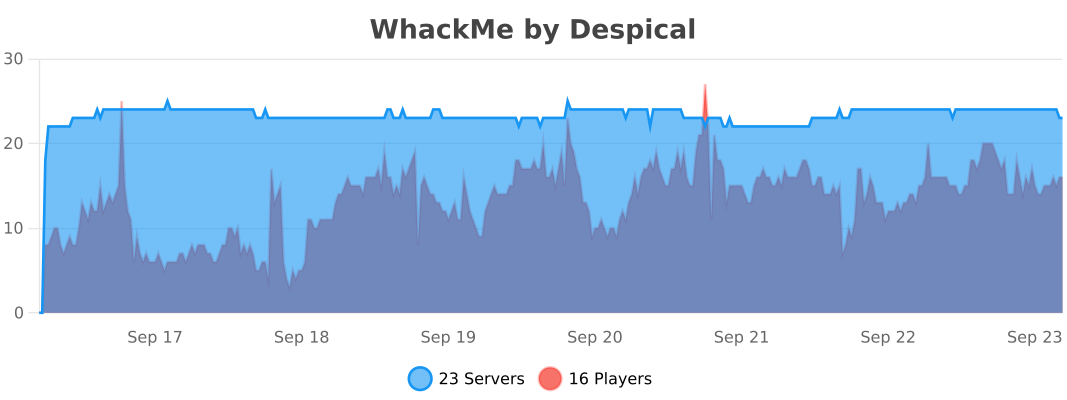
Whack Me collects anonymous usage statistics through bStats. These aggregate statistics help show how the plugin is used and guide future development.
Your next personal best starts with one more run.
Created by Despical. Enjoying Whack Me? Share your experience in a review.