
Compatibility
Minecraft: Java Edition
Platforms
Supported environments


Tags
Creators
Details
Throw a Cushion on a Sulfur Cube to make it mountable!
Works with Small Cubes too
To remove the cushion either put the cube into a bucket or shoot a projectile (arrow,egg,snowball) to destroy the cushion.
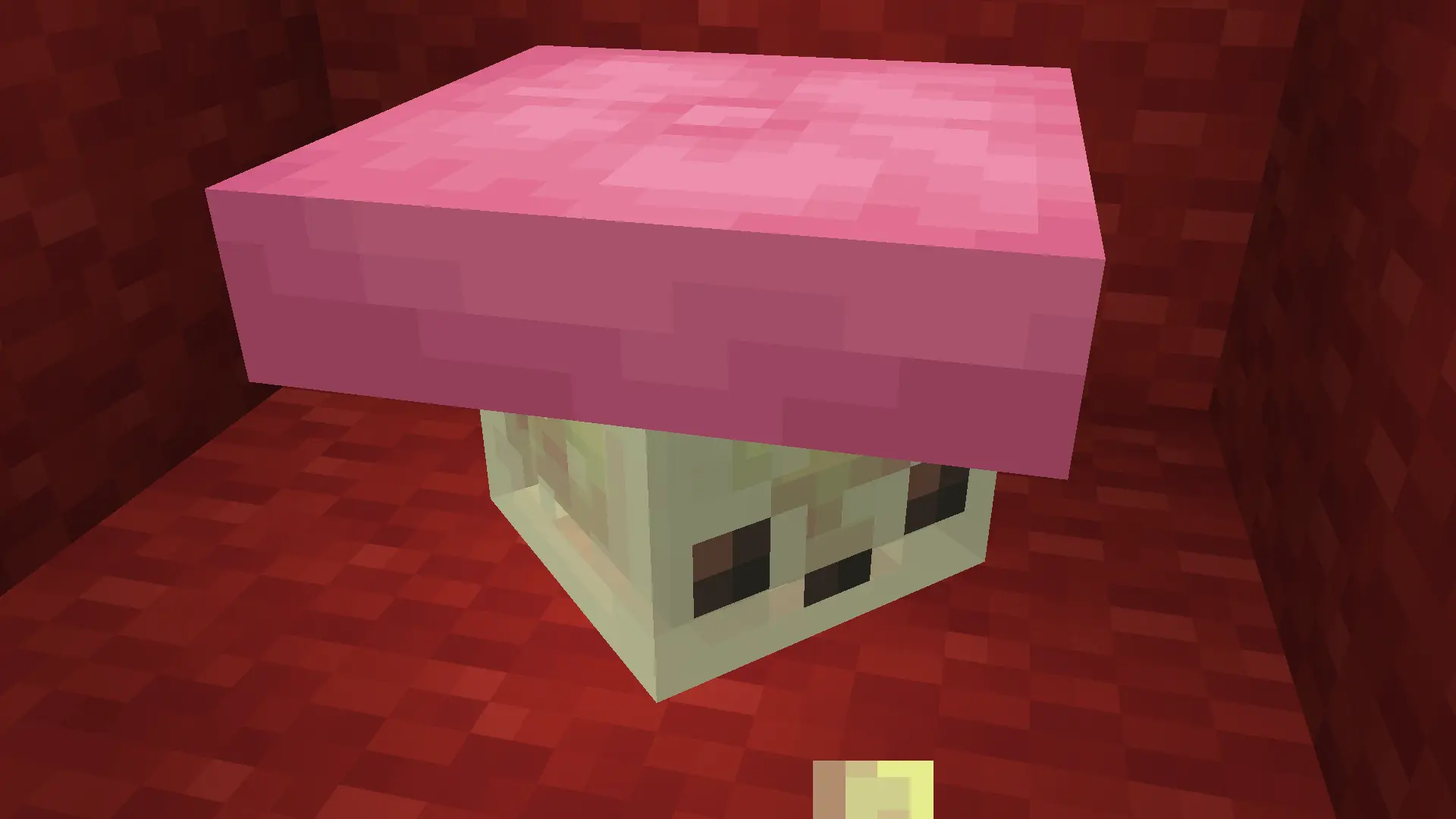
Known issues/limitations: Its not possible to make cushions not pop off when not on a block so they pop off every few seconds for a tick. When multiple cubes hang out close to each other the cushions could move to a diffrent cube because of this.
If you really want to its possible to place Cushions not aligned to X and Z grid - just right click with a cushion on a Sulfur Cube that already has a Cushion on top of it.
The data pack is safe to uninstall. Just keep in mind that all of the cushions on the sulfur cubes will pop off and disappear after 5 minutes.
If you don't want to install for Fabric, here is how to install the pack:
Install the data pack
Download the .ZIP, then put it in .minecraft/saves/<your world>/datapacks/
On Windows just click Windows+R, type %appdata%, go to Roaming, then .minecraft
If you aren't using the official launcher, Minecraft's folder might be diffrent.
In that case open the resouce pack selector from the settings, click "Open Pack Folder" and go 1 folder up.