
Compatibility
Minecraft: Java Edition
Platforms
Supported environments


Links
Tags
Creators
Details
English

Tidy any container in one click — and your whole inventory, too.
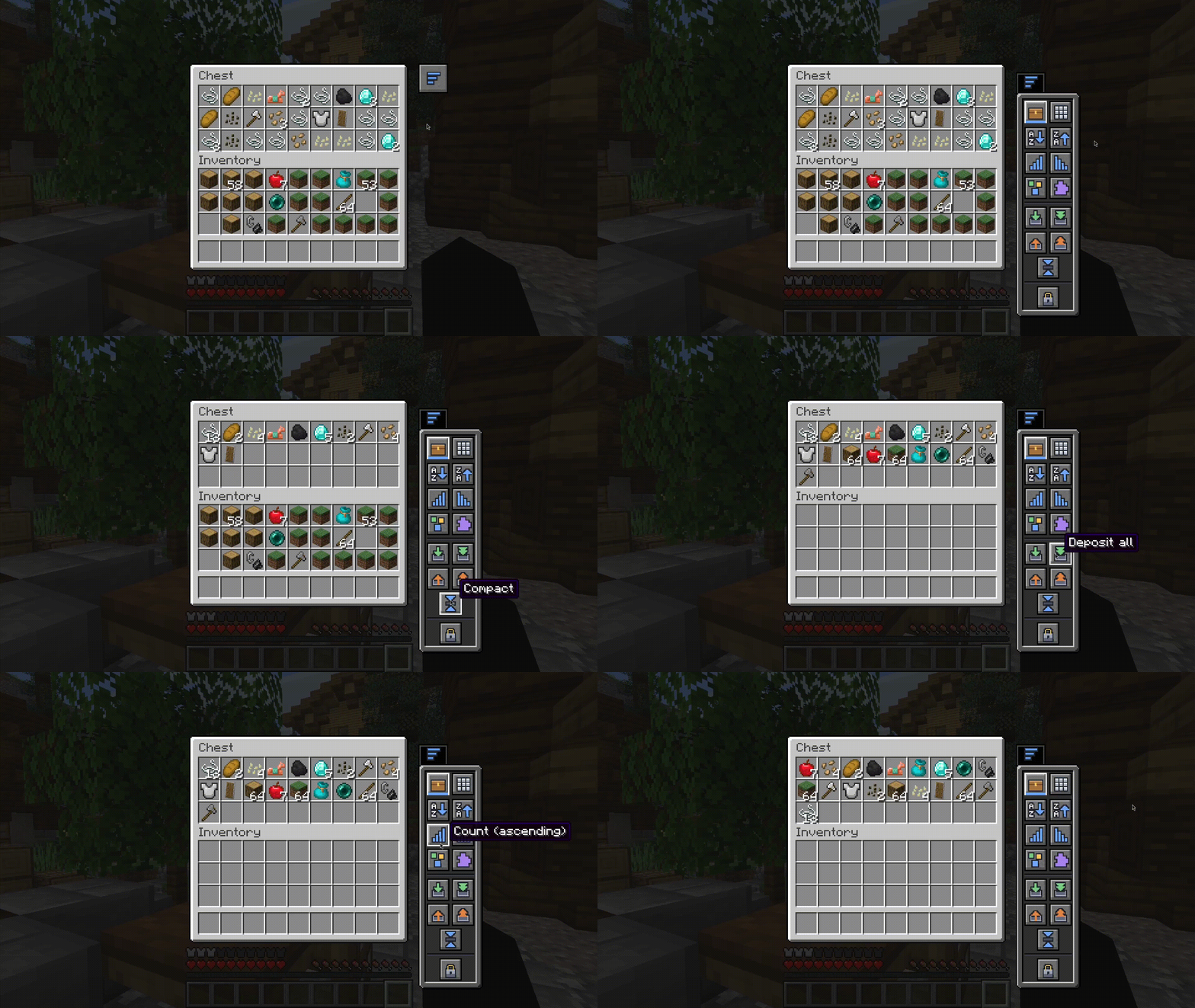
Smart Inventory adds a compact, vanilla-styled panel to every container so you can sort, stack, and clean up your items instantly, without dragging anything or leaving the screen.
How to use it
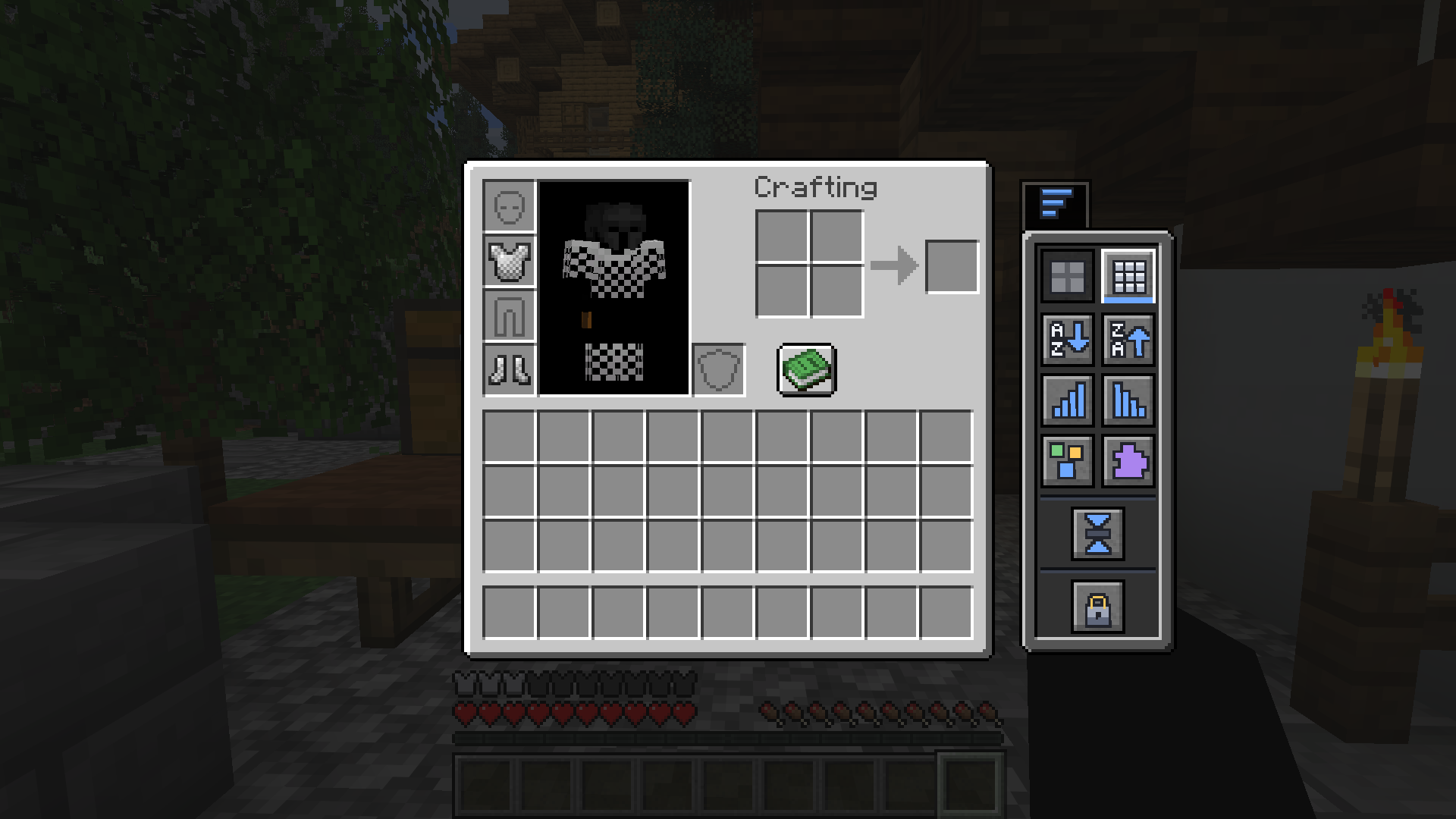
Open a chest, barrel, shulker box, or just your own inventory, then click the small side tab. The panel slides in next to the screen — choose what you want to do, and you're done.
Sort it your way
One click reorders the container or your inventory:
| Sort by | |
|---|---|
 |
Name — A → Z |
 |
Name — Z → A |
 |
Quantity — most first |
 |
Quantity — fewest first |
 |
Category — tools, blocks, food… |
 |
Mod — group items by the mod they come from |
Move items instantly
| Action | |
|---|---|
 |
Deposit matching — top up stacks the container already has |
 |
Deposit all — move everything in |
 |
Withdraw matching — pull more of what you're already carrying |
 |
Withdraw all — take everything out |
 |
Compact — merge partial stacks into full ones |
Keep your hotbar the way you like
| Hotbar mode | |
|---|---|
 |
Hotbar protected — left untouched while you organize |
 |
Hotbar included — sorted and moved along with everything else |
Localization
Smart Inventory currently includes translations for:
- English
- Portuguese
The interface automatically follows your Minecraft language settings.
Works everywhere
Chests, barrels, ender chests, shulker boxes, hoppers, dispensers, and droppers — the panel adapts automatically and displays the appropriate icon for each container type.
Português
Organize qualquer contêiner com um clique — e todo o seu inventário também.
Smart Inventory adiciona um painel compacto com aparência vanilla a qualquer contêiner, permitindo organizar, empilhar e limpar seus itens instantaneamente, sem arrastar nada e sem sair da tela.
Como usar
Abra um baú, barril, shulker box ou apenas o seu inventário e clique na pequena aba lateral. O painel desliza ao lado da interface — escolha a ação desejada e pronto.
Organize do seu jeito
Com um clique, você reorganiza o contêiner ou o seu inventário:
| Ordenar por | |
|---|---|
|
Nome — A → Z |
|
Nome — Z → A |
|
Quantidade — maior primeiro |
|
Quantidade — menor primeiro |
|
Categoria — ferramentas, blocos, comidas… |
|
Mod — agrupa itens pelo mod de origem |
Mova itens instantaneamente
| Ação | |
|---|---|
|
Depositar semelhantes — completa pilhas que o contêiner já possui |
|
Depositar tudo — move tudo para dentro |
|
Retirar semelhantes — pega mais itens iguais aos que você já carrega |
|
Retirar tudo — pega tudo |
|
Compactar — junta pilhas incompletas em pilhas cheias |
Mantenha sua hotbar do jeito que você gosta
| Modo da hotbar | |
|---|---|
|
Hotbar protegida — permanece intacta durante a organização |
|
Hotbar incluída — é organizada junto com o restante dos itens |
Idiomas
Smart Inventory atualmente possui suporte para:
- English
- Português
A interface acompanha automaticamente o idioma configurado no Minecraft.
Funciona em todos os lugares
Baús, barris, ender chests, shulker boxes, funis, ejetores e liberadores — o painel se adapta automaticamente e exibe o ícone correto para cada tipo de contêiner.