
Compatibility
Minecraft: Java Edition
Platforms


Tags
Creators
Details
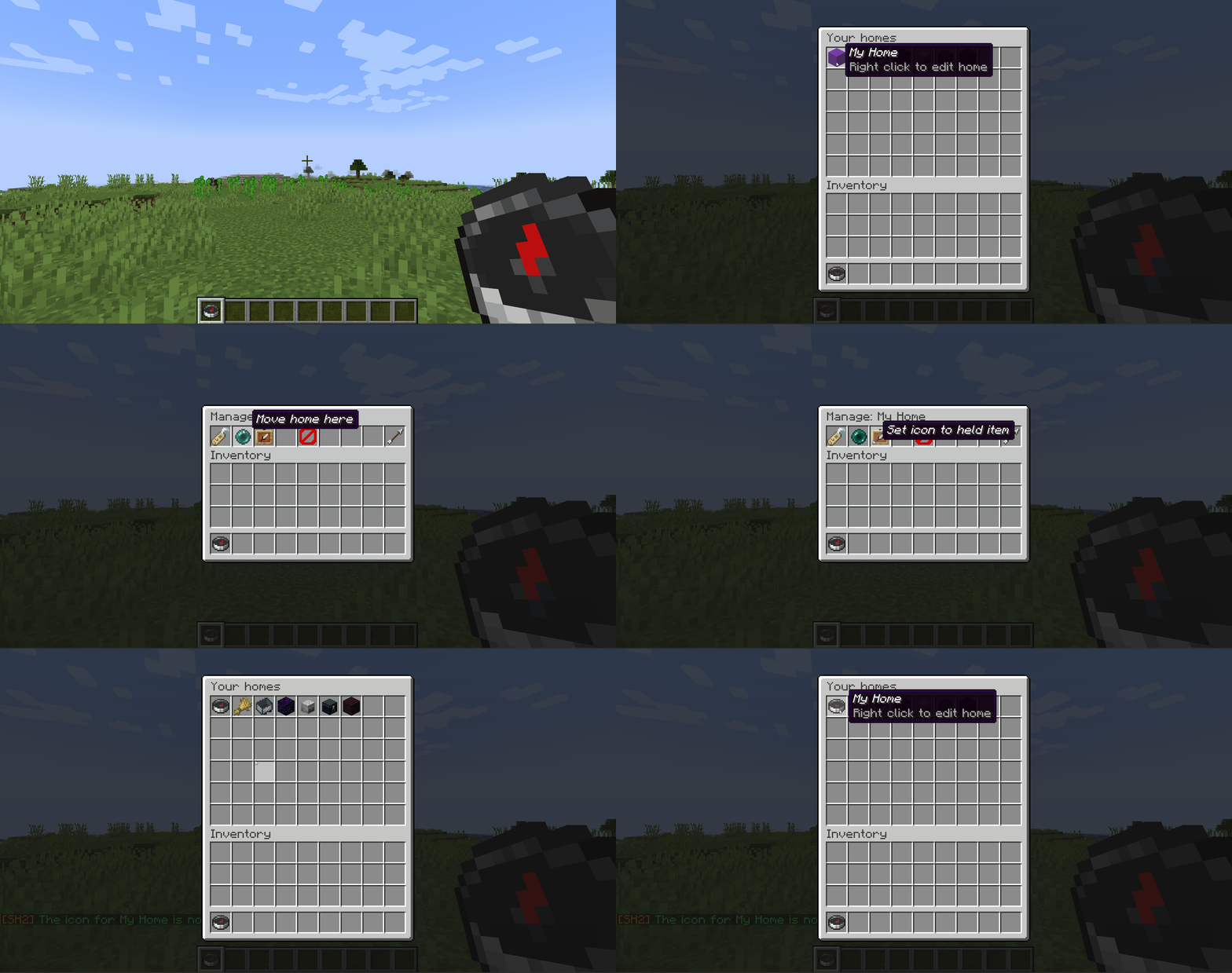
Set Homes gives every player a menu of their homes. Left-click one to teleport. Right-click it to rename it, move it, change its icon, or delete it.
Full documentation | Report a bug | Donate
Why Set Homes
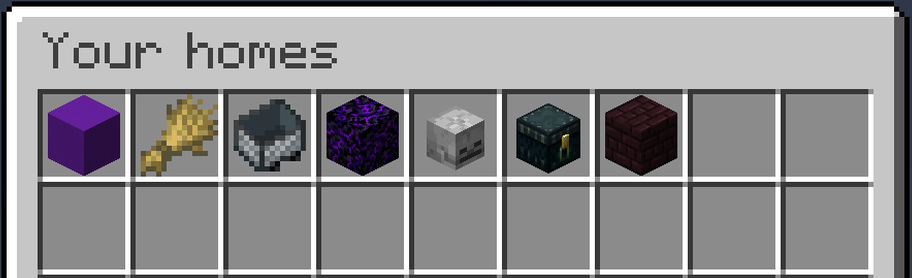
- A menu, or a list of commands. Homes live in a chest-style GUI. Players open it with
/homesor by right-clicking the configured "Home Item". - Every home gets its own icon. Pick any Minecraft item when you create a home, or change it later to whatever you are holding. A base, a mine and a farm stop looking identical.
- Rename, move and delete in-game. Right-click any home to manage it. Deleting always asks first, so nobody loses a base to a misclick.
- Teleports that do not kill you. Set Homes checks the destination and relocates you to the nearest safe spot rather than dropping you into blocks, lava, or a fall.
- Switch without losing anything.
/import-homes essentialsxbrings every EssentialsX home across, and previews exactly what it will do before it does it. Then remove EssentialsX, since both plugins claim/sethomeand/home. - Per-rank home limits. Give donors more homes than default players with LuckPerms groups, or set one server-wide limit.
- Permissions you can change from the config. Every
sh2.*node has a sensible default, and any of them can be moved inconfig.yml. No permissions plugin required.
Quick start
- Drop the jar into your
pluginsfolder and restart the server. - Run
/sethome basewhere you are standing. - Run
/homesand click it.
That is genuinely the whole setup. Player permissions default to granted, so your players can create and use homes the moment the plugin loads.
Commands
| Command | What it does |
|---|---|
/sethome [name] |
Creates a home where you stand. |
/home [name] |
Teleports you to a home. |
/homes |
Opens the homes menu. |
/delhome <name> |
Deletes a home. |
/uhome <name> |
Moves one of your homes to where you are standing. |
Names are optional on /sethome and /home. Leave the name off and both use a home called default.
Admins also get /set-max-homes, /blacklist, /import-homes, and commands to view, visit, move and delete other players' homes. The full command list, with long forms and aliases, is on GitHub.
Managing homes
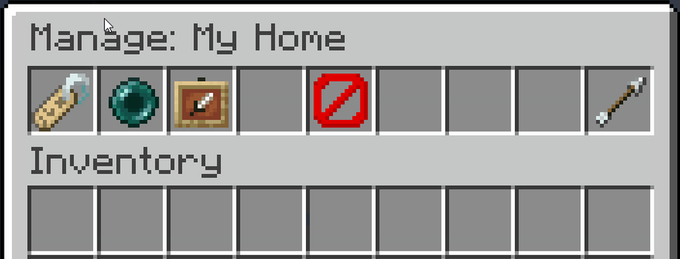
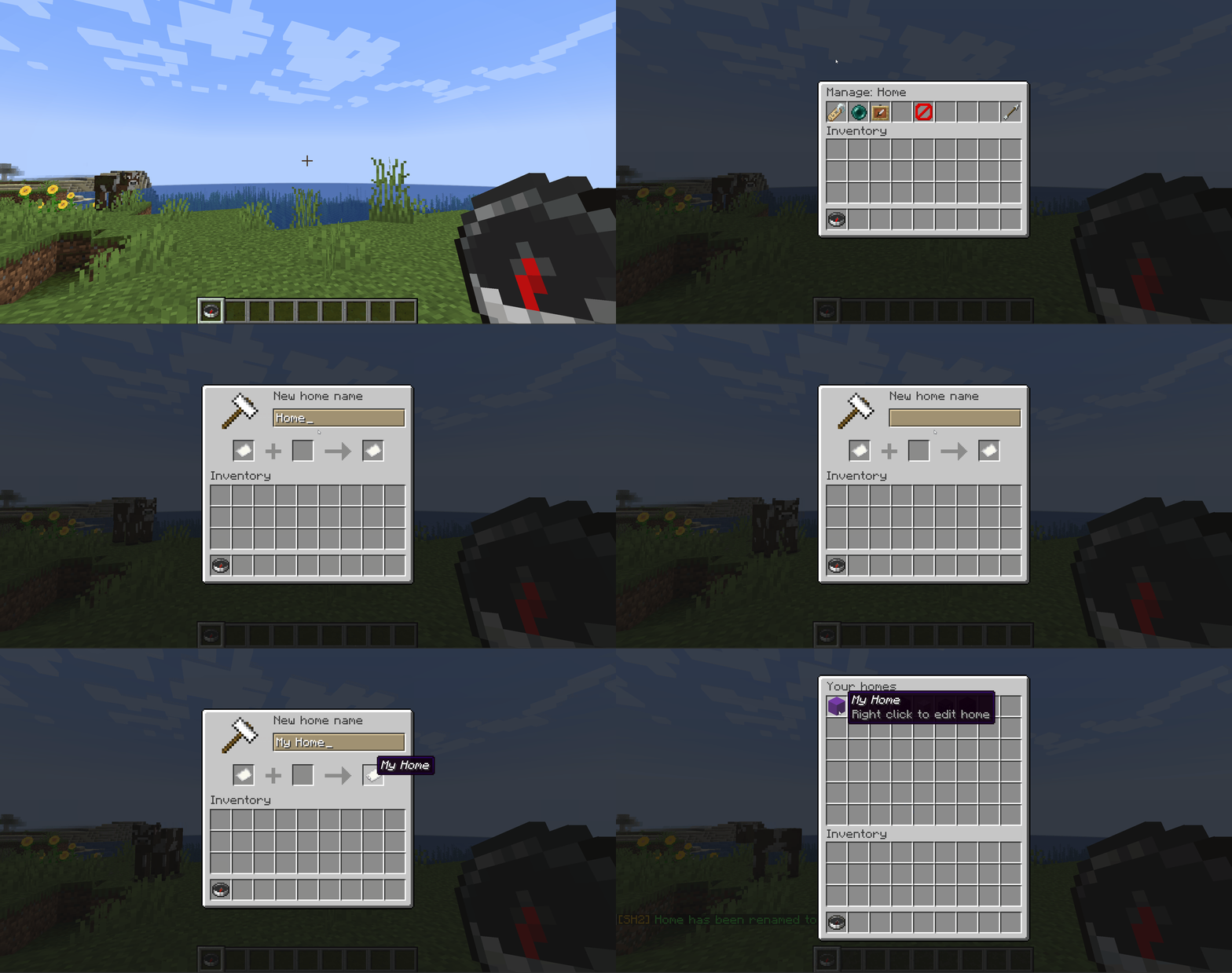
Open your homes with /homes, or right-click the homes item. Left-click a home to teleport, right-click it to rename it, move it to where you are standing, set its icon to the item you are holding, or delete it (with a confirmation).
Teleporting
By default players wait three seconds before a teleport fires, and moving cancels it, so a home is not a free escape from a fight. Set delay: 0 for instant teleports, or cancelOnMove: false to let players walk during the countdown.
Before it drops anyone anywhere, Set Homes checks the destination is safe to stand in. If a home has been built over, flooded with lava, or left hanging above a drop, the player is moved to the nearest safe spot instead. Turn it off with teleportSafety: false.
Permissions
Nothing here needs a permissions plugin. Out of the box, every player can create, list, teleport to and manage their own homes, and operators get everything else. Two bundles cover it:
| Bundle | Default | Contains |
|---|---|---|
sh2.player |
everyone | Every node an ordinary player needs |
sh2.admin |
OP | sh2.player, plus every admin and bypass node |
To change a default without a permissions plugin, uncomment the permissions: block in config.yml:
permissions:
  sh2.manage-homes: false
  sh2.get-player-homes: true
  sh2.import-homes: op
Accepted values are true, false, op and not-op. If you run LuckPerms or similar, an explicit grant or deny there still wins. The full permission list is on GitHub.
Configuration
Settings live in plugins/SetHomesTwo/config.yml, written the first time the plugin starts. Edit it, save, then restart the server. The file is commented throughout, and every message the plugin sends can be rewritten in it. The settings most servers change:
| Setting | Default | What it does |
|---|---|---|
delay |
3 |
Seconds you must stand still before teleporting. 0 is instant. |
cancelOnMove |
true |
Cancel the teleport if the player moves during the countdown. |
teleportSafety |
true |
Relocate to the nearest safe spot instead of teleporting into danger. |
maxHomeEnabled |
false |
Turn home limits on. |
maxHomesType |
groups |
singular for one server-wide limit, groups for per-rank limits. |
openHomeItem |
compass |
The item players right-click to open the menu. |
Per-rank limits need LuckPerms. Everything else is in default-config.yml, the file your config.yml is first written from.
Requirements
- Paper or Spigot 1.21+
- Java 21, which Minecraft 1.21 servers already require
- Optional: LuckPerms, only for per-rank home limits
Support
The README on GitHub has the full command and permission lists, the EssentialsX import guide, an FAQ and the changelog.
Found a bug or want a feature? Open an issue on GitHub. It gets seen faster than a comment on this page.
Source | Report a bug | Donate