
Compatibility
Minecraft: Java Edition
Platforms
Supported environments


Tags
Creators
Details


Just a better way to play :
I basically put this together because I was getting bored of how "static" the game felt. I wanted something that looked like those cinematic trailers you see on YouTube but actually kept the core gameplay feeling like regular Minecraft. No crazy magic or tech stuff—just a way more polished version of the game.
The World & Exploration :
The first thing you'll notice is the terrain. It's way more dramatic now. You’ll see actual mountain ranges and massive cliffs that feel like they belong there, rather than just random hills. I also tweaked things so there’s more to find—new structures and ruins are scattered around so you actually have a reason to leave your base and explore.
The Look and Feel :
If your PC is decent, turn the included shaders on. It’s a total game-changer. I also made sure the mobs don't look so... stiff. They actually have little animations now, they blink, and they move more naturally. Pair that with some better audio—like wind in the trees and more realistic footsteps—and the whole vibe is just way more immersive.
Gameplay Tweaks :
I kept it simple here. Just a bunch of common-sense stuff that honestly should’ve been in the game years ago. You can move chests without having to empty them first, trees fall down in one go when you chop them, and there’s a proximity voice chat for whenever you’re playing with friends.It’s also super optimized. I spent a lot of time tinkering with the performance side of things, so even with the better graphics, it should actually run smoother than the vanilla game.
⚠️ Super important thing before you start playing!
When you load up the pack for the very first time, please go straight to your settings and check the keybinds and also check all resource packs are in the correct order as in the following images.
Images of resource packs' order
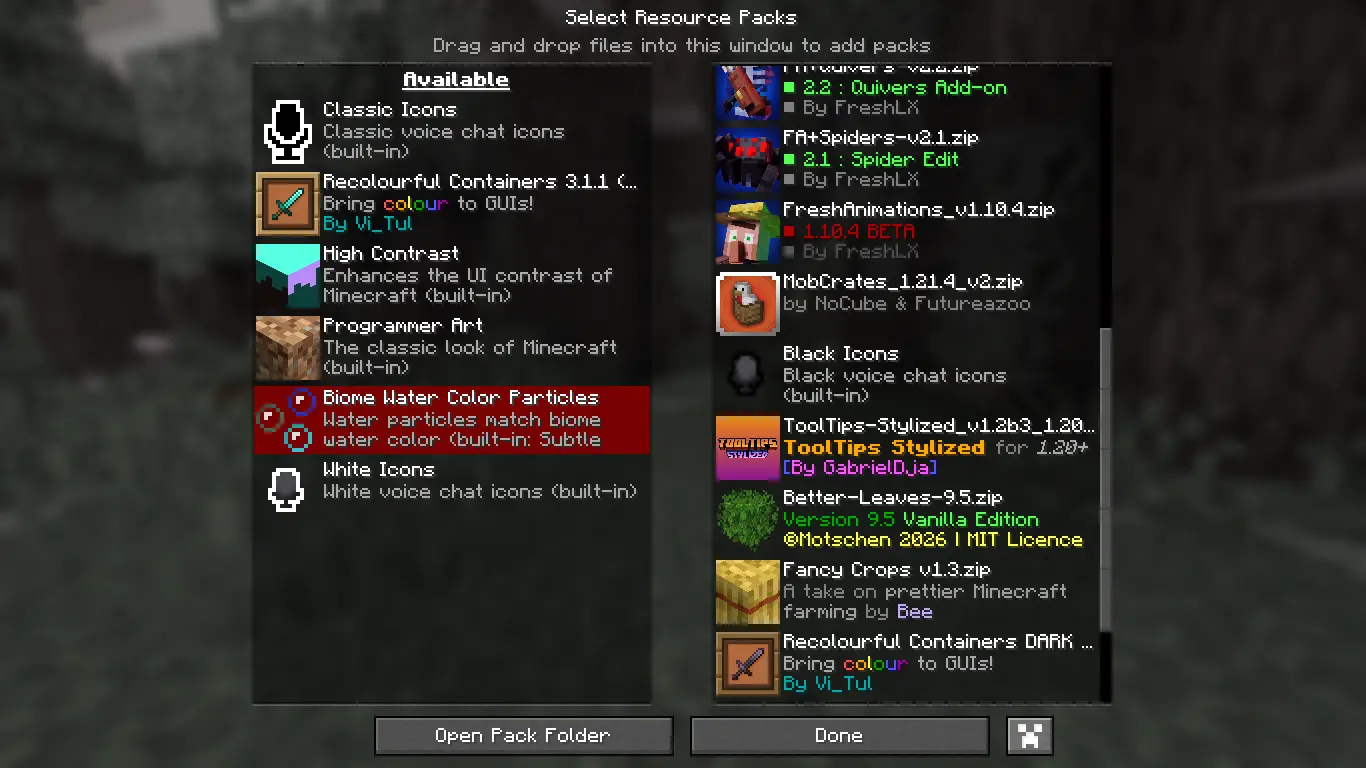
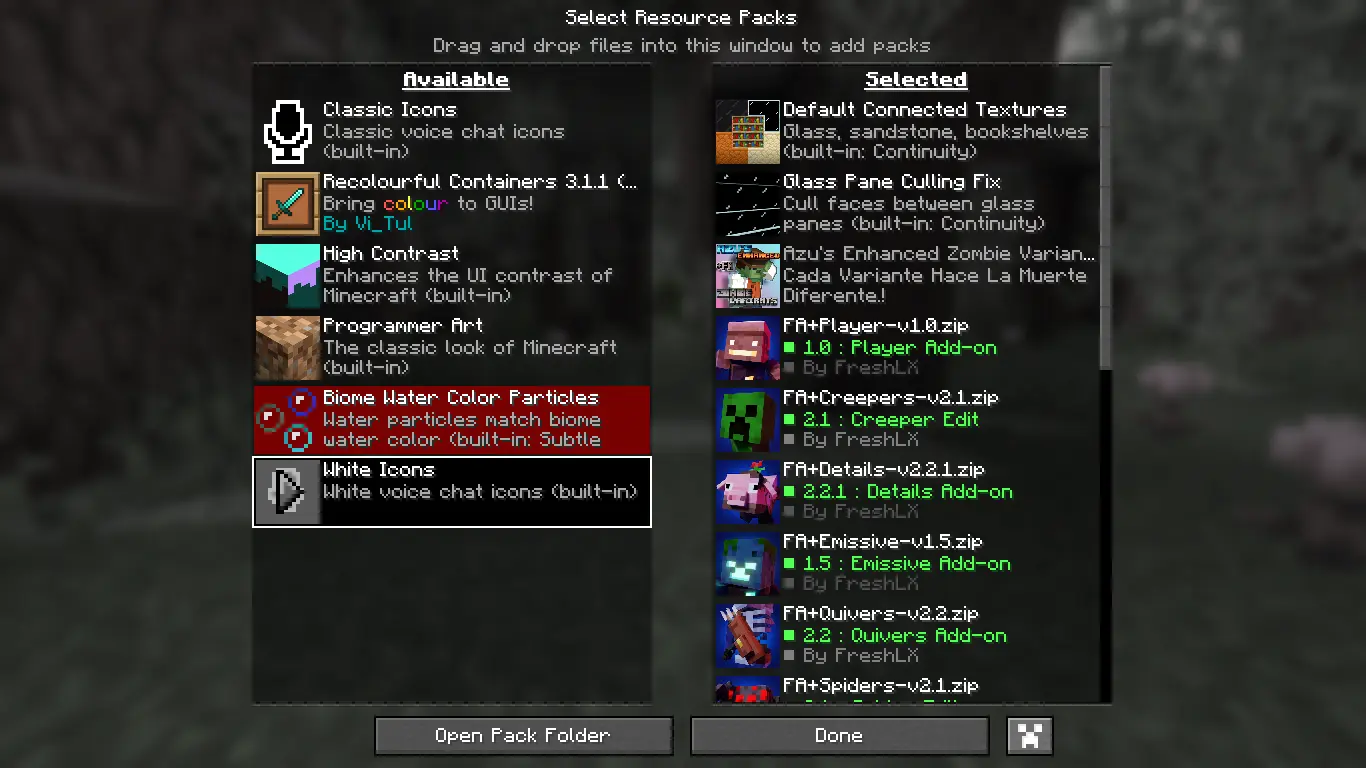
Because we have a bunch of cool features and mechanics packed into this, a lot of the default keys are going to overlap. Minecraft's default way of handling conflicts is to just turn the keys red and disable some of them, which means you might play for hours without even realizing half the mods aren't actually working!
⚠️ Read this if you’re doing multiplayer
Just a heads-up: this has to be on both the client and the server. Since it changes how the world generates and how some of the mechanics work (like the tree-felling), the game will basically freak out or crash if the server doesn't have the same files as you.If you’re just playing by yourself, though, you’re good to go.
📜 The Boring Stuff (Rules & Sharing)
Just a quick heads-up on how you can use the Fancy_Vanilla pack. I’m mostly chill about this, but I’ve put a lot of time into the configs and the overall "vibe," so there are just a few things I’d ask you guys not to do.
-
The "Please Don't" list: Basically, just don't re-upload this whole pack to other websites, launchers, or weird mirror sites. It’s a pain to manage if there are random copies floating around. Also, please don't take the branding or the way I’ve set things up and try to claim you made it yourself, and definitely don't redistribute the files as a standalone download anywhere else.If you want to share it with someone, just send them the link to this page! 🔗
-
The "Please Do" list: On the flip side, feel free to make as many videos or streams as you want with it—I’d actually love to see those.And sharing the official link is always appreciated. If you’re making some huge collection or a "mega-pack" and want to include Fancy_Vanilla in it, that’s totally fine by me. Just make sure you aren't re-hosting it as its own separate thing and please give me a quick shout-out or link back here so people know where it came from.
Basically, just don't be that person who steals work and we’re all good. Thanks for understanding!
For reporting issues: https://discord.com/users/1407582608770072587 [DM ME ON DISCORD]
