Compatibility
Minecraft: Java Edition
Platforms


Tags
Creators
Details
ShopGUIPlusEditor

A simple ShopGUIPlus add-on that allows you to edit shop item prices directly in-game without manually modifying configuration files.
Requires ShopGUIPlus to be installed.
The plugin currently supports shops stored in:
/plugins/ShopGUIPlus/shops
To open the editor, simply:
SHIFT + RIGHT CLICK
on a shop item and use the provided buttons to adjust prices.
Holding Shift while clicking a price adjustment button multiplies the configured amount by the shift multiplier.
The latest version has been tested with ShopGUIPlus v1.113.0. Compatibility with older versions is not guaranteed.
Features
Price Editing
- Edit both buy and sell prices from a configurable GUI
- Real-time price adjustment using configurable increment buttons
- Shift-click support for larger price changes
- Configurable minimum and maximum price validation
Item Management
- Add new
type: itementries directly from a player's main hand - Remove existing shop items through the GUI or commands
- Automatically reload ShopGUIPlus shop data after save/remove operations
- Generate the next available numeric item ID automatically when omitted
Fully Configurable
Configure:
- Editor layout
- Action buttons
- Price adjustment buttons
- Validation limits
- Default values for new items
- Messages
Metadata Preservation
When adding new items, the plugin preserves common ShopGUIPlus item properties:
- material
- quantity
- name
- lore
- flags
- damage
- enchantments
- unbreakable
- customModelData
- potion data
- banner patterns
- player heads / skins
Usage
Edit Existing Shop Items
- Open a ShopGUIPlus shop
- Shift + Right Click an item
- Adjust buy and sell prices
- Click Save Item
- Optionally click Remove Item to delete the entry
Add New Items
- Hold the item in your main hand
- Run:
/shopguipluseditor add <shop> <slot> [page] [item-id]
- Configure prices inside the editor
- Click Save Item
If item-id is omitted, the plugin automatically generates the next available numeric ID.
Remove Items Directly
/shopguipluseditor remove <shop> <item-id>
Open Editor Directly
/shopguipluseditor edit <shop>/<item-id>
or
/shopguipluseditor edit <material> [shop]
Permissions
shopguipluseditor.use— Permission to open and use the editorshopguipluseditor.command.reload— Permission to reload the configuration
Configuration
The plugin is fully configurable.
Example Configuration
edit-menu:
  title: "&8» &2Editing &c%shop_id%&8/&c%item_id%"
  size: 54
  preview-slot: 22

  fill-item:
    material: "GREEN_STAINED_GLASS_PANE"
    name: "&r"
    lore:
      - ""

  buy-price-button:
    slot: 20
    material: "PAPER"
    name: "&aBuy price"
    lore:
      - "&8» &7Shop: &f%shop_id%"
      - "&8» &7Slot/Page: &f%item_slot%&7/&f%item_page%"
      - ""
      - "&8» &aCurrent buy price: &2%current_buy_price%"
      - "&8» &aNew buy price: &2%new_buy_price%"

  sell-price-button:
    slot: 24
    material: "PAPER"
    name: "&cSell price"
    lore:
      - "&8» &7Shop: &f%shop_id%"
      - "&8» &7Slot/Page: &f%item_slot%&7/&f%item_page%"
      - ""
      - "&8» &aCurrent sell price: &2%current_sell_price%"
      - "&8» &aNew sell price: &2%new_sell_price%"

  save-button:
    slot: 31
    material: "EMERALD"
    name: "&aSave item"
    lore:
      - "&8» &7Mode: &f%editor_mode%"
      - "&8» &7Buy: &f%new_buy_price%"
      - "&8» &7Sell: &f%new_sell_price%"
      - ""
      - "&7Click to save your changes."

  remove-button:
    slot: 40
    material: "LAVA_BUCKET"
    name: "&cRemove item"
    lore:
      - "&8» &7Item ID: &f%item_id%"
      - "&8» &7Shop: &f%shop_id%"
      - ""
      - "&7Click to remove this item from the shop."

  back-button:
    slot: 49
    material: "BARRIER"
    name: "&cBack"
    lore:
      - "&7Return to the shop page."

  sell-price-adjust-buttons:
    button-1:
      slot: 41
      size: 1
      name: "&c$%amount%"
      amount: 0.10
      shift-multiplier: 2
      material: "RED_CONCRETE"
      lore:
        - "&8» &aLeft click to add %amount%"
        - "&8» &aRight click to subtract %amount%"
        - ""
        - "&7Shift-click to multiply by %shift_multiplier%"
    button-2:
      slot: 42
      size: 2
      name: "&c$%amount%"
      amount: 1
      shift-multiplier: 2
      material: "RED_CONCRETE"
      lore:
        - "&8» &aLeft click to add %amount%"
        - "&8» &aRight click to subtract %amount%"
        - ""
        - "&7Shift-click to multiply by %shift_multiplier%"
    button-3:
      slot: 43
      size: 3
      name: "&c$%amount%"
      amount: 10
      shift-multiplier: 2
      material: "RED_CONCRETE"
      lore:
        - "&8» &aLeft click to add %amount%"
        - "&8» &aRight click to subtract %amount%"
        - ""
        - "&7Shift-click to multiply by %shift_multiplier%"

  buy-price-adjust-buttons:
    button-1:
      slot: 37
      size: 1
      name: "&a$%amount%"
      amount: 0.10
      shift-multiplier: 2
      material: "LIME_CONCRETE"
      lore:
        - "&8» &aLeft click to add %amount%"
        - "&8» &aRight click to subtract %amount%"
        - ""
        - "&7Shift-click to multiply by %shift_multiplier%"
    button-2:
      slot: 38
      size: 2
      name: "&a$%amount%"
      amount: 1
      shift-multiplier: 2
      material: "LIME_CONCRETE"
      lore:
        - "&8» &aLeft click to add %amount%"
        - "&8» &aRight click to subtract %amount%"
        - ""
        - "&7Shift-click to multiply by %shift_multiplier%"
    button-3:
      slot: 39
      size: 3
      name: "&a$%amount%"
      amount: 10
      shift-multiplier: 2
      material: "LIME_CONCRETE"
      lore:
        - "&8» &aLeft click to add %amount%"
        - "&8» &aRight click to subtract %amount%"
        - ""
        - "&7Shift-click to multiply by %shift_multiplier%"

new-item:
  default-buy-price: 0.0
  default-sell-price: -1.0
  default-page: 1
  default-quantity: 1
  copy-held-amount: true

validation:
  buy-price:
    min: 0.0
    max: -1
  sell-price:
    min: -1.0
    max: -1

messages:
  successfully-set: "&aSuccessfully updated the item prices."
  item-added: "&aSuccessfully added &f%item_id%&a to &f%shop_id%&a."
  item-removed: "&aSuccessfully removed &f%item_id%&a from &f%shop_id%&a."
  hold-item: "&cHold the item you want to add in your main hand."
  player-only: "&cOnly players can use this command."
  shop-not-found: "&cCould not find a ShopGUIPlus shop named &f%shop_id%&c."
  item-not-found: "&cCould not find the item ID &f%item_id%&c in &f%shop_id%&c."
  material-not-found: "&cCould not find any ShopGUIPlus item using material &f%material%&c."
  material-ambiguous: "&cFound &f%material%&c in multiple shops: &f%matches%&c. Use &f/shopguipluseditor edit <material> <shop>&c."
  material-ambiguous-in-shop: "&cFound multiple &f%material%&c entries in &f%shop_id%&c: &f%matches%&c. Use &f/shopguipluseditor edit %shop_id%/<item-id>&c."
  invalid-number: "&cInvalid number: &f%input%&c."
  invalid-slot: "&cSlot must be between &f0&c and &f%max_slot%&c for &f%shop_id%&c."
  invalid-page: "&cPage must be at least &f1&c."
  invalid-item-id: "&cItem IDs may only contain letters, numbers, hyphens and underscores."
  item-already-exists: "&cThe item ID &f%item_id%&c already exists in &f%shop_id%&c."
  slot-occupied: "&cSlot &f%item_slot%&c on page &f%item_page%&c is already occupied in &f%shop_id%&c."
  save-failed: "&cFailed to save the ShopGUIPlus shop file."
  no-permission: "&cYou do not have permission to do that."
  reloaded: "&aSuccessfully reloaded the config."
  command-help:
    - "&8/shopguipluseditor reload"
    - "&7Hold the item to add in your main hand."
    - "&8/shopguipluseditor add <shop> <slot> [page] [item-id] &7(uses held item)"
    - "&8/shopguipluseditor edit <shop>/<item-id>"
    - "&8/shopguipluseditor edit <material> [shop]"
    - "&8/shopguipluseditor remove <shop> <item-id>"
See the full configuration file for all available options.
Current Limitations
The add-item flow currently creates standard:
type: item
entries only.
The plugin does not currently generate:
type: commandtype: permission- Other custom ShopGUIPlus action types
Additionally, custom provider IDs from plugins such as:
- Nexo
- Oraxen
- ItemsAdder
and similar systems cannot be reconstructed from held items and must still be configured manually if provider-native entries are required.
Metrics
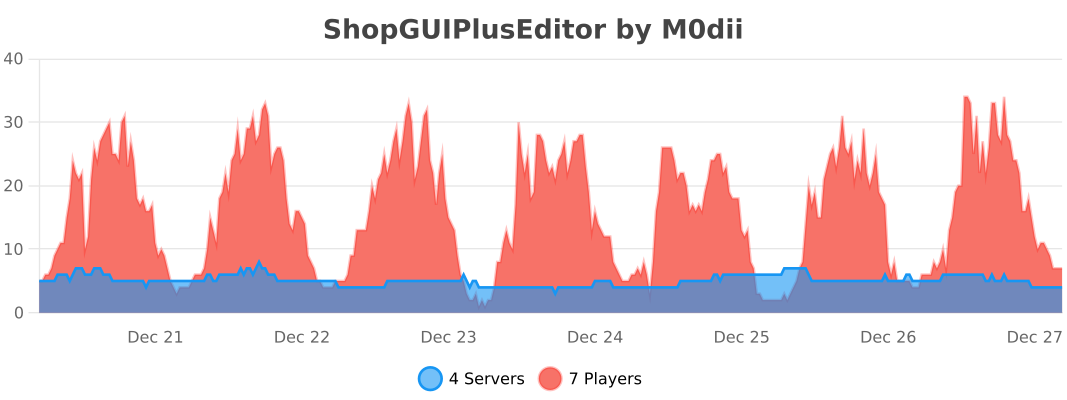
ShopGUIPlusEditor collects anonymous server statistics through bStats, an open-source metrics platform for Minecraft software.