
Compatibility
Minecraft: Java Edition
Platforms
Supported environments


Links
Tags
Creators
Details
!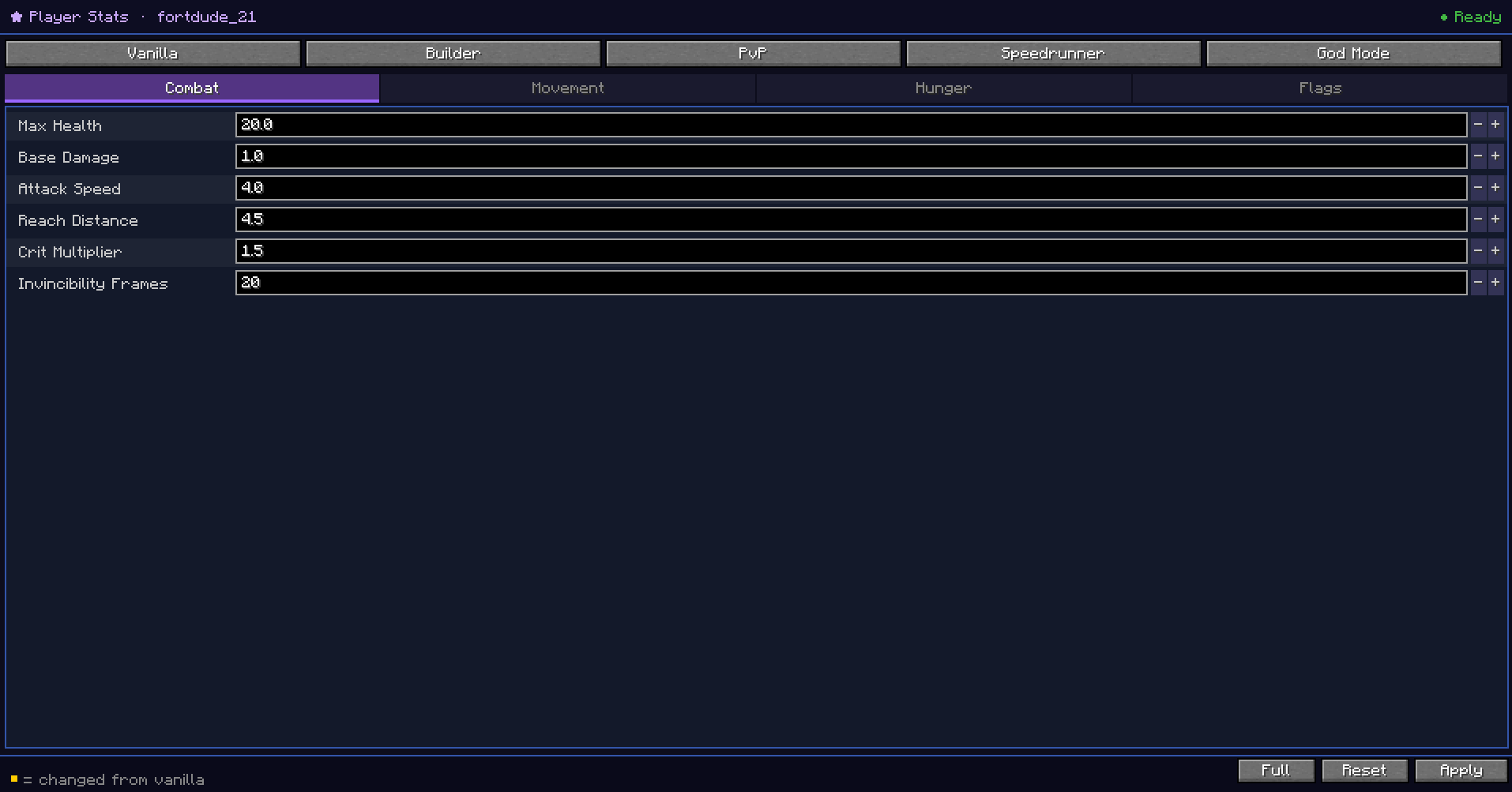 CraftStats gives you a full in-game editor to customize the stats of any mob, block, item, or player — no config
files, no restarts, no commands to memorize.
CraftStats gives you a full in-game editor to customize the stats of any mob, block, item, or player — no config
files, no restarts, no commands to memorize.
What It Does
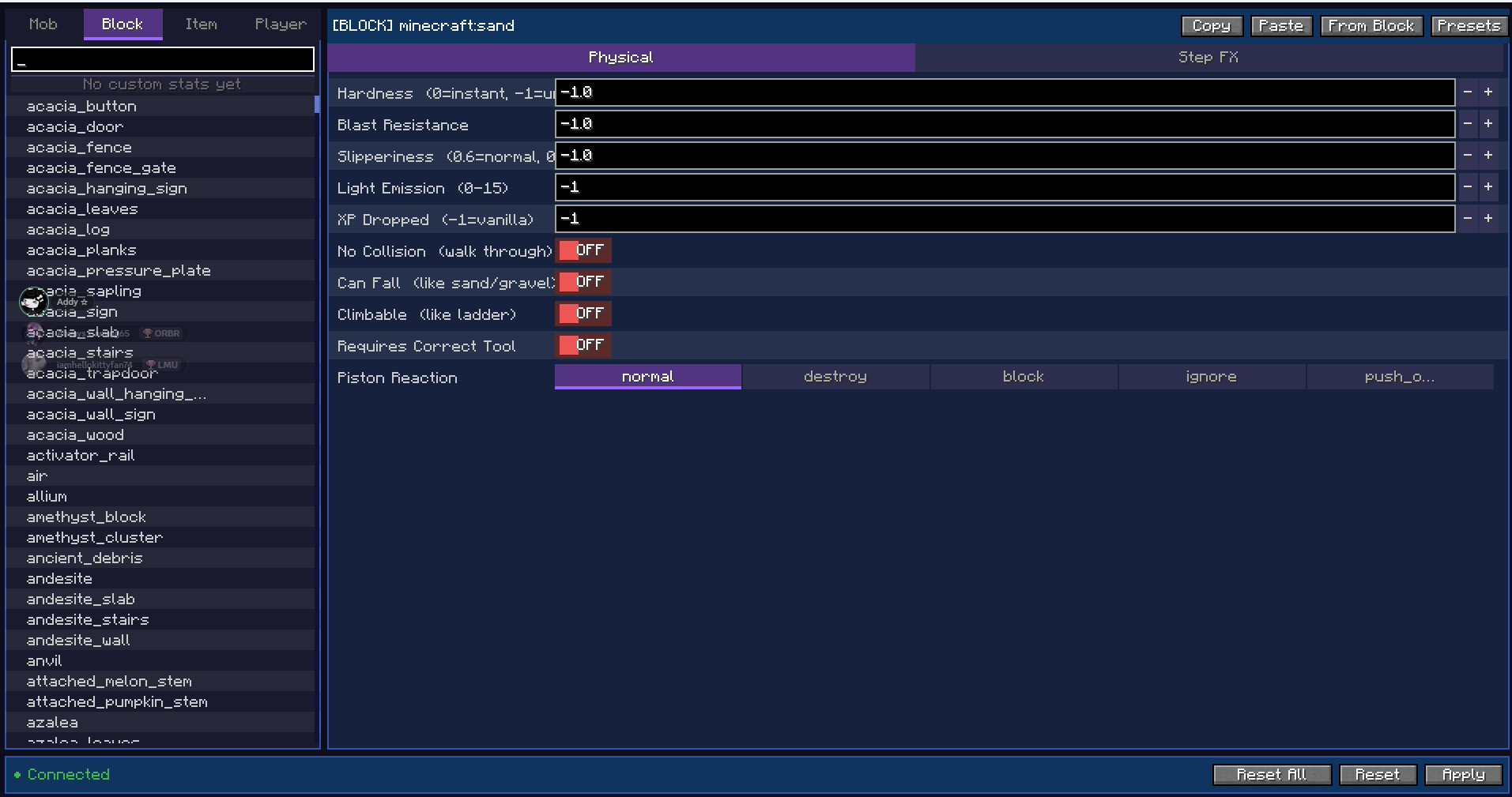
Open the editor from the pause menu and pick anything from the searchable browser on the left. Change its stats on the right, hit Apply, and the changes take effect immediately in the live world.
Mobs — health, damage, armor, speed, size, immunities, AI behavior, XP drops, and more.
Blocks — hardness, blast resistance, slipperiness, light level, XP dropped, collision, climbability, piston reaction, and step-on effects like damage, speed boosts, levitation, and potion effects. You can also make any block fall like sand or gravel with the Can Fall toggle.
Items — attack damage, attack speed, durability, stack size, mining speed, food properties, and flags like fireproof, unbreakable, and throwable.
Players — health, damage, speed, gravity, reach, armor, fly speed, jump force, permanent potion effects, fall damage, hunger drain, god mode, keep inventory, and much more.
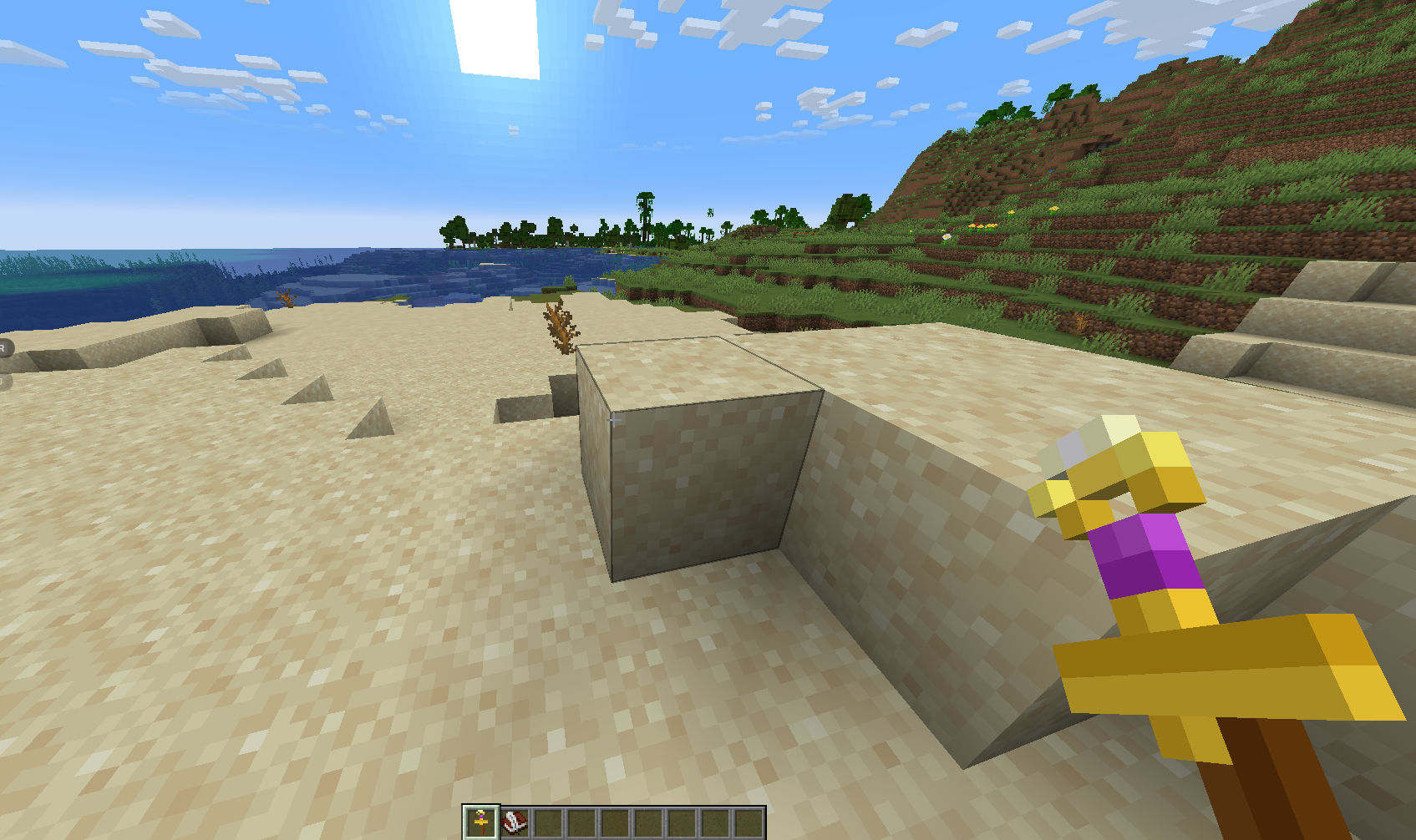
Wand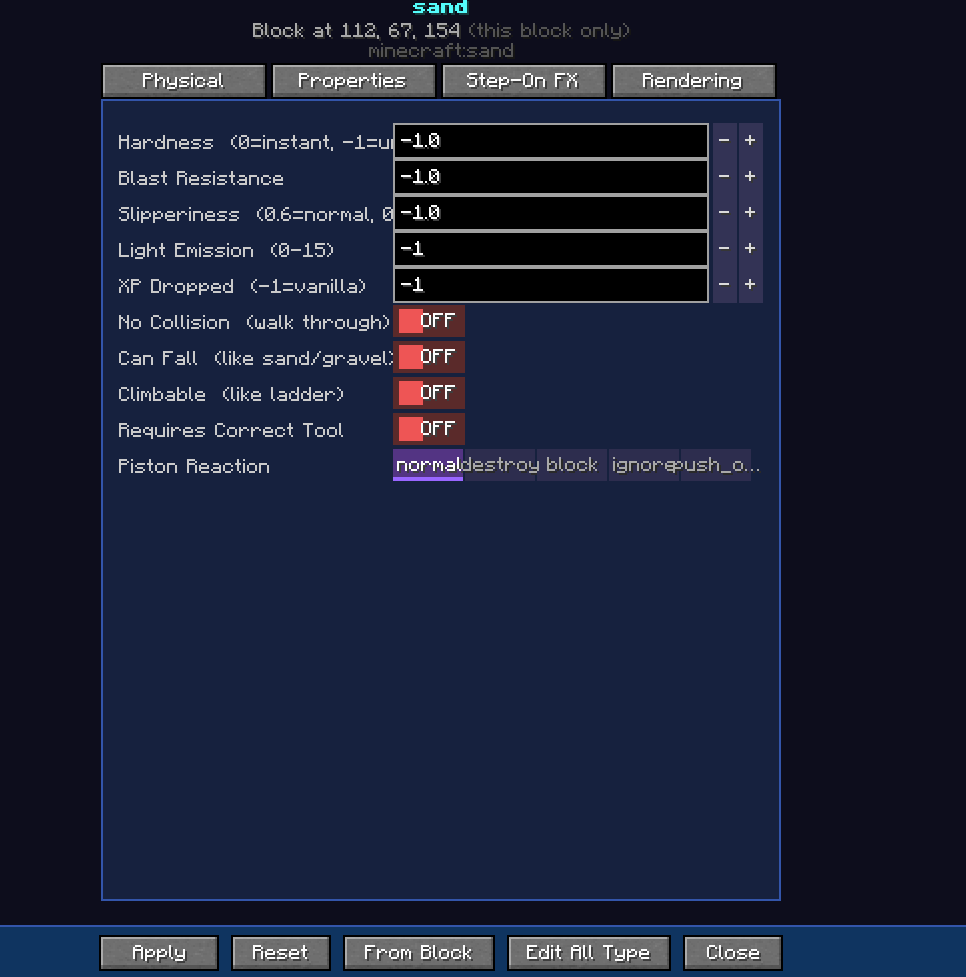
Features
- Live editing — changes apply instantly, no reload needed
- Presets — save and load stat profiles to reuse across entries
- Propagate — apply the same stats to many entries at once
- Randomize — randomize stats within bounds you set
- Copy / Paste — share stat profiles as JSON via clipboard
- From Block — extract vanilla block properties as a starting point
- CraftWand — right-click any mob or block in the world to open the editor pre-selected on it
- Multiplayer ready — works on dedicated servers; requires OP level 2 or creative mode
- Persistent — stats are saved per world and restored on every restart
Requirements
Fabric: Fabric Loader, Fabric API, Architectury API, Cloth Config, (ModMenu optional) NeoForge: NeoForge 21.1.172+, Architectury API, Cloth Config
Minecraft 1.21.1 — Fabric & NeoForge